
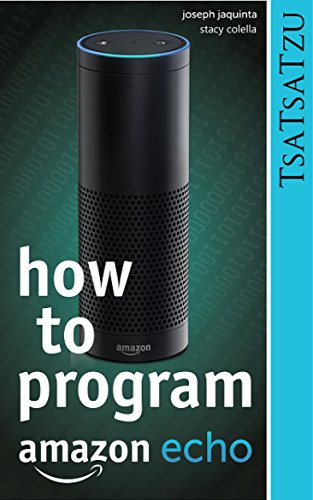
How to Program Alexa: A Step-by-step Guide
Are you interested in learning how to program Alexa? With its vast array of skills and abilities, Alexa is a powerful tool that can make your life easier and more enjoyable. In this article, we will take a step-by-step approach to teaching you how to program Alexa, so you can harness its full potential.
Understanding The Basics
Before we dive into the nitty-gritty details, let’s cover the basics of programming Alexa. Alexa is a virtual assistant that uses voice commands to interact with users. To program Alexa, you need to create a skill, which is essentially an app for Alexa. Skills can range from simple tasks like setting reminders or playing music to more complex actions like controlling smart home devices.
Prerequisites
Before you start programming Alexa, make sure you have the following:
- An Amazon Echo device (such as Echo Dot, Echo Show, etc.)
- A smartphone or tablet with Android or iOS operating system
- The Amazon Alexa app installed on your device
Step 1: Setting Up Your Amazon Account
To program Alexa, you need to create an Amazon account and link it to your Alexa device. Follow these steps:
- Go to the Amazon website and sign up for a new account.
- Download and install the Amazon Alexa app on your smartphone or tablet.
- Launch the app and follow the prompts to set up your account.
Step 2: Configuring Your Echo Device
Now that you have an Amazon account, it’s time to configure your Echo device. Follow these steps:
- Connect your Echo device to power and ensure it is turned on.
- Download and install the Amazon Alexa app on your smartphone or tablet.
- Launch the app and follow the prompts to set up your Echo device.
Step 3: Creating a New Skill
To program Alexa, you need to create a new skill. Follow these steps:
- Go to the Amazon Developer Console website.
- Sign in with your Amazon account credentials.
- Click on the “Create a New Skill” button and follow the prompts to set up your skill.
Step 4: Defining Your Skill’s Logic
Once you have created a new skill, it’s time to define its logic. This involves creating the backend of your skill using either AWS Lambda or a web server. Follow these steps:
- Choose between AWS Lambda and a web server as the backend for your skill.
- Use the Amazon Developer Console to set up your skill’s backend.
Step 5: Testing Your Skill
Before you can publish your skill, it needs to be tested. Follow these steps:
- Test your skill using the Amazon Developer Console.
- Ensure that your skill is working correctly and meets all of Alexa’s requirements.
Step 6: Publishing Your Skill
Once you have tested your skill, it’s time to publish it. Follow these steps:
- Go to the Amazon Developer Console website.
- Sign in with your Amazon account credentials.
- Click on the “Publish” button to make your skill available to all users.
Tips And Tricks
Here are some additional tips and tricks to keep in mind when programming Alexa:
- Use clear and concise language when defining your skill’s logic.
- Test your skill thoroughly before publishing it.
- Use visual aids like screenshots or videos to help explain your skill’s functionality.
- Consider partnering with other developers or companies to expand the capabilities of your skill.
Conclusion
Programming Alexa is a straightforward process that requires some technical knowledge and patience. By following these steps, you can create a new skill and make it available to all users. Remember to test your skill thoroughly and follow all of Alexa’s guidelines before publishing it.
Faqs
Here are some frequently asked questions about programming Alexa:
Q: Do I need to have any specific skills or experience to program Alexa?
A: Yes, you need to have basic knowledge of programming concepts like logic and algorithms. Additionally, you should be familiar with the Amazon Developer Console and AWS Lambda.
Q: How long does it take to create a new skill for Alexa?
A: The time it takes to create a new skill can vary depending on your level of expertise and the complexity of your skill. However, with some basic knowledge and patience, you can create a simple skill in just a few hours.
Q: Can I use other platforms like Google Assistant or Microsoft Cortana to program my skill?
A: Yes, you can use other platforms like Google Assistant or Microsoft Cortana to program your skill. However, keep in mind that the process may be different from what is outlined above.
Q: How do I handle errors and bugs in my skill?
A: To handle errors and bugs in your skill, use a combination of testing and debugging tools. Additionally, consider partnering with other developers or companies to help identify and fix issues with your skill.
Q: Can I monetize my skill by selling it through the Amazon Alexa Store?
A: Yes, you can monetize your skill by selling it through the Amazon Alexa Store. To do this, follow the guidelines outlined in the Amazon Developer Console documentation.
Q: How do I update or modify my existing skill?
A: To update or modify your existing skill, use the Amazon Developer Console to make changes to your skill’s logic and backend. Be sure to test your updated skill thoroughly before publishing it again.


