
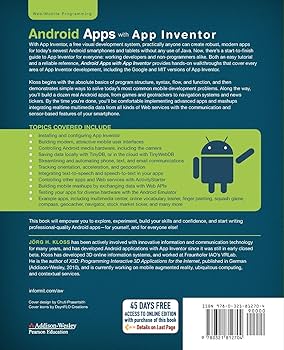
The Ultimate Guide to Creating Android Apps: A Step-by-step Tutorial
Are you interested in creating your own Android app, but don’t know where to start? Look no further! This comprehensive guide will walk you through the process of developing a mobile app for Android devices.
Why Create an Android App?
Creating an Android app can be a fun and rewarding experience. Not only can it help you learn new skills, but it can also provide a platform for sharing your ideas with millions of users worldwide. With over 2 billion active Android users, the potential for success is immense!
Getting Started: Choosing The Right Development Tool
Before you begin, you’ll need to choose a development tool that suits your needs. There are several options available, including:
- Android Studio: The official integrated development environment (IDE) for Android app development.
- Visual Studio: A free IDE developed by Microsoft that supports various programming languages, including Java and C++.
- Eclipse: A free IDE for developing Android apps using the Java programming language.
Setting Up Your Development Environment
Once you’ve chosen your development tool, it’s time to set up your environment. This includes:
- Downloading And Installing The Necessary Software: Depending on which tool you choose, you may need to download and install additional software or plugins.
- Configuring Your Ide: Set up your IDE with the necessary settings and preferences for developing Android apps.
Understanding The Development Process
The development process involves several stages, including:
- Planning And Design: Define your app’s features and functionality, and create a wireframe or prototype to guide your development process.
- Coding And Testing: Write and test your app’s code using your chosen programming language and IDE.
- Debugging And Optimization: Identify and fix any bugs or performance issues that arise during the development process.
Common Challenges And Solutions
When developing Android apps, you may encounter common challenges such as:
- Crashes And Errors: Identify and debug crashes and errors using tools like LogCat and Crashlytics.
- Performance Issues: Optimize your app’s performance by reducing memory usage, improving UI rendering, and minimizing network requests.
Publishing Your App
Once you’ve completed the development process, it’s time to publish your app on the Google Play Store. This includes:
- Creating a Developer Account: Register for a developer account with Google to access the publishing tools.
- Preparing Your App For Publication: Ensure that your app meets all of Google’s requirements and guidelines for publication.
Tips And Best Practices
To ensure success with your Android app, keep the following tips and best practices in mind:
- Test Thoroughly: Test your app on various devices and scenarios to identify potential issues.
- Optimize For Performance: Optimize your app’s performance by reducing memory usage, improving UI rendering, and minimizing network requests.
- Engage With Users: Engage with your app’s users through regular updates, bug fixes, and new features.
Conclusion
Creating an Android app can be a fun and rewarding experience. With the right tools, knowledge, and dedication, you can develop a successful mobile app that reaches millions of users worldwide.
Frequently Asked Questions (FAQs)
- What Programming Languages Are Used For Android App Development?
- Java and Kotlin are the primary programming languages used for Android app development.
- How do I Publish my Android App on The Google Play Store?
- To publish your app, create a developer account with Google and prepare your app for publication by ensuring it meets all of Google’s requirements and guidelines.
- What Tools Can I Use to Develop an Android App?
- You can use Android Studio, Visual Studio, or Eclipse as development tools for creating Android apps.
- How do I Optimize my Android App’s Performance?
- Optimize your app’s performance by reducing memory usage, improving UI rendering, and minimizing network requests.
- What Are Some Common Challenges When Developing an Android App?
- Common challenges include crashes and errors, performance issues, and user engagement.
- How do I Test my Android App?
- Test your app on various devices and scenarios to identify potential issues.
- Can I Use Other Programming Languages For Android App Development?
- Yes, you can use other programming languages like C++ or HTML/CSS/JavaScript for Android app development using frameworks like React Native or Flutter.
Recommended Resources
For further learning and resources on developing Android apps, check out:
- The official Android Developer documentation
- Android Studio’s built-in guides and tutorials
- Online courses and tutorials on platforms like Udemy, Coursera, and edX
Remember to always follow best practices and guidelines when developing an Android app. With dedication and the right tools, you can create a successful mobile app that reaches millions of users worldwide!


