
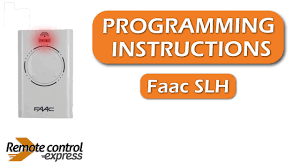
How to Program a Faac Erase Remote
Are you tired of struggling with your FAAC erase remote? Do you want to enjoy the convenience of an automatic garage door opener without the hassle of manual operation? Look no further! In this article, we will guide you through the step-by-step process of programming your FAAC erase remote.
Understanding Your Faac Erase Remote
Before we dive into the programming process, let’s take a closer look at your FAAC erase remote. This device uses radio frequency (RF) signals to communicate with your garage door opener. The remote has a transmitter that sends a signal to the receiver on your garage door opener, which then opens or closes the door.
Types of Faac Erase Remotes
There are several types of FAAC erase remotes available in the market. These include:
- Fixed code remotes: These remotes use a fixed code to communicate with your garage door opener.
- Rolling code remotes: These remotes use a rolling code system, which changes the code every time you press the button.
- Self-Learning Hopping (SLH) remotes: These remotes use a SLH technology, which can learn and adapt to different environments.
Programming Your Faac Erase Remote
Now that we have covered the basics of your FAAC erase remote, let’s move on to the programming process. The steps may vary depending on the type of remote you have.
Step 1: Identify Your Remote Type
Before you start programming your remote, it’s essential to identify the type of remote you have. Check your remote for any labels or markings that indicate its type. If you’re still unsure, consult your garage door opener manual or contact a professional.
Step 2: Prepare Your Remote
Make sure your remote is fully charged and ready for use. If you’re using a rolling code or SLH remote, ensure that the batteries are inserted correctly.
Step 3: Locate Your Garage Door Opener
Find your garage door opener and locate the receiver unit. This unit is usually located near the motor and has an antenna attached to it.
Step 4: Program Your Remote (Fixed Code)
If you’re using a fixed code remote, follow these steps:
- Press the “Learn” button on your garage door opener.
- Hold down the “Open” or “Close” button on your remote until the LED light starts flashing.
- Release the button and press it again to confirm.
Step 5: Program Your Remote (Rolling Code)
If you’re using a rolling code remote, follow these steps:
- Press the “Learn” button on your garage door opener.
- Hold down the “Open” or “Close” button on your remote until the LED light starts flashing.
- Release the button and press it again to confirm.
Step 6: Program Your Remote (SLH)
If you’re using a SLH remote, follow these steps:
- Press the “Learn” button on your garage door opener.
- Hold down the “Open” or “Close” button on your remote until the LED light starts flashing.
- Release the button and press it again to confirm.
Step 7: Test Your Remote
Once you’ve completed the programming process, test your remote by pressing the “Open” or “Close” button. If everything is working correctly, your garage door should open or close smoothly.
Tips And Tricks
Here are some additional tips and tricks to help you program your FAAC erase remote:
- Make sure you’re standing within range of your garage door opener when programming your remote.
- Use the correct batteries for your remote to ensure proper function.
- Consult your garage door opener manual if you’re unsure about any aspect of the programming process.
Conclusion
Programming your FAAC erase remote is a straightforward process that requires some basic knowledge of how the device works. By following these steps, you should be able to program your remote and enjoy the convenience of an automatic garage door opener. Remember to test your remote after programming to ensure everything is working correctly.
Frequently Asked Questions (FAQs)
Here are some additional FAQs related to programming your FAAC erase remote:
- Q: What if I Lost my Original Remote?
A: If you’ve lost your original remote, you can purchase a replacement or a universal remote that’s compatible with your garage door opener.
- Q: Can I Program Multiple Remotes For The Same Garage Door Opener?
A: Yes, most FAAC erase remotes can be programmed to work with multiple remotes.
- Q: What if my Remote is Not Responding to Programming Attempts?
A: Try replacing the batteries in your remote and restart the programming process.
- Q: Can I Use a Smartphone App to Program my Remote?
A: Yes, there are several smartphone apps available that allow you to program your FAAC erase remote.
- Q: What if I’m Unsure About Any Aspect of The Programming Process?
A: Consult your garage door opener manual or contact a professional for assistance.
- Q: Can I Program my Remote to Work With Multiple Garage Doors?
A: Yes, most FAAC erase remotes can be programmed to work with multiple garage doors.
- Q: What if I’m Experiencing Issues With my Garage Door Opener After Programming The Remote?
A: Try troubleshooting your garage door opener or consult a professional for assistance.


