
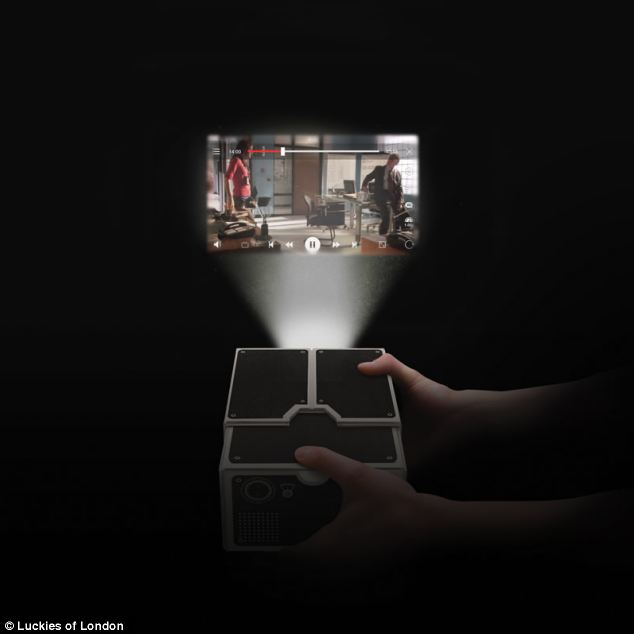
How to Project Your Smartphone Screen Onto a Wall Without a Projector
Are you tired of cluttered conference rooms or small screens? Do you want to share your phone’s content with a group of people in a more engaging way? You can project your smartphone screen onto a wall without a projector. In this article, we’ll show you how to do it.
Why Project Your Smartphone Screen?
Projecting your smartphone screen can be useful in various situations:
- Share content with a large audience
- Enhance presentations and meetings
- Create an immersive experience for gamers or movie enthusiasts
- Showcase products or services in retail settings
Types of Projectors Available
There are three main categories of projectors: Mini, portable, and video. Each type has its own features and price range.
- Mini Projector: Small, lightweight, and battery-powered. Ideal for small groups or impromptu presentations.
- Portable Projector: Compact, easy to carry, and often wireless connectivity options. Suitable for medium-sized rooms or events.
- Video Projector: Larger, more powerful, and often with advanced features like 4K resolution. Best suited for large audiences or professional applications.
How to Connect Your Smartphone to a Projector
To connect your smartphone to a projector, you’ll need:
- A cable (HDMI, USB-C, or Lightning)
- An adapter (if necessary)
-
The projector itself
-
Wired Connection: Use a cable to connect your smartphone to the projector’s HDMI port.
- Wireless Connection: Many projectors have wireless connectivity options like Wi-Fi, Bluetooth, or Miracast. Ensure both devices are connected to the same network.
Mirroring Your Smartphone Screen
To mirror your smartphone screen onto the projector:
- Enable Projection Mode: Go to Settings > Display on your smartphone and select “Projection mode.”
- Choose The Projector: Select the projector from the list of available devices.
- Start Mirroring: The projection will begin, and you can start sharing content with your audience.
Alternative Methods
If you don’t have a projector or prefer not to use one:
- Chromecast: Use a Chromecast device connected to the projector’s HDMI port.
- Airplay: Mirror your iPhone screen onto an Apple TV connected to the projector’s HDMI port.
Conclusion
Projecting your smartphone screen onto a wall without a projector is possible and can be achieved using various methods. Choose the one that suits your needs, and enjoy sharing content with your audience in a more engaging way.
Faqs
- What Are The Benefits of Projecting my Smartphone Screen?
Projecting your smartphone screen allows you to share content with a larger audience, enhancing presentations and meetings. - Which Type of Projector is Best For Me?
Choose a mini projector for small groups or portable projectors for medium-sized rooms. - How do I Connect my Smartphone to a Projector?
Use a cable (HDMI, USB-C, or Lightning) or wireless connectivity options like Wi-Fi, Bluetooth, or Miracast. - Can I Mirror my Iphone Screen Onto a Projector?
Yes, use AirPlay to mirror your iPhone screen onto an Apple TV connected to the projector’s HDMI port.
In conclusion, projecting your smartphone screen onto a wall without a projector is achievable and can enhance presentations and meetings. Choose the right method for your needs, and enjoy sharing content with your audience in a more engaging way.


