
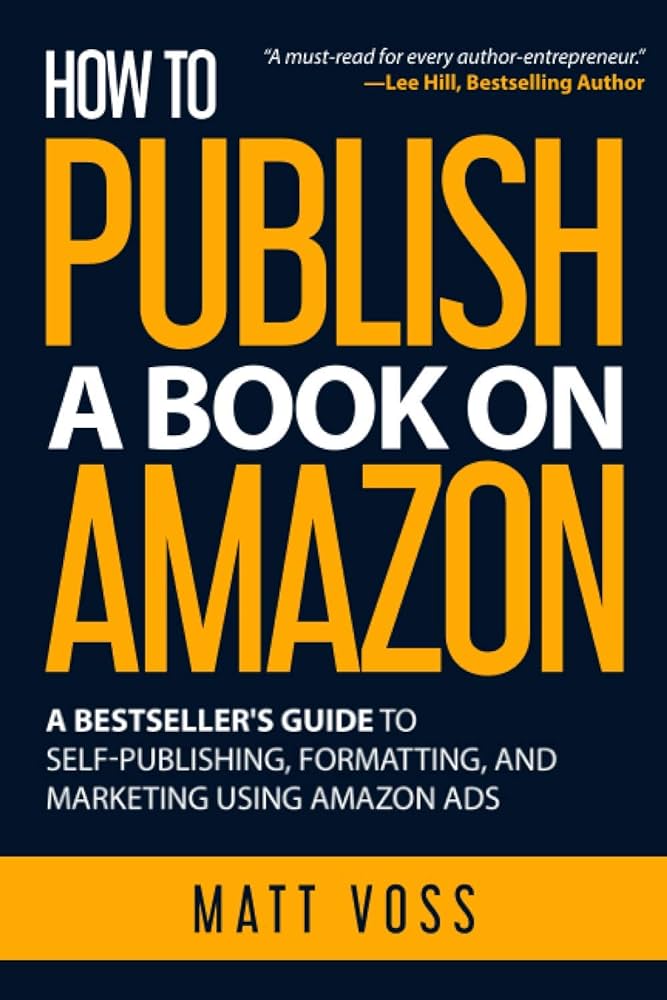
How to Issue Your Prime Masterpiece on Amazon
Are you a writer looking to publish your prime masterpiece on Amazon? If so, this guide will walk you through the steps of issuing your book on Amazon in electronic format.
Amazon is one of the most famous portals in net where users can acquire and purchase various products. Beyond being an e-commerce platform, Amazon also offers a system for independent publication of eBooks.
Getting Started
If you’re new to publishing on Amazon, don’t worry! The process is not complicated at all, and you don’t need to be an expert in computer science to issue your book on Amazon. In fact, the advantages of issuing on Amazon include:
- Not having to disburse any money
- Being able to sell your book at a price that you believe is best
- Having full control over the contents, price, and graphic of your eBook
Creating an Account Vendor
To issue your book on Amazon, you’ll need to create an account vendor. You can choose between being a private vendor or a professional vendor. If you’re a private vendor, you won’t have to pay any commission fees.
Once you’ve created your account vendor, you’ll be able to access the leading page of your account and navigate to the Catalogue menu. From there, you can click on Add a new product and type in the name of your book.
Searching For Similar Books
Before adding your book, make sure to search for similar books that are already published on Amazon. This will help you avoid duplicating an existing title.
If you find a book that’s similar to yours, click on Contact in sale beside the voice in question and fill out the relative countryside to Quantity, Price, and Conditions.
Issuing an Announcement on Amazon
You can issue an announcement on Amazon using either the website or the app for Android. If you choose to use the app, make sure to take a photo of the bar code using your smartphone’s camera.
Once you’ve taken the photo, click on Add a product to initiate the publication of a product. The procedure will be identical to that when using the website.
Issuing Books on Amazon Kdp
Amazon Kindle Direct Publishing (KDP) allows you to publish books in both digital and cartacei formats. You can issue your book on Amazon KDP with an extremely facile procedure, thanks to the instruments contacted to disposal of KDP.
You’ll be able to choose between issuing a book that’s up to 10 countries and in over 45 languages, with full control over contents, price, and graphic.
Issuing Ebooks on Amazon
If you want to issue an eBook on Amazon, follow the same steps as before. Make sure your file is ready in format DOC(X) or PDF.
When creating your book on Kindle Creator, choose Create new, then continue in base to the type of book that you desire to create. Insert the details and remember that you won’t be able to modify them later.
Choosing a Royalty Rate
You’ll have to choose between two options for royalty rates: 35 Or 70%. The second option will give you an earn of $0.70 Per page read on Kindle Unlimited, but you’ll need to respect some conditions with Kindle Select.
For cartacei books instead, the percent is 60%.
Issuing Audiobooks on Amazon
Amazon also offers a platform that allows you to transform your eBook into an audiobook using ACX (Audiobook Creation Exchange). Unfortunately, this service is not available in Italy. However, there are other options for issuing audiobooks, such as YouCanPrint.
You can choose between distributing your audiobook on Amazon Audible or on other platforms like Spotify and Google Play.
Issuing Poetries on Amazon
If you’re interested in issuing poetries on Amazon, follow the same steps as before. Remember that you’ll be dealing with a collection of poetries, so make sure to create a book that’s suitable for this type of publication.
Conclusion
Publishing your book on Amazon can seem daunting at first, but it’s actually a straightforward process. By following these steps and tips, you’ll be able to issue your prime masterpiece on Amazon in electronic format.
Remember to take advantage of the various tools and resources offered by Amazon to help you succeed as an independent author.
Frequently Asked Questions
Q: What are the benefits of issuing my book on Amazon?
A: Issuing your book on Amazon allows you to sell your book without having to disburse any money, gives you full control over contents, price, and graphic, and offers a wide distribution network.
Q: How do I create an account vendor on Amazon?
A: To create an account vendor on Amazon, go to the website and navigate to the Catalogue menu. From there, click on Add a new product and type in the name of your book.
Q: What is the difference between being a private vendor or professional vendor on Amazon?
A: Being a private vendor means you won’t have to pay any commission fees, while being a professional vendor requires a subscription fee.
Q: Can I issue my audiobook on multiple platforms?
A: Yes, you can distribute your audiobook on various platforms like Amazon Audible, Spotify, and Google Play.
Q: What is the royalty rate for issuing an eBook on Amazon KDP?
A: You can choose between two options for royalty rates: 35 Or 70%. The second option will give you an earn of $0.70 Per page read on Kindle Unlimited.
Q: How do I search for similar books before adding mine to Amazon?
A: Make sure to search for similar books that are already published on Amazon using the website’s search function.
Q: Can I issue my book on multiple countries and languages using Amazon KDP?
A: Yes, you can issue your book in up to 10 countries and over 45 languages using Amazon KDP.


