
How to Contact The Mirino on Fortnite: A Comprehensive Guide
As a gamer, you’ve probably encountered the infamous “mirino” or “aim assist” feature in Fortnite. But have you ever struggled to delete your enemies with ease? Or perhaps you’re tired of being eliminated before you can even take aim? Well, you’re not alone! In this article, we’ll show you how to contact the mirino on Fortnite, no matter what platform you’re playing on.
What is The Mirino?
The mirino, also known as “aim assist,” is a feature in Fortnite that helps players aim and shoot their enemies with greater accuracy. It’s especially useful for beginners or those who struggle with precise aiming. However, some players might find it too easy or even cheat-like to use.
How to Contact The Mirino on PC
If you’re playing Fortnite on your PC, follow these steps:
- Connect a Controller: Before we dive into the mirino settings, make sure you have a controller connected to your PC.
- Access Settings: Press ESC on your keyboard and navigate to the “Settings” section.
- Enable Aim Assist: Scroll down to the “Sensitivity” section and enable the option for “Intensity Aim Assisted.”
- Adjust Sensitivity: Adjust the sensitivity settings to suit your preferences.
How to Contact The Mirino on Ps4 And Ps5
If you’re playing Fortnite on your PlayStation 4 or 5, follow these steps:
- Access Settings: Press the Options button on your controller and navigate to the “Settings” section.
- Enable Aim Assist: Scroll down to the “Use Advanced Options” section and enable the option for “Intensity Aim Assisted.”
- Adjust Sensitivity: Adjust the sensitivity settings to suit your preferences.
How to Contact The Mirino on Xbox
If you’re playing Fortnite on your Xbox, follow these steps:
- Access Settings: Press the View button on your controller and navigate to the “Settings” section.
- Enable Aim Assist: Scroll down to the “Use Advanced Options” section and enable the option for “Intensity Aim Assisted.”
- Adjust Sensitivity: Adjust the sensitivity settings to suit your preferences.
How to Contact The Mirino on Mobile
If you’re playing Fortnite on your mobile device, follow these steps:
- Access Settings: Tap on the three horizontal lines in the top-right corner and navigate to the “Settings” section.
- Enable Aim Assist: Scroll down to the “Advanced Options” section and enable the option for “Intensity Aim Assisted.”
- Adjust Sensitivity: Adjust the sensitivity settings to suit your preferences.
Personalizing Your Mirino
You can further personalize your mirino experience by adjusting various settings, such as:
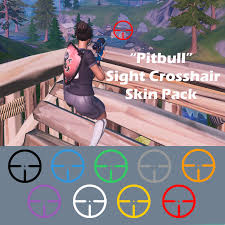
- Crosshair V2: This extension is available on PC and allows you to customize your crosshair’s appearance.
- Crosshair X: This extension offers more advanced personalization options and is available on Steam, Epic Games Store, and Microsoft Store.
Conclusion
Contacting the mirino on Fortnite is a straightforward process that can significantly improve your gaming experience. By following these steps, you’ll be able to aim and shoot with greater accuracy, no matter what platform you’re playing on. Remember to adjust sensitivity settings to suit your preferences and experiment with different personalization options to find the perfect fit for you.
Frequently Asked Questions
Q: What is the mirino?
A: The mirino, also known as “aim assist,” is a feature in Fortnite that helps players aim and shoot their enemies with greater accuracy.
Q: How do I contact the mirino on PC?
A: To contact the mirino on PC, follow these steps: Connect a controller, access Settings, enable Aim Assist, and adjust sensitivity settings.
Q: Can I customize my mirino experience?
A: Yes! You can further personalize your mirino experience by adjusting various settings, such as crosshair appearance or sensitivity levels.
Q: Is the mirino available on all platforms?
A: The mirino is available on PC, PS4, PS5, Xbox, and mobile devices. However, some features might be exclusive to certain platforms.
Q: What are the benefits of using the mirino?
A: Using the mirino can significantly improve your gaming experience by helping you aim and shoot with greater accuracy.
Q: Is the mirino considered a cheat or exploit?
A: While the mirino is not a traditional “cheat,” some players might consider it an unfair advantage. However, its primary purpose is to assist new players in developing their aiming skills.
Q: Can I disable the mirino if I’m an experienced player?
A: Yes! You can disable the mirino at any time by adjusting your sensitivity settings or disabling aim assist.
Q: What are some tips for using the mirino effectively?
A: Experiment with different sensitivity levels and adjust them to suit your preferences. Practice aiming and shooting to improve your skills, and consider using crosshair extensions or other personalization options to enhance your experience.


