
The Ultimate Guide to Modding Dragon Ball Xenoverse 2
Are you a passionate fan of the iconic universe created by Akira Toriyama? Do you want to take your gaming experience to the next level with the latest video game, Dragon Ball Xenoverse 2? Look no further! In this article, we will guide you through the process of modding Dragon Ball Xenoverse 2, whether you’re playing on PC or PS4.
Why Mod Dragon Ball Xenoverse 2?
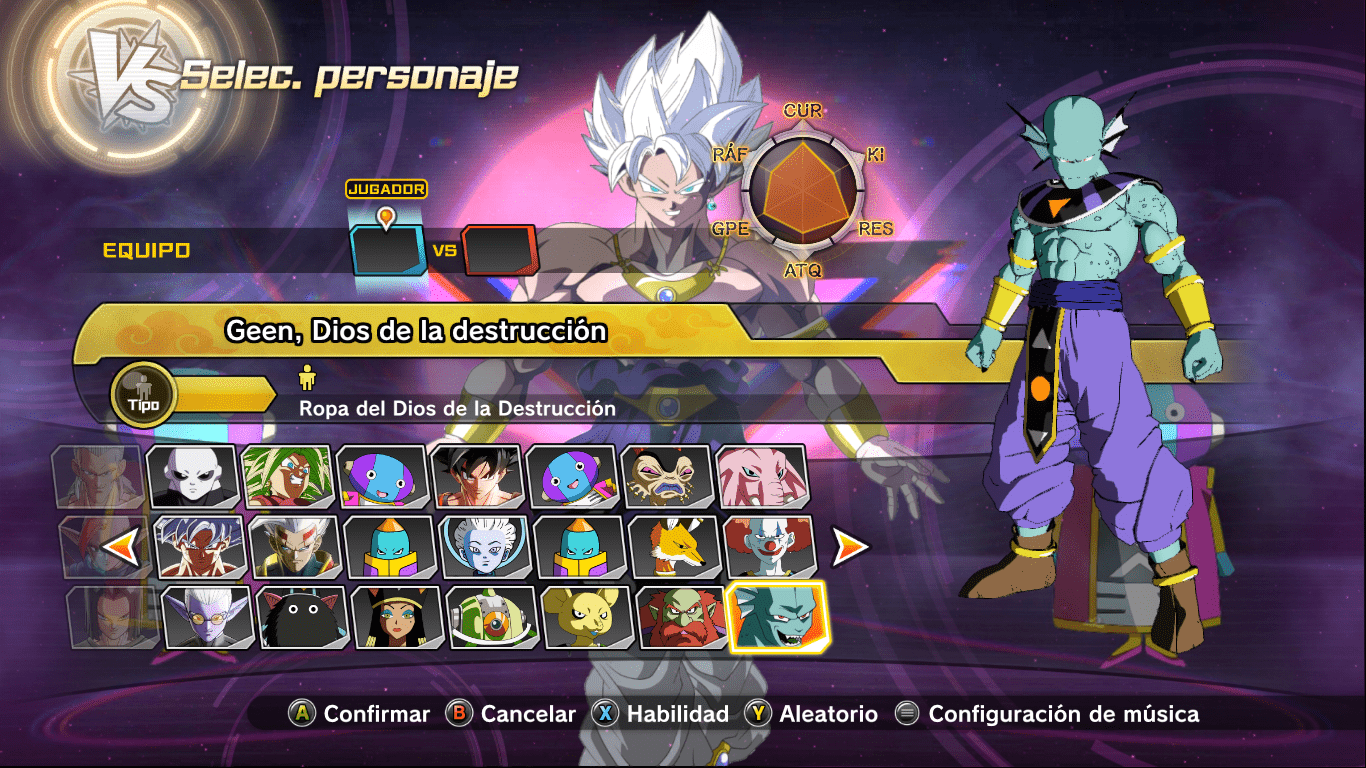
The world of modding is fascinating, and it’s especially exciting when applied to a game like Dragon Ball Xenoverse 2. The mods created by the community can enhance your gaming experience in many ways. For example, you might want to add new characters, stages, or even entire storylines that aren’t available in the original game.
What Are Mods?
Mods (short for modifications) are user-created content that can be added to a game. These mods can range from simple tweaks to complex overhauls of the game’s mechanics, graphics, and more. In the case of Dragon Ball Xenoverse 2, mods can add new features, fix bugs, or even create entirely new gameplay experiences.
How to Mod Dragon Ball Xenoverse 2 on PC
Modding Dragon Ball Xenoverse 2 on PC is relatively straightforward. Here’s a step-by-step guide:
- Download The Necessary Tools: You’ll need to download the XV2 Mods Installer and the XV2 Patcher from the AnimeGameMods website.
- Extract The Files: Once downloaded, extract the files to a folder on your computer.
- Install The Mods: Follow the instructions provided in the installer to install the mods you want.
- Launch The Game: Launch Dragon Ball Xenoverse 2 and select the modded version.
How to Mod Dragon Ball Xenoverse 2 on Ps4
Unfortunately, modding Dragon Ball Xenoverse 2 on PS4 is not possible at this time. The PlayStation console does not support mods in the same way that PC does.
The Risks of Modding
While modding can be a great way to enhance your gaming experience, it’s essential to remember that there are risks involved. Mods can potentially break the game or cause other issues if not installed correctly.
The Community-driven Process
Modding is all about community involvement and collaboration. The mods created by the users are often shared and updated through online forums and websites.
Tips For Modding Dragon Ball Xenoverse 2
- Make sure to read and follow the instructions provided with each mod.
- Be cautious when installing mods, as they can potentially break the game.
- Join online communities and forums to learn more about modding and get help from other users.
- Always back up your save files before installing new mods.
Conclusion
Modding Dragon Ball Xenoverse 2 can be a fun and rewarding experience. With the right tools and knowledge, you can take your gaming experience to the next level and explore new possibilities.
Frequently Asked Questions (FAQs)
- Q: What is Modding?
A: Modding refers to the process of modifying or customizing a game by adding user-created content. - Q: Why would I want to mod Dragon Ball Xenoverse 2?
A: Modding can enhance your gaming experience by adding new features, fixing bugs, or creating entirely new gameplay experiences. - Q: How do I install mods on PC?
A: To install mods on PC, you’ll need to download the necessary tools and follow the instructions provided in the installer. - Q: Can I mod Dragon Ball Xenoverse 2 on PS4?
A: Unfortunately, modding is not currently possible on PS4 consoles. - Q: Are there any risks involved with modding?
A: Yes, mods can potentially break the game or cause other issues if not installed correctly. - Q: Where can I learn more about modding and get help from other users?
A: Join online communities and forums to connect with other users and learn more about modding. - Q: How do I back up my save files before installing new mods?
A: Save your game regularly, and consider using cloud saving or external hard drives to ensure your data is safe. - Q: Can I create my own mods for Dragon Ball Xenoverse 2?
A: Yes, you can create your own mods by following the instructions provided in the modding community.
Remember, modding is a community-driven process that requires collaboration and shared knowledge. By being cautious and informed, you can enjoy the benefits of modding while minimizing the risks involved.


