
The Ultimate Guide to Using Tags on Youtube: Boost Your Video’s Visibility
Are you tired of watching your videos get lost in the vast ocean of content on YouTube? Do you want to increase the visibility of your videos and reach a wider audience? Look no further! In this article, we will guide you through the process of using tags on YouTube, and how they can help boost your video’s visibility.
What Are Tags on Youtube?
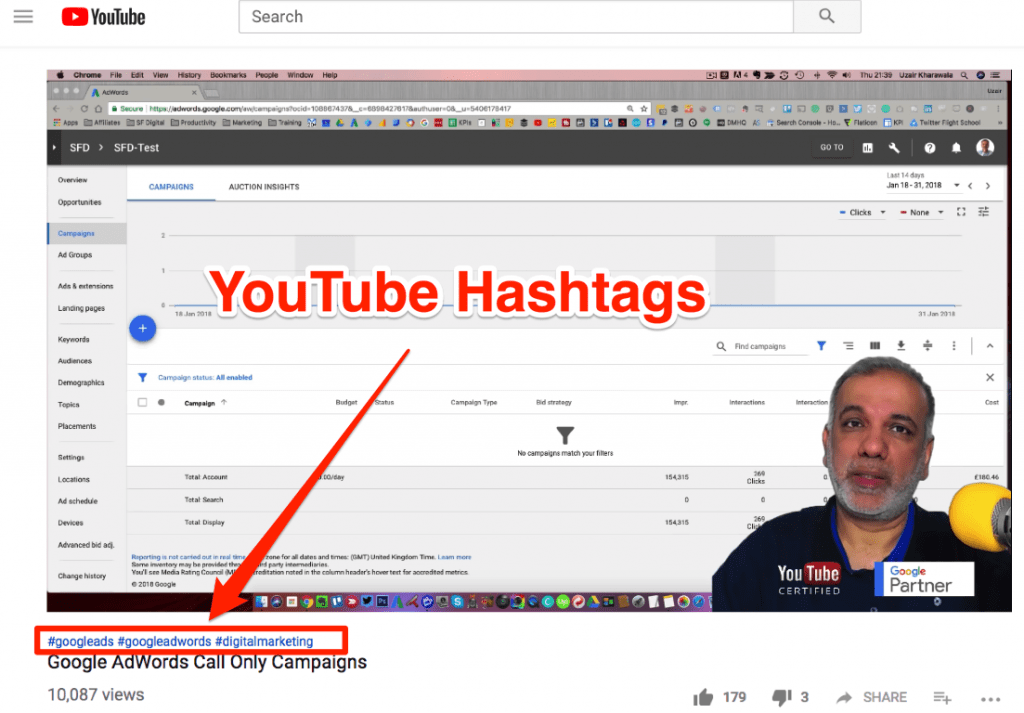
Tags on YouTube are keywords that describe the content of your video. They are used by the platform to categorize and make your video more discoverable for viewers who search for similar content. Think of them as labels or descriptors that help YouTube understand what your video is about, making it easier for viewers to find.
Why Use Tags on Youtube?
Using tags on YouTube can have a significant impact on increasing the visibility of your videos. Here are some reasons why:
- Improved Discoverability: By using relevant and accurate tags, you increase the chances of your video being displayed in search results when users search for related content.
- Increased Engagement: Tags help viewers quickly understand what your video is about, making it more likely that they will engage with your content.
- Enhanced Analytics: YouTube provides detailed analytics on tag performance, allowing you to see which tags are driving the most views and engagement.
How to Use Tags on Youtube: A Step-by-step Guide
Using tags on YouTube is a straightforward process. Here’s how:
- Choose Relevant Keywords: Select keywords that accurately describe your video’s content.
- Add Tags to Your Video: Once you’ve uploaded your video, go to the editing page and add the chosen tags in the “Tags” field.
- Save And Publish: Save your changes and publish your video.
Tips For Using Tags on Youtube
- Use a Mix of Niche And Broad Keywords: Combine specific keywords related to your content with broader terms that capture its essence.
- Keep it Concise: Use a limited number of tags (5-10) to avoid cluttering your video’s metadata.
- Be Consistent: Use the same set of tags for each video in a series or for videos covering similar topics.
Conclusion
Using tags on YouTube is a simple yet effective way to boost your video’s visibility and engagement. By understanding what tags are, why they’re essential, and how to use them effectively, you can take your content to the next level. So go ahead, get tagging, and watch your views soar!
Frequently Asked Questions
- Q: How Many Tags Should I Use?
A: Keep it concise! Use 5-10 tags at most. - Q: Can I Change my Tags Later?
A: Yes, you can. Just go to the editing page and update your tags as needed. - Q: What if I Have a Lot of Videos With Different Keywords?
A: Consider using a consistent set of tags across similar videos or series.
How Tags on Youtube Work
When you add tags to your video, they become part of the metadata that describes your content. This information is then used by YouTube’s algorithms to categorize and make your video more discoverable for viewers who search for related content.
- Keyword Matching: When users search for keywords related to your content, your video will appear in the results if it matches those exact words.
- Tag Clustering: Tags are grouped into clusters based on their relevance, allowing YouTube to suggest similar videos when users search for related content.
Conclusion
Tags on YouTube play a crucial role in increasing the visibility of your videos and engaging with viewers. By understanding how tags work, why they’re essential, and how to use them effectively, you can take your content to the next level.
How to Use Google Trends to Find Relevant Tags For Your Video
Google Trends is a powerful tool that helps you discover what people are searching for on YouTube. Here’s how to use it:
- Access Google Trends: Go to the leading page of Google Trends.
- Select Youtube as The Search Platform: Make sure to choose YouTube in the menu to focus on search data specific to the video-sharing platform.
- Enter Your Keywords: Type in relevant words related to your content.
- Analyze Trends And Insights: Look at the trend graph, interest over time, and related topics to find inspiration for your tags.
Tips For Using Google Trends
- Combine Multiple Search Terms: Use a combination of specific keywords and broader terms to get a more comprehensive view of search data.
- Look For Trending Topics: Identify trends that are gaining momentum in the last 12 months to capitalize on their popularity.
- Explore Related Searches: Click on “Related Topics” to discover additional search queries that are relevant to your content.
Conclusion
By leveraging Google Trends, you can identify what people are searching for and create tags that resonate with your audience. This process helps ensure that your video is seen by the right viewers, increasing its visibility and engagement.
The Role of Tags in Youtube’s Algorithm
Tags play a significant role in how YouTube’s algorithm ranks and recommends videos to users. Here’s a breakdown:
- Keyword Matching: When users search for keywords related to your content, your video will appear in the results if it matches those exact words.
- Tag Clustering: Tags are grouped into clusters based on their relevance, allowing YouTube to suggest similar videos when users search for related content.
Conclusion
Tags on YouTube have a substantial impact on how your video is perceived and recommended by the platform. By understanding their role in the algorithm, you can optimize your tags to increase engagement and reach a wider audience.
- Q: Can I Use The Same Set of Tags Across All my Videos?
A: Yes, it’s possible! Use consistent tags for similar videos or series to create a cohesive online presence. - Q: How Often Should I Update my Tags?
A: Update your tags as needed when you’ve rebranded, changed content formats, or updated keywords that accurately describe your video. - Q: What if my Video’s Theme Changes Over Time? Can I Adjust The Tags Accordingly?
A: Yes! Change your tags to reflect the evolution of your video’s theme and ensure it remains discoverable for viewers interested in similar topics.


