
How to Raid a Discord Server: A Step-by-step Guide
Are you looking to expand your social circle or build a community on Discord? Raiding a server can be an effective way to do so, but it requires careful planning and execution. In this guide, we’ll walk you through the process of raiding a Discord server, including the risks involved and some tips for success.
What is a Raid in Discord?
Before we dive into the how-to’s, let’s quickly define what a raid is in the context of Discord. A raid refers to the act of inviting a large number of users to join a server, often with the goal of increasing its popularity or attracting new members.
The Risks of Raiding a Server
While raiding a server can be beneficial for growth and engagement, it’s essential to note that this practice is not without risks. Discord has strict policies against spamming and harassment, and engaging in these activities can lead to account bans or even permanent suspension.
How to Raid a Discord Server on PC
To raid a server on your PC, follow these steps:
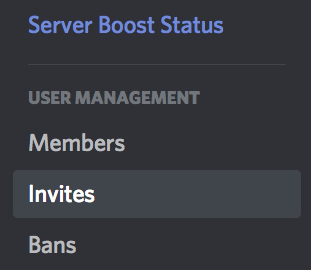
- Create a Link Invitation: Click on the server’s icon and select “Invite” from the dropdown menu. This will generate a unique link that you can share with others.
- Modify The Link Settings: You can adjust the expiration date and maximum number of uses for the link to limit its distribution.
- Share The Link: Copy and paste the link into a social media post, messaging app, or email to invite others to join the server.
How to Raid a Discord Server on Smartphone And Tablet
Raiding a server on your smartphone or tablet is similar to doing so on PC:
- Long-press on The Server Icon: This will open the options menu.
- Select “Invitation”: Choose this option to create a link invitation for others to join the server.
- Adjust The Link Settings: Modify the expiration date and maximum number of uses as desired.
- Share The Link: Copy and paste the link into a social media post, messaging app, or email to invite others to join the server.
The Risks of Using Bots For Raiding
While bots can be useful tools in various contexts, using them to raid a Discord server is not recommended. Not only is this practice prohibited by Discord’s terms and conditions, but it also poses significant risks to your account and personal data.
Alternatives to Raiding a Server
If you’re looking for alternative ways to grow your community on Discord, consider the following options:
- Create Engaging Content: Develop high-quality content that resonates with your target audience.
- Interact With Users: Engage in meaningful conversations with your existing members and potential new ones.
- Collaborate With Other Servers: Partner with complementary servers to reach a broader audience.
Conclusion
Raiding a Discord server can be an effective way to grow your community, but it’s essential to do so responsibly and within the bounds of Discord’s policies. Remember to weigh the risks against the potential benefits and consider alternative strategies for growth. By following these guidelines and staying informed about the latest developments on Discord, you’ll be well-equipped to build a thriving community.
Frequently Asked Questions
- What is a Raid in Discord?
A raid refers to the act of inviting a large number of users to join a server. - Is Raiding a Server Allowed on Discord?
Raiding a server can be done, but it’s essential to do so responsibly and within the bounds of Discord’s policies. - How do I Create a Link Invitation For my Server?
To create a link invitation, click on your server’s icon and select “Invite” from the dropdown menu. - Can I Use Bots to Raid a Server?
No, using bots to raid a server is not recommended due to the risks involved. - What Are Some Alternative Ways to Grow my Community on Discord?
Consider creating engaging content, interacting with users, and collaborating with other servers. - How do I Modify The Link Settings For my Invitation?
You can adjust the expiration date and maximum number of uses for your link by modifying its settings. - Can I Share a Link Invitation on Social Media?
Yes, you can copy and paste the link into a social media post or messaging app to invite others to join your server. - What Are Some Best Practices For Raiding a Server?
Stay informed about Discord’s policies, weigh the risks against potential benefits, and consider alternative strategies for growth.


