
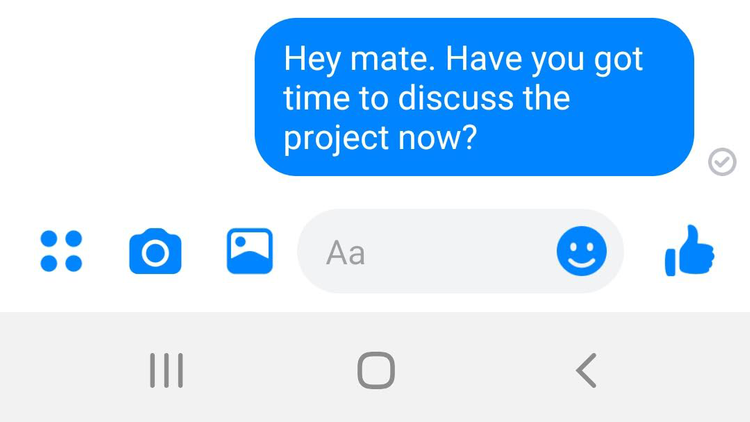
How to Read Messages on Facebook: A Step-by-step Guide
Are you wondering how to read messages on Facebook? Look no further! In this article, we’ll guide you through the process of reading messages on Facebook using your smartphone, tablet, or computer.
Why Can’t I Find My Friend’s Message in Facebook Messenger?
After following our previous guide on selling on Facebook, some users have encountered an issue where their friend’s message is not appearing in the list of recent messages. Don’t worry; this is a common problem that can be resolved by checking your Facebook settings.
How to Read Messages on Facebook Using Your Smartphone or Tablet
To read messages on Facebook using your smartphone or tablet, follow these steps:
- Download Messenger: First, download and install the Messenger app from the App Store (for iOS devices) or Google Play Store (for Android devices).
- Sign in With Facebook Account: Once installed, sign in to the app with your Facebook account credentials.
- Access Messages: Tap on the “Chat” icon to access all your conversations.
- Find The Conversation: Search for the conversation containing the message you want to read by tapping on the name of the person or group.
- Read The Message: Once you’ve found the conversation, tap on it to view the messages exchanged between you and the other user.
How to Read Messages on Facebook Using Your Computer
To read messages on Facebook using your computer, follow these steps:
- Sign in to Facebook: Log in to your Facebook account using a web browser.
- Access Messenger: Click on the “Messenger” icon located at the top right corner of the page.
- Find The Conversation: Search for the conversation containing the message you want to read by typing the name of the person or group in the search bar.
- Read The Message: Once you’ve found the conversation, click on it to view the messages exchanged between you and the other user.
How to Read Messages on Facebook Without Installing Messenger
If you don’t want to install the Messenger app, you can still read messages on Facebook using your browser. Here’s how:
- Sign in to Facebook: Log in to your Facebook account using a web browser.
- Simulate Desktop Mode: To view desktop mode, click on the three dots (⋯) at the top right corner of the page and select “Desktop Site.”
- Access Messenger: Click on the “Messenger” icon located at the top right corner of the page.
- Find The Conversation: Search for the conversation containing the message you want to read by typing the name of the person or group in the search bar.
- Read The Message: Once you’ve found the conversation, click on it to view the messages exchanged between you and the other user.
How to Read Messages From Users You’re Not Friends With
On Facebook, users who are not friends can still send private messages. These messages will appear in a separate section of Messenger called “Requests.” To access this section:
- Open Messenger: Open the Messenger app on your smartphone or tablet.
- Tap on Menu Icon: Tap on the menu icon (⋯) at the top right corner of the page.
- Select Requests: Select the “Requests” option from the dropdown menu.
- Find The Conversation: Search for the conversation containing the message you want to read by tapping on the name of the person or group.
How to Read Messages That Have Been Marked as Spam
On Facebook, messages marked as spam will appear in a separate section of Messenger called “Spam.” To access this section:
- Open Messenger: Open the Messenger app on your smartphone or tablet.
- Tap on Menu Icon: Tap on the menu icon (⋯) at the top right corner of the page.
- Select Spam: Select the “Spam” option from the dropdown menu.
- Find The Conversation: Search for the conversation containing the message you want to read by tapping on the name of the person or group.
How to Read Messages Without Marking Them as Seen
Unfortunately, there is no way to read messages without marking them as seen using Facebook’s default settings. However, you can use the “Notifications” feature to read messages without marking them as seen.
- Enable Notifications: Enable notifications on your device to receive a notification when someone sends you a message.
- Open Notification: Open the notification to view the message without marking it as seen.
How to Read Private Messages on Facebook
Private messages on Facebook can only be viewed by the participants of the conversation, including yourself and the other user(s).
- Open Messenger: Open the Messenger app on your smartphone or tablet.
- Find The Conversation: Search for the conversation containing the private message you want to read by tapping on the name of the person or group.
- Read The Message: Once you’ve found the conversation, tap on it to view the messages exchanged between you and the other user.
How to Read Old Messages on Facebook
There is no specific functionality to read old messages on Facebook. However, you can use the “Search” feature to find old conversations.
- Open Messenger: Open the Messenger app on your smartphone or tablet.
- Tap on Menu Icon: Tap on the menu icon (⋯) at the top right corner of the page.
- Select Search: Select the “Search” option from the dropdown menu.
- Find The Conversation: Type the name of the person or group in the search bar to find old conversations.
How to See Deleted Messages on Facebook
Unfortunately, deleted messages cannot be recovered using Facebook’s default settings. However, you can request a copy of your data to view deleted messages.
- Request Data Copy: Request a copy of your data from Facebook.
- View Deleted Messages: View the deleted messages in the copied data.
Frequently Asked Questions
Q: How do I read messages on Facebook?
A: To read messages on Facebook, open the Messenger app and follow the steps outlined above.
Q: Why can’t I find my friend’s message in Facebook Messenger?
A: This is a common issue that can be resolved by checking your Facebook settings.
Q: Can I read messages without installing Messenger?
A: Yes, you can still read messages on Facebook using your browser by simulating desktop mode.
Q: How do I read messages from users I’m not friends with?
A: Messages from users you’re not friends with will appear in the “Requests” section of Messenger.
Q: Can I read messages without marking them as seen?
A: Unfortunately, there is no way to read messages without marking them as seen using Facebook’s default settings. However, you can use the “Notifications” feature to read messages without marking them as seen.
Q: How do I read private messages on Facebook?
A: Private messages on Facebook can only be viewed by the participants of the conversation, including yourself and the other user(s).
Q: Can I read old messages on Facebook?
A: There is no specific functionality to read old messages on Facebook. However, you can use the “Search” feature to find old conversations.
Q: How do I see deleted messages on Facebook?
A: Unfortunately, deleted messages cannot be recovered using Facebook’s default settings. However, you can request a copy of your data to view deleted messages.
Conclusion
Reading messages on Facebook is a straightforward process that can be accomplished using the Messenger app or your browser. By following the steps outlined above, you should be able to read messages from friends and users you’re not friends with, as well as private and old messages. If you have any further questions, feel free to ask!


