
How to Read Tiscali Email on Smartphone, Tablet, Pc, And Web
Are you tired of not being able to access your Tiscali email account? Do you want to learn how to read your Tiscali email on various devices? Look no further! In this comprehensive guide, we will show you how to configure your Tiscali email account on smartphone, tablet, PC, and web.
Why Configure Your Tiscali Email Account?
Configuring your Tiscali email account allows you to access your emails from any device with an internet connection. This is especially useful if you have multiple devices or need to access your emails while away from home or office.
Prerequisites For Configuring Tiscali Email Account
Before configuring your Tiscali email account, make sure you have:
- A Tiscali email account
- The IMAP server settings (available on the Tiscali website)
- A device with an internet connection
Configuring Tiscali Email Account on Smartphone And Tablet
To configure your Tiscali email account on smartphone or tablet, follow these steps:
Step 1: Download And Install The Official Tiscali Mail App
Download and install the official Tiscali Mail app from the Google Play Store (for Android devices) or the Apple App Store (for iOS devices).
Step 2: Configure The App
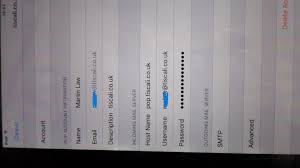
Configure the app by entering your Tiscali email address, password, and other required details.
Alternative Method: Configure Using The Default Email Client
Alternatively, you can configure your Tiscali email account using the default email client on your device. For Android devices, use the Gmail app or the built-in email client. For iOS devices, use the Mail app.
Configuring Tiscali Email Account on PC
To configure your Tiscali email account on a PC, follow these steps:
Step 1: Configure Using Windows 10 Mail App
Configure your Tiscali email account using the Mail app in Windows 10. Open the Mail app and click on “Add account” to add your Tiscali email account.
Step 2: Configure Using Macos Mail App
Alternatively, you can configure your Tiscali email account using the Mail app in macOS. Open the Mail app and click on “Add Account” to add your Tiscali email account.
Configuring Tiscali Email Account on Web
To access your Tiscali email account directly on a web browser, follow these steps:
Step 1: Go to The Tiscali Website
Go to the Tiscali website and click on “Webmail” to access your email account.
Step 2: Enter Your Email Address And Password
Enter your Tiscali email address and password to log in to your email account.
Troubleshooting Common Issues
If you encounter any issues while configuring your Tiscali email account, follow these troubleshooting steps:
- Check that the IMAP server settings are correct.
- Ensure that the device has a stable internet connection.
- Restart the app or device if necessary.
Conclusion
Configuring your Tiscali email account on smartphone, tablet, PC, and web is a straightforward process. By following the steps outlined in this guide, you should be able to access your Tiscali email account from any device with an internet connection.
Faqs
- Q: What Are The Imap Server Settings For my Tiscali Email Account?
A: The IMAP server settings can be found on the Tiscali website. - Q: How do I Configure my Tiscali Email Account on a Pc?
A: You can configure your Tiscali email account using the Mail app in Windows 10 or the Mail app in macOS. - Q: Can I Access my Tiscali Email Account Directly on a Web Browser?
A: Yes, you can access your Tiscali email account directly on a web browser by going to the Tiscali website and clicking on “Webmail”. - Q: What Should I do if I Encounter Issues While Configuring my Tiscali Email Account?
A: Check that the IMAP server settings are correct, ensure that the device has a stable internet connection, and restart the app or device if necessary. - Q: Can I Use a Third-party Email Client to Configure my Tiscali Email Account?
A: Yes, you can use a third-party email client, but be aware that some features may not work correctly. - Q: How do I Reset my Tiscali Password?
A: Follow the instructions on the Tiscali website to reset your password. - Q: Can I Forward Emails From my Tiscali Account to Another Email Account?
A: Yes, you can forward emails from your Tiscali account to another email account by configuring the forwarding settings in your Tiscali email account. - Q: How do I Add a Signature to my Tiscali Emails?
A: You can add a signature to your Tiscali emails by configuring the signature settings in your Tiscali email account.
Note: The information provided is for general guidance only and may not be applicable to all users or situations.


