
How to Recharge Lyca Mobile: A Comprehensive Guide
Are you a Lyca Mobile user looking to recharge your phone? Look no further! In this article, we will guide you through the various ways to recharge your Lyca Mobile, including online recharges, home banking, and other forms of recharging.
Why Choose Lyca Mobile?
Lyca Mobile is a popular prepaid mobile operator that offers a range of benefits to its users. With Lyca Mobile, you can enjoy low-cost calls, texts, and data services, as well as access to a wide range of international networks. Whether you’re looking for a reliable mobile service or want to stay connected with loved ones abroad, Lyca Mobile is an excellent choice.
How to Recharge Lyca Mobile: Methods And Options
There are several ways to recharge your Lyca Mobile, depending on your preferences and needs. Here are some of the most popular methods:
App Lyca Mobile: Recharge Via App
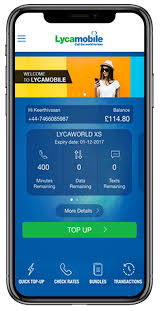
The official Lyca Mobile app is a convenient way to recharge your phone. To use this method, follow these steps:
- Download the Lyca Mobile app from the Google Play Store or Apple App Store.
- Tap on the “Ricarica” button and select the amount you want to recharge.
- Enter your phone number and confirm the payment details.
- The recharge will be processed instantly.
Sito Lyca Mobile: Recharge Online
You can also recharge your Lyca Mobile online through the official website. To do this:
- Log in to your account on the Lyca Mobile website.
- Click on the “Ricarica” tab and select the amount you want to recharge.
- Enter your phone number and confirm the payment details.
- The recharge will be processed instantly.
Home Banking: Recharge Via Home Banking
Lyca Mobile offers a home banking service that allows you to recharge your phone from the comfort of your own home. To use this method:
- Log in to your online banking account.
- Click on the “Ricariche” tab and select the amount you want to recharge.
- Enter your phone number and confirm the payment details.
- The recharge will be processed instantly.
Other Forms of Recharge: Tabaccheria, Sale Mooney/sisal, And Satispay
If you’re not comfortable with online recharges or home banking, don’t worry! There are other ways to recharge your Lyca Mobile:
- Tabaccheria: You can acquire a card from a tabaccheria (tobacco shop) and scratch the PIN code on the back. Call 131* followed by the PIN code to recharge your phone.
- Sale Mooney/sisal: Visit a sale Mooney/Sisal outlet near you, and ask the staff to guide you through the procedure. You can also complete the shopping online from their website.
- Satispay: Access the Satispay app on your smartphone and select the option “Ricariche” (recharges). Choose Lyca Mobile as the operator, enter your phone number, and confirm the payment details.
Benefits of Recharging With Lyca Mobile
Recharging with Lyca Mobile offers several benefits, including:
- Low-cost Recharges: Lyca Mobile offers competitive rates for recharging.
- Wide International Coverage: With Lyca Mobile, you can stay connected with loved ones abroad.
- Easy Online Recharge: Recharge your phone instantly through the official website or app.
Conclusion
Recharging your Lyca Mobile is easy and convenient. Whether you prefer online recharges, home banking, or other forms of recharging, there’s a method that suits your needs. So why wait? Start enjoying the benefits of Lyca Mobile today!
References:
Disclaimer:
This article is intended for informational purposes only and should not be considered as professional advice. Always check the official Lyca Mobile website or contact their customer support for accurate information on recharging your phone.


