
The Ultimate Guide to Charging Your Nintendo Switch Joy-con
Are you tired of running out of battery on your Nintendo Switch Joy-Con controllers? Do you want to know the best ways to charge them, both at home and on-the-go? Look no further! In this comprehensive guide, we’ll explore all the options for charging your Joy-Con, so you can stay gaming without any interruptions.
Preliminary Information
Before we dive into the nitty-gritty of charging your Joy-Con, it’s essential to understand how they work. If you have a Nintendo Switch, you can charge your Joy-Con by connecting them to the console itself. This is the most straightforward method and is recommended for optimal performance. However, if you’re using a Switch Lite or want to charge your Joy-Con separately, there are other options available.
Charging Joy-con With Nintendo Switch
If you have a standard Nintendo Switch, charging your Joy-Con is relatively easy. Simply connect them to the console via USB-C, and they’ll start charging automatically. This process usually takes around 3 hours to complete, depending on the battery level. Once fully charged, your Joy-Con can last up to 20 hours of continuous use.
Charging Joy-con Without Nintendo Switch
If you’re using a Switch Lite or prefer to charge your Joy-Con separately, there are several devices available that can help. These include:
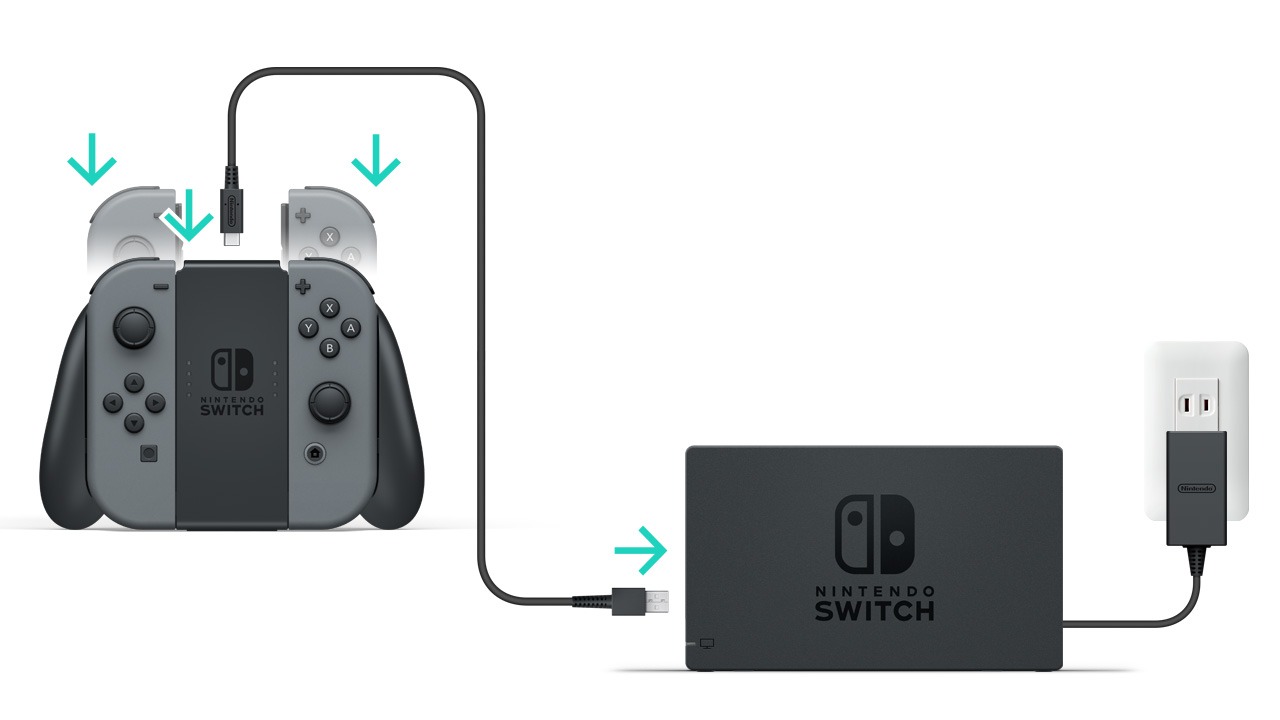
- Joy-con Charging Grip: This device allows you to charge two Joy-Con at once, and it’s compatible with the Nintendo Switch console.
- Joy-con Station: This is another popular option for charging up to four Joy-Con simultaneously.
Augmenting Battery Life
If you want to extend the battery life of your Joy-Con even further, consider investing in a Joy-Con Battery Pack. This device uses AA batteries and can provide an extra boost to your controller’s power.
Battery Packs: A Convenient Option
A Joy-Con Battery Pack is a convenient option for gamers who want to prolong their Joy-Con’s battery life. By using AA batteries, you can enjoy extended gameplay sessions without the hassle of recharging.
Other Charging Options
If you’re looking for alternative charging methods, there are other options available, such as:
- Usb-c Hubs: These devices allow you to charge multiple Joy-Con at once, making them perfect for gamers who want to play with friends.
- Power Banks: These portable chargers can be used to charge your Joy-Con on-the-go, ensuring that you never run out of power.
Conclusion
Charging your Nintendo Switch Joy-Con is a straightforward process, but there are various options available depending on your needs. Whether you prefer to charge them separately or use a device like the Joy-Con Charging Grip, we’ve got you covered. With these tips and tricks, you’ll be able to enjoy extended gaming sessions without any interruptions.
Frequently Asked Questions
Q: How long does it take to charge my Joy-Con?
A: The charging time varies depending on the battery level, but it usually takes around 3 hours to complete.
Q: Can I charge my Joy-Con while playing games?
A: Yes, you can charge your Joy-Con while playing games, and they’ll start charging automatically when connected to the console.
Q: What is the recommended method for charging my Joy-Con?
A: The most recommended method is to connect your Joy-Con directly to the Nintendo Switch console via USB-C.
Q: Can I use a power bank to charge my Joy-Con?
A: Yes, you can use a power bank to charge your Joy-Con on-the-go.
Q: Are there any other charging options available?
A: Yes, there are various other charging options available, such as USB-C hubs and battery packs.


