
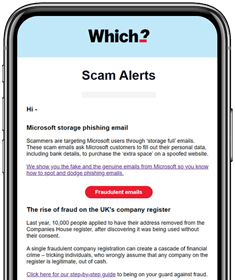
How to Identify a Fake Website: A Step-by-step Guide
As the internet continues to grow and evolve, it’s becoming increasingly important to know how to identify fake websites that can compromise your safety and security online. In this article, we’ll take you through a step-by-step guide on how to spot a fake website and what measures you can take to avoid falling victim to online scams.
What is a Fake Website?
A fake website, also known as a phishing site or a scam site, is a website that appears legitimate but is actually designed to trick users into revealing sensitive information such as login credentials, credit card numbers, or other personal details. These sites are often created by cybercriminals with the intention of stealing valuable data and using it for their own gain.
Why Do Fake Websites Exist?
Fake websites exist because they can be easily created and disseminated on the internet. With a basic understanding of web design and programming, anyone can create a fake website that looks legitimate. These sites are often designed to mimic the look and feel of well-known brands or institutions, making it difficult for users to distinguish between real and fake.
How to Identify a Fake Website
Fortunately, identifying a fake website is relatively easy once you know what to look out for. Here are some tips to help you spot a fake website:
1. Check The Url
The first thing to check is the URL of the website. Look for any misspellings or variations in the domain name that might indicate it’s not legitimate. For example, if the website claims to be “google.Com” but the actual URL is “gogle.Com”, it’s likely a fake.
2. Verify The Website’s Connection
Make sure the website uses HTTPS (HyperText Transfer Protocol Secure) instead of HTTP. The “S” in HTTPS stands for secure, and it indicates that the connection between your browser and the server is encrypted. You can check this by looking at the address bar in your browser; if you see a green padlock icon next to the URL, it’s likely legitimate.
3. Check The Website’s Reputation
Use online review platforms such as Google Reviews or Trustpilot to see what other users have experienced with the website. A fake website is unlikely to have many positive reviews.
4. Be Cautious of Unsolicited Emails And Messages
Be wary of emails, messages, or pop-ups that ask you to click on links or provide sensitive information. Legitimate websites will never request this kind of information via unsolicited means.
5. Use a Reliable Antivirus Software
Make sure your computer is equipped with a reliable antivirus software that can detect and block malicious websites.
How to Report a Fake Website
If you suspect a website is fake, report it to the authorities immediately. Here are some steps to follow:
- Check if the website has been reported by other users on review platforms.
- Use a tool like VirusTotal to scan the website for potential threats.
- Contact the website’s hosting provider and report the issue.
- Reach out to your local authorities, such as the Postal Police in Italy.
Conclusion
Identifying fake websites is crucial in maintaining your online safety and security. By following these simple steps and being aware of the common tactics used by cybercriminals, you can protect yourself from falling victim to online scams. Remember, it’s always better to be safe than sorry, so take the necessary precautions and report any suspicious activity.
Frequently Asked Questions (FAQs)
- Q: How do I know if a website is fake?
A: Check the URL for misspellings or variations in the domain name, verify the connection using HTTPS, check the website’s reputation on online review platforms, and be cautious of unsolicited emails and messages. - Q: What should I do if I suspect a website is fake?
A: Report it to the authorities immediately by contacting the website’s hosting provider or your local authorities such as the Postal Police in Italy. - Q: How can I protect myself from online scams?
A: Use reliable antivirus software, be cautious of unsolicited emails and messages, and report any suspicious activity to the authorities. - Q: What are some common tactics used by cybercriminals to trick users into revealing sensitive information?
A: They often create fake websites that mimic well-known brands or institutions, use phishing emails or messages to trick users into clicking on links or providing sensitive information. - Q: How can I stay safe online?
A: By being aware of the tactics used by cybercriminals and taking necessary precautions such as using reliable antivirus software, being cautious of unsolicited emails and messages, and reporting any suspicious activity to the authorities.
References
For more information on how to identify fake websites and protect yourself from online scams, check out these resources:
By following these guidelines and being aware of the tactics used by cybercriminals, you can protect yourself from falling victim to online scams. Remember, it’s always better to be safe than sorry!


