
Understanding The World of Dazn: A Comprehensive Guide to Recording And Viewing Sports Events
Are you a sports enthusiast looking to stay up-to-date with your favorite teams and players? Do you want to relive the excitement of a game without being tied down to a TV schedule? Look no further than DAZN, the online streaming platform that offers live and on-demand access to a wide range of sporting events. In this article, we’ll delve into the world of DAZN, exploring how to record and view sports events using various devices.
What is Dazn?
DAZN is a popular online streaming service that provides fans with access to live and on-demand sports content from around the world. With a vast library of events, including football, basketball, boxing, and more, DAZN is the perfect destination for sports enthusiasts who want to stay informed and entertained.
Can I Record a Split on Dazn?
One of the most frequently asked questions about DAZN is whether users can record a split (or event) and watch it later. The answer is yes! While DAZN doesn’t have a specific function for manual recording, all events streamed live are automatically recorded and available for viewing on-demand for 7 days after transmission.
How to See a Split Recorded on Dazn
To see a split that has already been played, follow these steps:
- Access the DAZN platform using your device of choice (TV, computer, smartphone, or tablet)
- Navigate to the event calendar and select the date on which the split was played
- Choose the specific competition and event you’re interested in
- Select the “Look” option to initiate playback from the beginning
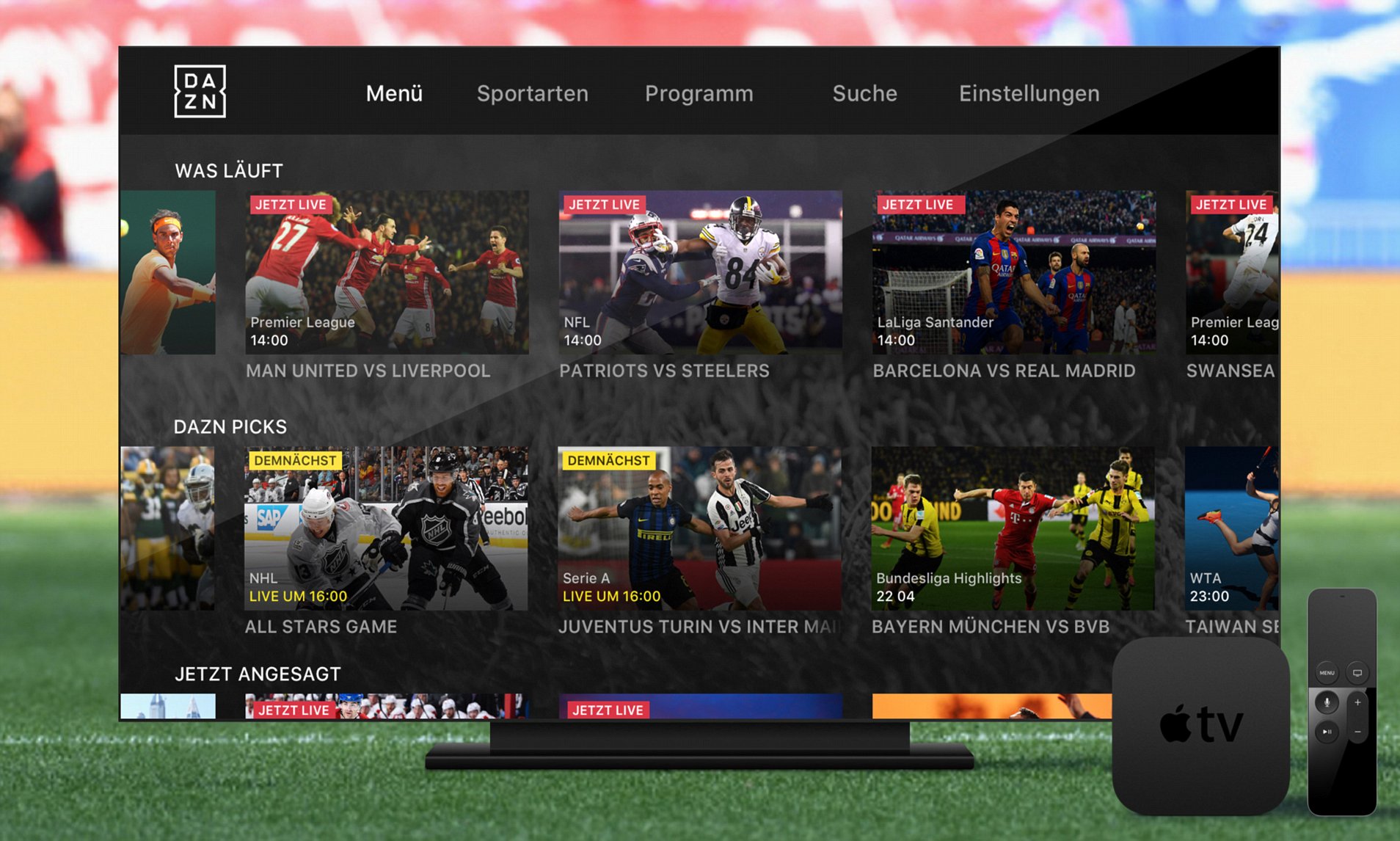
Dazn on Tv: A Simple Guide
If you prefer watching DAZN on your TV, here’s how to do it:
- Ensure you have a compatible device (such as a smart TV or streaming box)
- Download and install the DAZN app
- Access your account using your login credentials
- Navigate to the event calendar and select the date and time of the split you want to watch
Dazn on Computer: A Step-by-step Guide
To access DAZN on your computer, follow these steps:
- Open a web browser and navigate to the DAZN website
- Sign in using your account credentials
- Click on the “Access” button to initiate playback
- Select the event calendar and choose the date and time of the split you want to watch
Dazn on Smartphone or Tablet: A Quick Guide
If you prefer watching DAZN on-the-go, here’s how to do it:
- Download and install the DAZN app for your device (available for Android and iOS)
- Access your account using your login credentials
- Navigate to the event calendar and select the date and time of the split you want to watch
Tips And Tricks
Here are some additional tips and tricks to keep in mind when using DAZN:
- To avoid spoilers, turn off the “Display Resulted” option in Settings.
- Use the pause and play buttons to control playback and fast-forward through events.
- Select the “Highlight” option to watch a summary of the split.
Conclusion
DAZN offers an unparalleled level of flexibility and convenience for sports enthusiasts. Whether you’re looking to relive the excitement of a game or stay up-to-date with your favorite teams, DAZN has got you covered. By following the steps outlined in this guide, you’ll be able to access a wide range of sporting events and enjoy them on-demand.
Frequently Asked Questions (FAQs)
Q: Can I record a split on DAZN?
A: Yes, all events streamed live are automatically recorded and available for viewing on-demand for 7 days after transmission.
Q: How do I see a split that has already been played on DAZN?
A: Access the event calendar, select the date and time of the split you want to watch, and choose the “Look” option.
Q: Can I use DAZN on my TV?
A: Yes, download and install the DAZN app on your compatible device (such as a smart TV or streaming box).
Q: How do I access DAZN on my computer?
A: Open a web browser, sign in using your account credentials, and navigate to the event calendar.
Q: Can I use DAZN on my smartphone or tablet?
A: Yes, download and install the DAZN app for Android or iOS devices.
Q: How do I avoid spoilers while watching events on DAZN?
A: Turn off the “Display Resulted” option in Settings to prevent seeing outcomes before you’re ready.
Q: Can I fast-forward through events on DAZN?
A: Yes, use the pause and play buttons to control playback and fast-forward through events.


