
Recording Radio From The Internet: A Comprehensive Guide
Are you tired of missing your favorite radio programs or podcasts? Do you want to record them for later listening, but don’t know how? Look no further! In this article, we will guide you through the process of recording radio from the internet on both computers and mobile devices.
Recording Radio From The Internet on a Computer
If you’re using a computer, there are several software options available that can help you record radio from the internet. Here are some of the most popular ones:
Rarmaradio (Windows)
RarmaRadio is a free software that allows you to record radio stations directly from your computer. It has a user-friendly interface and offers advanced features such as recording timer, song division, and quality settings.
To download and install RarmaRadio on your Windows PC, follow these steps:
- Visit the RarmaRadio website and click on the “Download Now” button.
- Save the file to your computer and run it.
- Follow the installation wizard to complete the setup process.
- Launch the software and select the radio station you want to record from the list of available stations.
Piezo (macOS)
If you’re using a Mac, Piezo is another excellent option for recording radio from the internet. This free software allows you to choose the source of the audio and set the quality settings for your recordings.
To download and install Piezo on your macOS device, follow these steps:
- Visit the Piezo website and click on the “Free Download” button.
- Save the file to your computer and run it.
- Follow the installation wizard to complete the setup process.
- Launch the software and select the audio source you want to record from.
Other Solutions For Recording Radio on a Computer
If RarmaRadio and Piezo don’t meet your requirements, there are other solutions available:
- Voice Recorder (Windows): A free application that allows you to record voice and audio files.
- Memo Vocal (macOS): A built-in application that allows you to record voice notes and audio files.
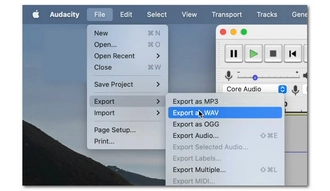
- Audacity (Windows/macOS/Linux): A popular audio editing software that also offers a recording feature.
Recording Radio From The Internet on Mobile Devices
If you prefer using your mobile device, there are several apps available that can help you record radio from the internet. Here are some of the most popular ones:
Audials Play (Android/iOS/iPadOS)
Audials Play is a free app that allows you to listen and record thousands of radio stations worldwide. It’s easy to use and offers advanced features such as recording timer, song division, and quality settings.
To download and install Audials Play on your Android or iOS device, follow these steps:
- Visit the Google Play Store or Apple App Store and search for “Audials Play”.
- Download and install the app.
- Launch the software and select the radio station you want to record from the list of available stations.
Other Solutions For Recording Radio on Mobile Devices
If Audials Play doesn’t meet your requirements, there are other solutions available:
- Radio G (Android): An app that allows you to listen to and record radio stations.
- Voice Recorder (iOS/iPadOS): A built-in application that allows you to record voice notes and audio files.
- Vradio (Android/iOS/iPadOS): An app that allows you to listen to and record radio stations.
Conclusion
Recording radio from the internet is a straightforward process that can be achieved using various software and apps on both computers and mobile devices. Whether you’re using RarmaRadio, Piezo, or Audials Play, these solutions offer advanced features such as recording timer, song division, and quality settings to ensure high-quality recordings.
Frequently Asked Questions (FAQs)
- Q: What is The Best Software For Recording Radio From The Internet?
A: The best software depends on your operating system and personal preferences. RarmaRadio and Piezo are excellent options for Windows and macOS, respectively. - Q: Can I Record Radio From The Internet on my Mobile Device?
A: Yes, there are several apps available that allow you to record radio from the internet on both Android and iOS devices. - Q: How do I Record a Specific Song or Segment of a Radio Program?
A: Most software and apps offer advanced features such as recording timer, song division, and quality settings to help you achieve this. - Q: Can I Edit my Recorded Audio Files?
A: Yes, many software and apps offer editing features that allow you to trim, cut, and merge your recorded audio files. - Q: Is it Safe to Download And Install New Software or Apps on my Computer or Mobile Device?
A: Always make sure to download software or apps from reputable sources and follow the installation instructions carefully. - Q: Can I Record Radio From The Internet For Free?
A: Yes, most software and apps offer free versions or trials that allow you to record radio from the internet without any costs. - Q: How do I Save my Recorded Audio Files?
A: Most software and apps offer options to save your recorded audio files in various formats such as MP3, WAV, and others. - Q: Can I Share my Recorded Audio Files With Others?
A: Yes, you can easily share your recorded audio files via email, messaging apps, or social media platforms.
We hope this article has provided you with a comprehensive guide to recording radio from the internet on both computers and mobile devices. Happy listening!


