
How to Recover an Unsaved Excel File: A Step by Step Guide
Recovery of Unsaved Excel Files on Windows, Mac, Smartphones And Tablets
How to Recover an Unsaved Excel File on Windows
If you have lost an unsaved Excel file and you have a Windows PC, follow these steps to recover it:
-
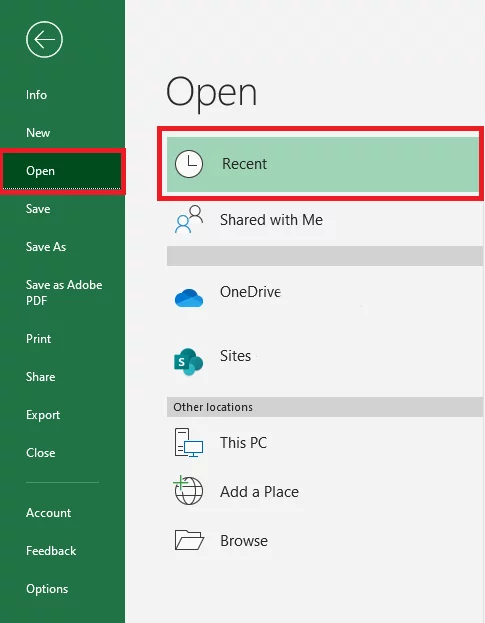
Microsoft Excel: If you use the version of Microsoft Excel included in your Office 365 subscription and have synchronized your data with your Microsoft account, you can simply reopen the document as usual and access the last temporary save available.
-
Libreoffice Calc: If you use libreoffice, unsaved excel files will be automatically recovered every 10 minutes. Open calc again, wait for the window to appear warning you of the presence of unsaved documents and click on the start and end buttons to recover them.
-
Data Recovery Software: If the above steps were not effective, you can try using data recovery software such as recuva, photorec or minitool power data recovery.
How to Recover an Unsaved Excel File on Mac
If you lost an unsaved excel file and you have a mac:
-
Microsoft Excel: If you use Microsoft Excel, you can recover it by opening the program again and accessing the latest temporary save available.
-
Libreoffice Calc: If you use libreoffice, unsaved excel files will be automatically recovered every 10 minutes. Open calc again, wait for the window to appear warning you of the presence of unsaved documents and click on the start and end buttons to recover them.
-
Data Recovery Software: If the above steps were not effective, you can try using data recovery software such as time machine or disk drill.
How to Recover an Unsaved Excel File on Smartphones And Tablets
If you lost an unsaved excel file on your smartphone or tablet:
- Excel App: If you use the excel app, you will be able to recover it by opening the app again and accessing recently opened documents.
How to Recover an Unsaved Excel File on Windows
Microsoft Excel:
-
Restart Microsoft Excel: Reopen the program as usual.
-
Access The Latest Temporary Save: If you have synchronized your data with your Microsoft account, access the latest available temporary save.
Libreoffice Calc:
-
Open Calc Again: Open libreoffice calc again.
-
Wait For The Warning Window to Appear: Wait for the window to appear warning you of the presence of unsaved documents.
-
Click on The Start And Finish Buttons: Click on the start and finish buttons to recover files.
Data Recovery Software:
-
Install Data Recovery Software: Install data recovery software such as recuva, photorec or minitool power data recovery.
-
Follow Instructions to Use The Software: Follow the instructions to use the software and recover files.
How to Recover an Unsaved Excel File on Mac
Microsoft Excel:
-
Restart Microsoft Excel: Reopen the program as usual.
-
Access The Latest Temporary Save: If you have synchronized your data with your Microsoft account, access the latest available temporary save.
Libreoffice Calc:
-
Open Calc Again: Open libreoffice calc again.
-
Wait For The Warning Window to Appear: Wait for the window to appear warning you of the presence of unsaved documents.
-
Click on The Start And Finish Buttons: Click on the start and finish buttons to recover files.
Data Recovery Software:
-
Install Data Recovery Software: Install data recovery software such as time machine or disk drill.
-
Follow Instructions to Use The Software: Follow the instructions to use the software and recover files.
How to Recover an Unsaved Excel File on Smartphones And Tablets
Excel App:
-
Open App Again: Open the excel app again.
-
Access Recently Opened Documents: Access recently opened documents to recover files.
Frequently Asked Questions (faqs)
Q: How Can I Recover an Unsaved Excel File on Windows?
A: You can use Microsoft Excel, LibreOffice Calc or data recovery software like Recuva, PhotoRec or Minitool Power Data Recovery.
Q: How Can I Recover an Unsaved Excel File on Mac?
A: You can use Microsoft Excel, LibreOffice Calc or data recovery software like Time Machine or Disk Drill.
Q: How Can I Recover an Unsaved Excel File on my Smartphone or Tablet?
A: You can open the excel app again and access the recently opened documents to recover the files.


