
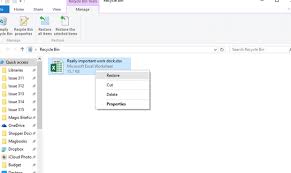
Recover Deleted Files From The Recycle Bin
Are you desperate to recover deleted files from your computer’s recycle bin? Don’t panic! You can try recovering rows erased of the Basket using some excellent software programs available for Windows and macOS.
In this guide, we’ll walk you through the process of recovering deleted files using EaseUS Data Recovery Wizard, Disk Drill, Tenorshare UltData, and Recuva. We’ll also explore other solutions to recover rows erased from the Cestino (Recycle Bin).
Why Recover Deleted Files?
When you delete files from your computer’s recycle bin, they don’t immediately disappear. The data remains on the hard drive until it’s overwritten with new information. If you act quickly enough, you can recover deleted files using specialized software.
Easeus Data Recovery Wizard (Windows And Macos)
EaseUS Data Recovery Wizard is an excellent program that allows you to recover deleted files from your computer, including those erased from the recycle bin. The software supports various file types, such as documents, photos, videos, audio files, and more.
Here’s how to use EaseUS Data Recovery Wizard:
- Download and install the software.
- Launch the program and select the drive or partition where you deleted the files.
- Click on the “Scan” button to start the recovery process.
- Wait for the scanning to complete, then select the file(s) you want to recover.
- Choose a destination folder to save the recovered files.
Disk Drill (Windows And Macos)
Disk Drill is another powerful software program that can help you recover deleted files from your computer, including those erased from the recycle bin. The program supports various file types and devices, such as hard drives, solid-state drives, USB drives, and more.
Here’s how to use Disk Drill:
- Download and install the software.
- Launch the program and select the drive or partition where you deleted the files.
- Choose a recovery mode (e.G., “All Files” or “Quick Analysis”).
- Wait for the scanning to complete, then select the file(s) you want to recover.
- Choose a destination folder to save the recovered files.
Tenorshare Ultdata (Windows And Macos)
Tenorshare UltData is another software program that can help you recover deleted files from your computer, including those erased from the recycle bin. The program supports various file types and devices, such as hard drives, solid-state drives, USB drives, and more.
Here’s how to use Tenorshare UltData:
- Download and install the software.
- Launch the program and select the drive or partition where you deleted the files.
- Click on the “Scan” button to start the recovery process.
- Wait for the scanning to complete, then select the file(s) you want to recover.
- Choose a destination folder to save the recovered files.
Recuva (Windows)
Recuva is a free software program that can help you recover deleted files from your Windows computer, including those erased from the recycle bin. The program supports various file types and devices, such as hard drives, USB drives, and more.
Here’s how to use Recuva:
- Download and install the software.
- Launch the program and select the drive or partition where you deleted the files.
- Choose a recovery mode (e.G., “All Files” or “Quick Analysis”).
- Wait for the scanning to complete, then select the file(s) you want to recover.
- Choose a destination folder to save the recovered files.
Other Solutions
If you’re not satisfied with these software programs, you can try other solutions to recover rows erased from the Cestino (Recycle Bin). Some of these options include:
- Wise Data Recovery
- Lazesoft Mac Data Recovery
Remember that recovering deleted files is not always possible, especially if they’ve been overwritten or corrupted.
Conclusion
Recovering deleted files from your computer’s recycle bin can be a challenging task, but with the right software programs and techniques, you can try to retrieve them. EaseUS Data Recovery Wizard, Disk Drill, Tenorshare UltData, and Recuva are all excellent options that can help you recover deleted files from various devices.
Remember to act quickly when recovering deleted files, as the longer you wait, the lower your chances of success become.
Faqs
- Q: Can I recover deleted files if they’ve been overwritten?
A: Unfortunately, no. Once files are overwritten, they’re gone for good. - Q: How do I increase my chances of recovering deleted files?
A: Acting quickly and using the right software programs can improve your chances of recovery. - Q: Can I use these software programs to recover files from other devices?
A: Yes! Many of these software programs support various devices, such as hard drives, solid-state drives, USB drives, and more. - Q: Are there any risks associated with using these software programs?
A: Some software programs may contain malware or viruses, so be sure to download them from reputable sources and follow the instructions carefully. - Q: Can I recover deleted files if they’ve been corrupted?
A: Possibly. Some software programs can recover corrupted files, but the quality of the recovered file may vary. - Q: Are there any other solutions to recover rows erased from the Cestino (Recycle Bin)?
A: Yes! There are several other software programs and techniques you can try, such as Wise Data Recovery and Lazesoft Mac Data Recovery.
I hope this article has helped you understand how to recover deleted files from your computer’s recycle bin. Remember to always act quickly and use the right software programs to increase your chances of success.


