
How to Recover Photos Erased on Android: A Step-by-step Guide
Are you worried that you’ve accidentally deleted some precious photos from your Android device? Don’t panic! There are several ways to recover lost photos on Android, even if they’re not in the Recycle Bin or Trash folder. In this article, we’ll explore the most effective methods to retrieve your erased photos.
What Happens When You Delete Photos on Android
When you delete a photo from your Android device, it doesn’t actually get deleted immediately. The photo is moved to a temporary holding area called the “Recycle Bin” or “Trash folder.” This allows you to recover the photo if needed, but only within 60 days.
Method 1: Check The Recycle Bin (Trash Folder)
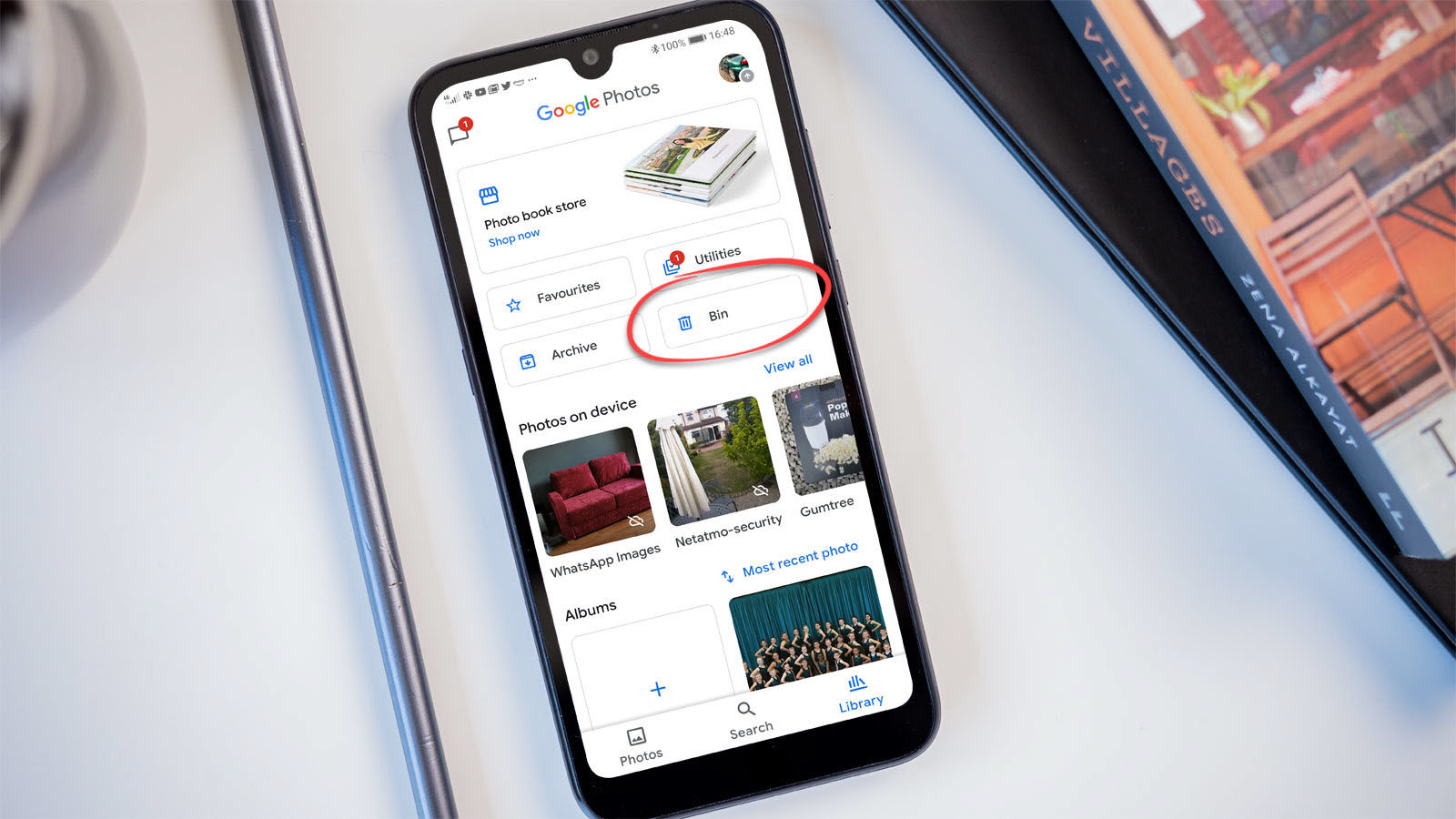
Before resorting to more complex methods, first check the Recycle Bin on your Android device. Follow these steps:
- Go to the Gallery App and look for the Recycle Bin or Trash Folder.
- Select the photo(s) you want to recover.
- Tap the Restore button.
If the photos are still in the Recycle Bin, they should be restored to their original location. If not, proceed to Method 2.
Method 2: Use a Photo Recovery App
There are several apps available that can help you recover deleted photos on Android. Here are some of the most popular ones:
Diskdigger Photo Recovery
- Download and install DiskDigger Photo Recovery from the Google Play Store.
- Open the app and select the storage device where your photos were stored.
- Choose the format (JPG or PNG) you want to recover.
- Tap the “Scan” button and wait for the process to complete.
- Select the recovered photos and choose how you want to save them.
Undeleter Recover Files & Data
- Download and install Undeleter Recover Files & Data from the Google Play Store.
- Open the app and select the storage device where your photos were stored.
- Choose the format (JPG or PNG) you want to recover.
- Tap the “Scan” button and wait for the process to complete.
- Select the recovered photos and choose how you want to save them.
Method 3: Use a Computer Software
If you’re comfortable using computer software, you can try:
Photorec (Windows/Mac/Linux)
- Download and install PhotoRec from its official website.
- Open the app and select the storage device where your photos were stored.
- Choose the format (JPG or PNG) you want to recover.
- Tap the “Scan” button and wait for the process to complete.
- Select the recovered photos and choose how you want to save them.
- Download and install Wondershare Dr. Fone from its official website.
- Open the app and select the storage device where your photos were stored.
- Choose the format (JPG or PNG) you want to recover.
- Tap the “Scan” button and wait for the process to complete.
- Select the recovered photos and choose how you want to save them.
How to Recover Whatsapp Photos Erased on Android
If you’re looking for a specific guide on recovering deleted WhatsApp photos on Android, please refer to our separate article: How to Recover Deleted WhatsApp Photos on Android.
Conclusion
Recovering erased photos on Android is possible using the methods outlined in this article. Remember to always check the Recycle Bin (Trash folder) first, and if that doesn’t work, try a photo recovery app or computer software like PhotoRec or Wondershare Dr. Fone.
Frequently Asked Questions (FAQs)
Here are some frequently asked questions related to recovering erased photos on Android:
Q: What happens when I delete a photo from my Android device?
A: The deleted photo is moved to the Recycle Bin (Trash folder) and remains there for 60 days before it’s permanently deleted.
Q: How do I recover deleted photos from the Recycle Bin?
A: Go to the Gallery app, select the deleted photo(s), and tap the Restore button.
Q: Are there any apps that can help me recover deleted photos on Android?
A: Yes, you can try DiskDigger Photo Recovery or Undeleter Recover Files & Data from the Google Play Store.
Q: Can I use a computer software to recover erased photos on Android?
A: Yes, you can try PhotoRec (Windows/Mac/Linux) or Wondershare Dr. Fone.
Q: How do I recover WhatsApp photos erased on my Android device?
A: Please refer to our separate article on how to recover deleted WhatsApp photos on Android.
I hope this article has been helpful in explaining the steps to recover erased photos on Android. If you have any further questions or concerns, please don’t hesitate to reach out!


