
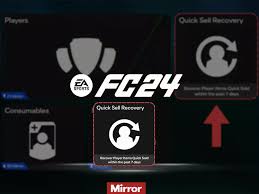
How to Recover Deleted Players on Fifa 22: A Step-by-step Guide
Are you a passionate FIFA player who has accidentally deleted a valuable player from your Ultimate Team? Don’t worry, we’ve got you covered! In this article, we’ll guide you through the process of recovering deleted players on FIFA 22, so you can get back to dominating the pitch.
Why Can I Recover Deleted Players on Fifa 22?
FIFA 22 has a unique feature that allows you to recover deleted players within a certain timeframe. This is because Electronic Arts (EA), the game’s developer, wants to provide an enjoyable experience for its players. By offering a recovery option, they ensure that gamers can recover from mistakes and continue playing without losing valuable progress.
How Do I Access The Recovery Feature?
To access the recovery feature, follow these simple steps:
- Open the Web App of FIFA 22 on your browser.
- Log in to your EA account using your username and password.
- Click on the “Club” tab, which is located at the top left corner of the screen.
- Scroll down to the “Recovery Players Scartati” section.
- Select the day when you deleted the player from the calendar icon.
- Search for the player’s name in the list of recovered players.
What Are The Limitations of The Recovery Feature?
While the recovery feature is a welcome addition, there are some limitations to be aware of:
- You can only recover players that were deleted within the last 7 days.
- If you’ve exceeded the 5-recovery limit within 30 days, you won’t be able to recover any more players until the next cycle begins.
- Recovered players will not receive their credits back; instead, they’ll remain in your club.
Tips And Tricks For Using The Recovery Feature
To get the most out of the recovery feature:
- Be careful when deleting players, as it’s easy to make mistakes.
- Make sure you have a stable internet connection to access the Web App.
- Keep an eye on your account balance to ensure you have enough credits to recover a player.
Common Faqs About Recovering Deleted Players on Fifa 22
Here are some frequently asked questions about recovering deleted players on FIFA 22:
- Q: Can I Recover Any Type of Card?
A: No, the recovery feature only works for footballers. - Q: How Many Times Can I Recover a Player?
A: You have 5 recoveries within 30 days; after that, you’ll need to wait until the next cycle begins. - Q: What Happens if I Delete a Player And Then Log in Again?
A: The player will still be deleted, but you might get a notification asking if you want to restore them.
Conclusion
Recovering deleted players on FIFA 22 is easier than ever! By following the steps outlined in this guide, you’ll be back to dominating the pitch in no time. Remember to keep an eye on your account balance and make sure you’re within the recovery timeframe to avoid any complications. Happy gaming!
Frequently Asked Questions (FAQs)
- Q: How do I Access The Web App of Fifa 22?
A: You can find it by typing “fifa.Webapp.Com” in your browser. - Q: Can I Recover Players on Console Versions of Fifa 22?
A: Unfortunately, no; this feature is only available on PC and web platforms. - Q: What Happens if I Exceed The 5-recovery Limit?
A: You’ll need to wait until the next cycle begins (after 30 days) before you can recover more players.
Let me know if you want any modifications


