
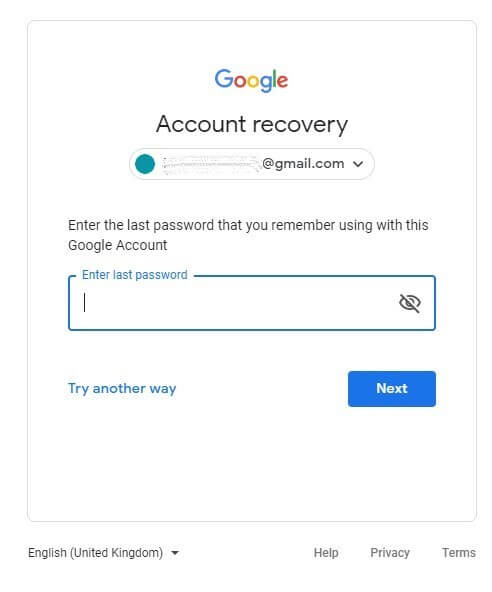
Recover Password Gmail: A Step-by-step Guide
Are you tired of forgetting your password? Do you find yourself struggling to access your Gmail account? Don’t worry, we’ve got you covered! In this article, we’ll show you how to recover your password Gmail in a few simple steps.
Why Is It Important to Have a Functional Email Account?
In today’s digital age, having an email account is crucial for both personal and professional purposes. Whether it’s for receiving important updates, communicating with colleagues or friends, or simply keeping track of your online activities, an email account is essential. Losing access to your email can be frustrating and impact your daily life.
Can I Recover My Password Gmail If I’ve Forgotten It?
Fortunately, yes! You can recover your password Gmail using the recovery procedures provided by Google. These procedures are designed to help you regain access to your account quickly and easily.
How Do I Recover My Password Gmail on a Pc?
If you’re trying to recover your password Gmail on a PC, follow these steps:
- Open Your Browser: Open any browser (e.G., Google Chrome, Microsoft Edge, Mozilla Firefox) and navigate to the Gmail login page.
- Go to Your Account: Click on “Go to your account” and enter your email address or phone number associated with your Gmail account.
- Click Forgot Password: Click on “Forgot password?” and follow the prompts to recover your password.
How Do I Recover My Password Gmail on a Mobile Device?
If you’re trying to recover your password Gmail on a mobile device (e.G., Android, iOS), follow these steps:
- Open Settings: Open the settings app on your mobile device.
- Select Google Account: Select “Google account” and then click on “Manage your Google account.”
- Click Forgot Password: Click on “Forgot password?” and follow the prompts to recover your password.
How Do I Recover My Password Gmail If It’s Forgotten?
If you’ve forgotten your password Gmail, don’t worry! You can still recover it using one of the following methods:
- Password Recovery Form: Fill out the password recovery form with your email address or phone number associated with your Gmail account.
- Google Account Recovery Page: Go to the Google account recovery page and follow the prompts to recover your password.
What If I Don’t Have Access to My Mobile Device?
If you don’t have access to your mobile device, you can still recover your password Gmail using one of the above methods. If you’re unable to access your mobile device, try contacting a trusted friend or family member for assistance.
How Can I Prevent Future Problems With My Gmail Account?
To avoid future problems with your Gmail account, consider setting up Google Passkey, a system that simplifies authentication and makes it more secure.
Conclusion
Recovering your password Gmail is a straightforward process. By following the steps outlined in this article, you can regain access to your account quickly and easily. Remember to take precautions to prevent future problems with your Gmail account by setting up Google Passkey.
Frequently Asked Questions (FAQs)
- Q: How do I Recover my Password Gmail on a Pc?
A: To recover your password Gmail on a PC, follow the steps outlined in this article. - Q: Can I Recover my Password Gmail if It’s Forgotten?
A: Yes! You can still recover your password Gmail using one of the methods outlined above. - Q: What if I Don’t Have Access to my Mobile Device?
A: If you don’t have access to your mobile device, try contacting a trusted friend or family member for assistance. - Q: How Can I Prevent Future Problems With my Gmail Account?
A: Consider setting up Google Passkey to simplify authentication and make it more secure. - Q: Is Recovering my Password Gmail Safe?
A: Yes! The recovery procedures outlined in this article are designed to be safe and secure. - Q: Can I Recover my Password Gmail on a Mobile Device?
A: Yes! You can follow the steps outlined above to recover your password Gmail on a mobile device. - Q: How do I Set up Google Passkey?
A: To set up Google Passkey, follow the instructions provided by Google.
Recommended Reading
- Google Passkey Guide: Learn more about how to set up and use Google Passkey.
- Gmail Recovery Form: Fill out the password recovery form with your email address or phone number associated with your Gmail account.
- Google Account Recovery Page: Go to the Google account recovery page and follow the prompts to recover your password.


