
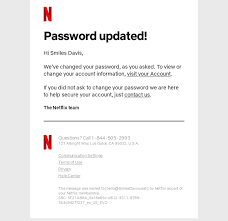
Recovering Your Netflix Password: A Step-by-step Guide
Are you a fan of binge-watching your favorite shows on Netflix? Do you find yourself stuck when trying to access your account due to forgotten passwords? Fear not, dear reader! In this article, we will guide you through the process of recovering your Netflix password with ease.
Understanding The Problem
Forgetting your Netflix password can be a frustrating experience, especially if you’re in the middle of watching your favorite show. However, with our help, you’ll be able to recover your password and get back to streaming in no time.
Recovering Your Password on Computer
If you’ve been using Netflix on your computer, chances are that your browser has saved your login credentials. Here’s how to recover your password:
- Initiate The Browser: Open your preferred web browser (Google Chrome, Microsoft Edge, Mozilla Firefox, or Internet Explorer).
- Access Settings: Click on the three dots in the top right corner of the browser and select “Settings.”
- Find Saved Passwords: In the settings menu, click on the “Password” section.
- Search For Netflix: Type “Netflix” in the search bar to find your saved password.
- Reveal Password: Click on the eye icon next to the password field to reveal it.
Recovering Your Password on Smartphone And Tablet
If you’ve been using Netflix on your smartphone or tablet, here’s how to recover your password:
- Initiate The App: Open the Netflix app on your device.
- Go to Settings: Tap on the three horizontal lines in the top left corner of the screen and select “Settings.”
- Find Saved Passwords: Scroll down to the “Password” section and tap on it.
- Search For Netflix: Type “Netflix” in the search bar to find your saved password.
Resetting Your Password
If you’re unable to recover your password using the above methods, don’t worry! You can reset it by following these steps:
- Go to Recovery Page: Open a web browser and navigate to the Netflix recovery page.
- Select Recovery Method: Choose between receiving a verification code via SMS or email.
- Enter Verification Code: If you chose the SMS method, enter the verification code sent to your phone. If you chose email, click on the link in the email to reset your password.
- Create New Password: Follow the instructions to create a new password.
Recovering Your Password on TV
If you’re watching Netflix on your TV, here’s how to recover your password:
- Initiate The App: Open the Netflix app on your TV device (Smart TV, Amazon Fire TV Stick, Chromecast, Apple TV, etc.).
- Go to Settings: Navigate to the settings menu and select “Password.”
- Enter Email Address: Enter the email address associated with your Netflix account.
- Follow Instructions: Follow the instructions on the screen to reset your password.
Conclusion
Recovering your Netflix password is a straightforward process that can be completed in just a few steps. Whether you’re using a computer, smartphone, tablet, or TV, we’ve got you covered. Remember to always keep your login credentials secure and up-to-date to avoid any future issues.
Faqs
- Q: How do I Recover my Netflix Password?
A: You can recover your Netflix password by following the steps outlined in this article. - Q: Can I Reset my Password if I Don’t Remember It?
A: Yes, you can reset your password by following the instructions on the Netflix recovery page. - Q: What if I’m Unable to Recover my Password Using The Methods Above?
A: If you’re unable to recover your password using the methods above, you can contact Netflix customer support for assistance. - Q: Can I Change my Password to Something More Secure?
A: Yes, you can change your password to a stronger and more secure one at any time. - Q: How do I Add a Recovery Method to my Account?
A: You can add a recovery method (SMS or email) by following the instructions on the Netflix settings page. - Q: Can I Recover my Password if I’m Not Sure What Email Address is Associated With my Account?
A: Yes, you can try contacting Netflix customer support for assistance in recovering your password. - Q: How Long Does it Take to Recover my Password?
A: The time it takes to recover your password may vary depending on the method you choose and the availability of our system. - Q: Is it Safe to Use The Recovery Methods Outlined Above?
A: Yes, the recovery methods outlined above are secure and designed to protect your account information.
Additional Resources
For more information on recovering your Netflix password or other related topics, please visit the official Netflix website or contact their customer support team directly.


