
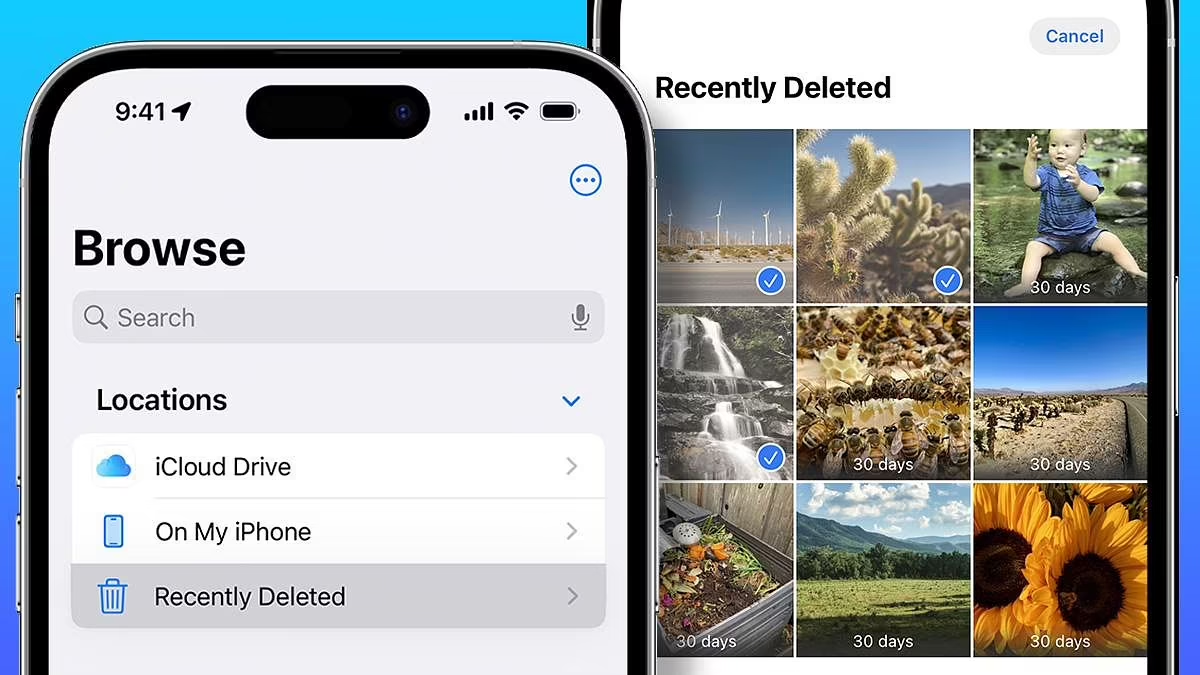
How to Recover Deleted Photos From Iphone: A Step-by-step Guide
Are you worried that your precious photos are gone forever? Don’t panic! Losing photos can be frustrating, but with the right tools and techniques, you can recover them. In this article, we’ll show you how to recover deleted photos from your iPhone using various methods.
Before We Begin
Before we dive into the solutions, it’s essential to understand that recovering deleted photos from an iPhone can be a bit tricky. The more time passes, the lower the chances of successful recovery. However, with the right tools and patience, you might be able to recover some or all of your deleted photos.
Method 1: Using Icloud Backup
If you have enabled iCloud Backup on your iPhone, you can try recovering your deleted photos using this method.
- Go to Settings > [Your Name] > iCloud > iCloud Backup
- Make sure that iCloud Backup is turned on
- Tap on “Enable” to start the backup process
- Wait for the backup to complete
Once the backup is complete, you can restore your iPhone from the iCloud backup. This will recover all of your deleted photos.
Method 2: Using Itunes Backup
If you have synced your iPhone with iTunes on your computer, you might be able to recover your deleted photos using this method.
- Connect your iPhone to your computer and open iTunes
- Select your iPhone from the top left corner of the iTunes window
- Click on “Restore iPhone” and select the backup that was created before the photos were deleted
Once the restore process is complete, you should be able to access all of your deleted photos.
Method 3: Using Third-party Recovery Software
If the above methods don’t work for you, you can try using third-party recovery software like Dr. Fone or EaseUS MobiSaver.
- Download and install the software on your computer
- Connect your iPhone to your computer and follow the on-screen instructions
These software programs will scan your iPhone for deleted photos and recover them for you.
Method 4: Using Google Photos or Dropbox
If you have enabled automatic backup of your photos in Google Photos or Dropbox, you might be able to recover your deleted photos using this method.
- Go to Google Photos or Dropbox on your computer and sign in with your account
- Look for the “Recover Deleted” option in the settings menu
Once you’ve located the recovery feature, follow the instructions to recover your deleted photos.
Common Issues And Solutions
Here are some common issues that might occur when trying to recover deleted photos from an iPhone:
- Icloud Backup Not Available: If you don’t have iCloud Backup enabled on your iPhone, you won’t be able to recover your deleted photos using this method.
- Itunes Backup Not Available: If you haven’t synced your iPhone with iTunes before deleting the photos, you won’t be able to recover them using this method.
- Third-party Software Issues: Sometimes, third-party recovery software might not work properly or might cause other issues on your iPhone. Make sure to download and install reputable software from trusted sources.
Tips For Future Reference
To avoid losing your precious photos in the future:
- Enable Icloud Backup: Go to Settings > [Your Name] > iCloud > iCloud Backup and turn it on.
- Sync With Itunes Regularly: Connect your iPhone to your computer, open iTunes, and select “Backup Now” under Summary.
- Use Third-party Recovery Software: Download and install Dr. Fone or EaseUS MobiSaver from trusted sources.
- Regularly Back up Photos Using Google Photos or Dropbox: Enable automatic backup on your iPhone, so you can recover deleted photos later.
Conclusion
Recovering deleted photos from an iPhone requires patience and the right tools. While there are various methods to try, it’s essential to act quickly before data is overwritten. By following the steps outlined in this guide, you should be able to recover some or all of your deleted photos.
Remember to enable iCloud Backup, sync with iTunes regularly, use third-party recovery software, and back up photos using Google Photos or Dropbox to avoid losing precious memories.
Frequently Asked Questions
- Q: Can I recover deleted photos from an iPhone that has been factory reset?
A: No, once your iPhone is factory reset, all data, including deleted photos, will be lost. - Q: How long can I wait to recover deleted photos from my iPhone?
A: The longer you wait, the lower the chances of successful recovery. - Q: Can I use third-party recovery software on a Mac or PC?
A: Yes, you can use Dr. Fone or EaseUS MobiSaver on both Mac and PC. - Q: What if my iPhone is damaged or not responding?
A: If your iPhone is damaged or not responding, it’s best to seek professional help from an authorized Apple service provider. - Q: Can I recover deleted photos using a cloud backup service like iCloud or Google Photos?
A: Yes, you can recover deleted photos using cloud backup services like iCloud or Google Photos.
This guide has walked you through various methods for recovering deleted photos from your iPhone. While there are no guarantees of success, by trying these techniques and acting quickly, you might be able to recover some or all of your precious memories.
Additional Resources
For more information on how to recover deleted photos from an iPhone, check out the following resources:
- Apple Support Website: Visit the official Apple website for tutorials and guides on recovering deleted photos.
- Dr. Fone And Easeus Mobisaver Official Websites: Check out the official websites of Dr. Fone and EaseUS MobiSaver for user manuals and guides.
What’s Next?
If you’re still struggling to recover your deleted photos, it might be best to seek professional help from an authorized Apple service provider or a data recovery expert.


