
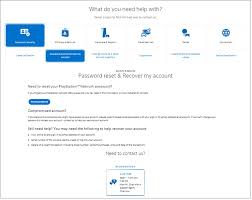
How to Recover a Forgotten Playstation 4 Account
Are you tired of wondering how to recover your forgotten PlayStation 4 account? Look no further! In this article, we will guide you through the simple steps to retrieve your PSN account, even if you have forgotten your password.
Why Is My Ps4 Account Locked Out?
Have you ever accidentally locked yourself out of your PS4 account? It’s a frustrating experience, but don’t worry, it’s an easy fix. In this article, we will show you how to recover your PSN account in no time.
Recovering Your Ps4 Account on a Computer
Did you know that you can also recover your PS4 account using a computer? Yes, it’s true! You can access the PlayStation website and follow the simple instructions to reset your password. No need to worry about remembering any passwords or codes.
How to Recover Your Psn Account on a Smartphone or Tablet
Are you an avid gamer who loves playing games on your smartphone or tablet? Good news! You can also recover your PSN account using your mobile device. The PlayStation app is available for both iOS and Android devices, making it easy to reset your password on the go.
Recovering Your Ps4 Account on a Ps5
Are you one of the lucky ones who has upgraded to a PS5? Don’t worry; recovering your PSN account on a PS5 is just as simple as on a PS4. Just follow the instructions provided below, and you’ll be back up and running in no time.
What Do I Do If My Account Has Been Stolen?
Have you noticed suspicious activity on your account or have someone stolen your password? Don’t panic! We’ve got some advice for you on how to stay safe and protect your PSN account from unauthorized access.
Recovering a Deleted Ps4 Account
Did you accidentally delete your PSN account, or did someone else delete it for you? Don’t worry; we’ll show you how to recover a deleted PSN account in this article.
How to Recover a Fortnite Account on Ps4
Are you having trouble accessing your Fortnite account on your PS4? Good news! We’ve got some tips and tricks to help you recover your Fortnite account on your PS4.
Table 1: Steps to Recover Your Psn Account
| Step | Action |
|---|---|
| 1 | Access the PlayStation website or open the PlayStation app on your device. |
| 2 | Click on the “Forgot Password” button and follow the instructions provided. |
| 3 | Enter your email address associated with your PSN account. |
| 4 | Follow the instructions to reset your password. |
Table 2: Frequently Asked Questions (FAQs)
Q: How do I recover my PSN account if I’ve forgotten my password?
A: Simply access the PlayStation website or open the PlayStation app on your device and follow the instructions provided.
Q: Can I recover my PSN account using a computer?
A: Yes, you can recover your PSN account using a computer by accessing the PlayStation website.
Q: How do I recover my Fortnite account on PS4 if I’ve forgotten my password?
A: Access the Fortnite website and follow the instructions provided to reset your password.
Q: What should I do if someone has stolen my PSN account?
A: Immediately change your password, and consider contacting PlayStation support for further assistance.
Conclusion:
Recovering a forgotten PS4 account is easier than you think! With these simple steps, you can access your account in no time. Don’t hesitate to reach out if you need help recovering your account or have any other questions.
Frequently Asked Questions (FAQs)
-
Q: How do I recover my PSN account if I’ve forgotten my password?
A: Access the PlayStation website or open the PlayStation app on your device, click on the “Forgot Password” button and follow the instructions provided. -
Q: Can I recover my PSN account using a computer?
A: Yes, you can recover your PSN account using a computer by accessing the PlayStation website and following the instructions provided. -
Q: How do I recover my Fortnite account on PS4 if I’ve forgotten my password?
A: Access the Fortnite website and follow the instructions provided to reset your password. -
Q: What should I do if someone has stolen my PSN account?
A: Immediately change your password, and consider contacting PlayStation support for further assistance. -
Q: How can I prevent unauthorized access to my PSN account?
A: Use a strong password, enable two-factor authentication, and regularly check your account activity. -
Q: Can I recover a deleted PS4 account?
A: No, unfortunately not. If you have accidentally deleted your PSN account, you will need to create a new one following the instructions provided in this article. -
Q: How do I prevent someone from hacking into my account on a public computer or network?
A: Never use a public computer or network to access sensitive information such as your gaming accounts.


