
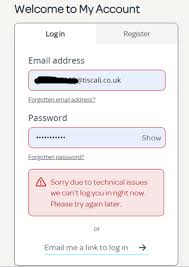
Recording on My Tiscali: A Step-by-step Guide
If you are a Tiscali customer looking to control your subscription, this guide will help you through the process of recording on My Tiscali.
Benefits of Recording on My Tiscali
Recording on My Tiscali allows customers to monitor their contract, see their consumptions, control the state of their modem, and manage their registration. This means they can keep track of their spending, stay informed about their account status, and make changes as needed.
How to Record on My Tiscali From a Computer
To record on My Tiscali from a computer, follow these steps:
- Go to the My Tiscali website by typing in the address: Https://Www.Mytiscali.It
- Click on the “Register” button at the top right corner of the page.
- Enter your email address, password, and other required information.
- Choose a strong password that meets the requirements (at least 6 characters, alternating letters, numbers, and special characters).
- If you forgot your client number or PIN, follow these steps:
- Click on “No memories your client number?”
- Insert your email address used during registration.
- Recover the client number through email or SMS.
- Confirm your registration by clicking on the link provided in the email.
How to Record on My Tiscali From a Mobile
To record on My Tiscali from a mobile, follow these steps:
- Download and install the My Tiscali app on your Android or iOS device.
- Open the app and click on “Accept” to agree to the terms of use.
- Follow the tutorial provided in the app to learn more about its features.
- Login to your account using your email address and password.
- If you forgot your client number or PIN, follow these steps:
- Click on “No memories your client number?”
- Insert your email address used during registration.
- Recover the client number through email or SMS.
- Confirm your registration by clicking on the link provided in the email.
Using My Tiscali to Monitor Your Subscription
Once you have recorded on My Tiscali, you can use it to monitor your subscription. You can access features such as:
- My Data: View and modify your personal data, contract details, and billing information.
- Password: Modify your password and security settings.
- Administrative Management: Access your bid details, view consumptions, payment methods, and mobile recharge history.
Conclusion
Recording on My Tiscali is a straightforward process that allows customers to monitor their subscription, control their spending, and make changes as needed. Whether you’re using a computer or mobile device, this guide has provided the necessary steps to follow.
Frequently Asked Questions (FAQs)
- Q: What is My Tiscali?
A: My Tiscali is a platform provided by Tiscali to monitor and manage your subscription. - Q: How do I record on My Tiscali?
A: Follow the steps outlined in this guide to record on My Tiscali from a computer or mobile device. - Q: What are the benefits of recording on My Tiscali?
A: Recording on My Tiscali allows customers to monitor their contract, see their consumptions, control the state of their modem, and manage their registration. - Q: How do I recover my client number or PIN?
A: Follow the steps outlined in this guide to recover your client number or PIN. - Q: What are the system requirements for My Tiscali?
A: Check the official My Tiscali website for system requirements and compatible devices. - Q: Can I use My Tiscali on multiple devices?
A: Yes, you can access My Tiscali from multiple devices, but ensure that all devices are connected to the same account. - Q: How do I modify my password?
A: Follow the steps outlined in this guide to modify your password and security settings. - Q: What happens if I forget my login credentials?
A: Follow the steps outlined in this guide to recover your client number or PIN, or contact Tiscali support for assistance.


