
The Art of Remixing a Song: A Guide For Beginners
Are you ready to unleash your creativity and transform a song into something entirely new? Look no further! In this article, we will explore the world of remixing, a process that allows you to recreate a song in your own unique style. Whether you’re a seasoned music producer or just starting out, this guide will walk you through the steps necessary to create a killer remix.
What is Remixing?
Remixing involves taking an existing song and reworking it into a new creation. This can involve changing the tempo, pitch, and even genre of the original track. The possibilities are endless, and the art of remixing has become increasingly popular in recent years.
Why Should You Learn to Remake Songs?
Learning to remaster songs is an incredibly valuable skill that can open doors to new creative opportunities. Not only will you be able to create your own unique music, but you’ll also gain a deeper understanding of the production process and how to work with audio software.
Choosing The Right Software
When it comes to remixing a song, the right software is essential. Here are some popular options:
- Audacity: A free, open-source audio editor that’s perfect for beginners.
- Virtualdj: A professional-grade DJ software that allows you to mix and remix tracks with ease.
- Garageband: A user-friendly digital audio workstation (DAW) developed by Apple.
Each of these programs has its own unique features and capabilities, so be sure to explore them before making a decision.
How to Remake a Song With Audacity
Audacity is an excellent choice for beginners due to its ease of use and free availability. Here’s a step-by-step guide on how to remix a song using this software:
- Download And Install: Head over to the Audacity website and download the installation file for your operating system.
- Launch The Program: Once installed, launch Audacity and create a new project by clicking on “File” > “New” > “Project.”
- Import Your Song: Click on “File” > “Open” and select the song you want to remix.
- Split The Track: Use the “Split” feature (or keyboard shortcut) to split your song into multiple tracks.
- Adjust Levels: Adjust the levels of each track as needed using the “Gain” slider or by clicking on “Effects” > “Gain.”
- Apply Effects: Experiment with different effects like EQ, compression, and reverb to give your remix a unique sound.
How to Remake a Song With Virtualdj
VirtualDJ is a professional-grade DJ software that’s perfect for those who want more advanced features. Here’s how to remix a song using this program:
- Download And Install: Visit the VirtualDJ website and download the installation file for your operating system.
- Launch The Program: Once installed, launch VirtualDJ and create a new project by clicking on “File” > “New” > “Project.”
- Import Your Song: Click on “File” > “Open” and select the song you want to remix.
- Split The Track: Use the “Split” feature (or keyboard shortcut) to split your song into multiple tracks.
- Adjust Levels: Adjust the levels of each track as needed using the “Gain” slider or by clicking on “Effects” > “Gain.”
- Apply Effects: Experiment with different effects like EQ, compression, and reverb to give your remix a unique sound.
How to Remake a Song With Garageband
GarageBand is a user-friendly DAW developed by Apple that’s perfect for those who want an easy-to-use interface. Here’s how to remix a song using this software:
- Launch The Program: Launch GarageBand and create a new project by clicking on “File” > “New” > “Project.”
- Import Your Song: Click on “File” > “Open” and select the song you want to remix.
- Split The Track: Use the “Split” feature (or keyboard shortcut) to split your song into multiple tracks.
- Adjust Levels: Adjust the levels of each track as needed using the “Gain” slider or by clicking on “Effects” > “Gain.”
- Apply Effects: Experiment with different effects like EQ, compression, and reverb to give your remix a unique sound.
Online Remixing Tools
If you don’t want to download software or prefer a more straightforward approach, there are several online remixing tools available:
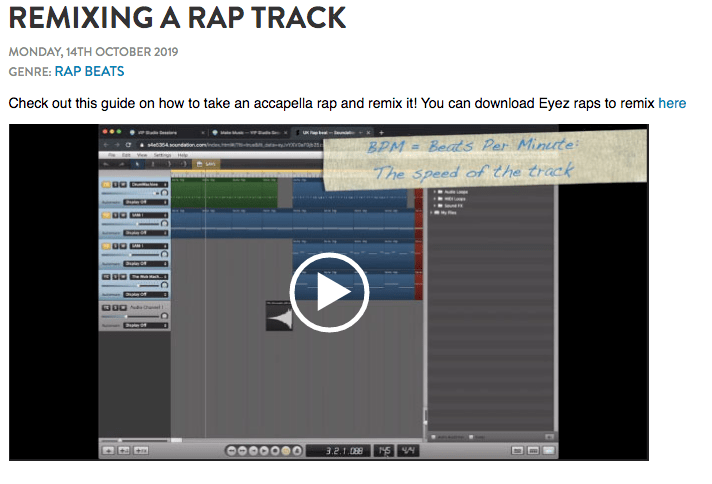
- Soundation: A web-based audio editor that allows you to create, edit, and mix music directly in your browser.
- Youdj: A user-friendly online DJ platform that lets you remix songs using pre-existing tracks.
Smartphone Apps
For those who want to remix songs on-the-go, there are several smartphone apps available:
- DJ Studio (Android): A popular app for Android devices that allows you to create and mix music directly from your phone.
- Garageband (iOS): A user-friendly app developed by Apple that lets you record, edit, and remix songs on your iPhone or iPad.
Conclusion
Remixing a song is an art form that requires creativity, patience, and practice. Whether you’re using Audacity, VirtualDJ, GarageBand, or online tools, the process is the same: Split the track, adjust levels, and apply effects to create a unique sound. Don’t be afraid to experiment and try new things – the possibilities are endless!
Faqs
Here are some frequently asked questions about remixing:
- Q: What Software Should I Use For Remixing?
A: Audacity, VirtualDJ, GarageBand, and online tools like Soundation and YouDJ are all great options. - Q: How do I Split a Track in Audacity?
A: Use the “Split” feature (or keyboard shortcut) to separate your song into multiple tracks. - Q: What Effects Should I Apply to my Remix?
A: Experiment with different effects like EQ, compression, and reverb to give your remix a unique sound.


