
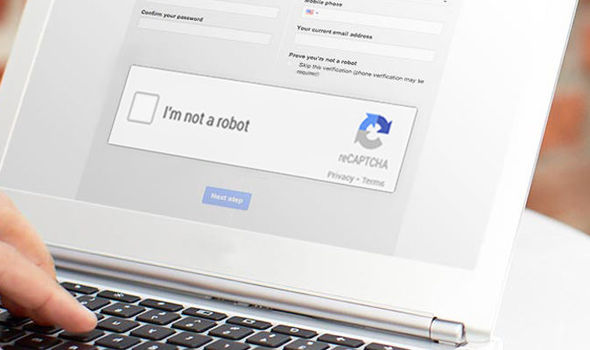
Removing “Are Not a Robot” Messages: A Comprehensive Guide
As we navigate the vast expanse of the internet, it’s not uncommon to encounter messages that seem to be asking us to prove our humanity. These messages are often accompanied by a sense of frustration and annoyance, especially when we’re trying to complete a task or access information quickly. In this article, we’ll explore what these “Are Not a Robot” messages mean, why they appear, and most importantly, how to remove them.
What Are “Are Not a Robot” Messages?
These messages are actually a form of security measure implemented by websites to prevent automated software (bots) from accessing their content. Bots can be used for malicious purposes such as spamming or hacking, so websites use these messages to verify that users are human and not bots.
Why Do These Messages Appear?
There are several reasons why you might encounter these messages:
- Your IP Address is Flagged: If your internet service provider (ISP) has been flagged for suspicious activity, your IP address may be listed in a blacklist.
- You’re Using a Vpn or Proxy: While VPNs and proxies can help protect your privacy, they can also trigger security measures that require you to prove you’re human.
- Your Device is Infected With Malware: Malware can cause your device to behave erratically, which may lead to security messages being triggered.
How to Remove “Are Not a Robot” Messages
Fortunately, removing these messages is often straightforward. Here are some steps you can take:
- Check if Your IP Address is Flagged: Visit the website https://Checkip.Net to see if your IP address is listed in any blacklists.
- Change Your Vpn or Proxy Settings: If you’re using a VPN or proxy, try changing your settings or switching to a different provider.
- Scan Your Device For Malware: Use an anti-malware tool like AdwCleaner or MalwareBytes to scan your device and remove any malicious software.
Removing “Are Not a Robot” Messages on Google
If you’re trying to access Google and encounter the “Are Not a Robot” message, here are some steps you can take:
- Check if Your IP Address is Listed in a Blacklist: Visit the website https://Checkip.Net to see if your IP address is listed in any blacklists.
- Use a Different Internet Connection: Try using a different internet connection or switching to a different VPN provider.
- Clear Your Browser Cache And Cookies: Clearing your browser cache and cookies may resolve the issue.
Removing “Are Not a Robot” Messages on Libero
If you’re trying to access Libero and encounter the “Are Not a Robot” message, here are some steps you can take:
- Check if Your Password is Correct: Make sure your password is correct and try again.
- Clear Your Browser Cache And Cookies: Clearing your browser cache and cookies may resolve the issue.
- Use a Different Internet Connection: Try using a different internet connection or switching to a different VPN provider.
Conclusion
Removing “Are Not a Robot” messages can be frustrating, but it’s often a straightforward process. By following these steps, you should be able to resolve the issue and access the content you need quickly and easily.
Frequently Asked Questions (FAQs)
- What Are “Are Not a Robot” Messages?
- These messages are security measures implemented by websites to prevent automated software (bots) from accessing their content.
- Why do I Keep Seeing These Messages?
- There are several reasons why you might encounter these messages, including your IP address being flagged, using a VPN or proxy, or having malware on your device.
- How Can I Remove These Messages?
- You can try checking if your IP address is listed in a blacklist, changing your VPN or proxy settings, scanning your device for malware, or clearing your browser cache and cookies.
- Why am I Seeing This Message on Google/libero?
- The message may be triggered by a variety of factors, including your IP address being flagged, using a VPN or proxy, or having malware on your device.
- How Can I Prevent These Messages From Appearing in The Future?
- You can try clearing your browser cache and cookies regularly, scanning your device for malware, and using a reputable VPN provider.
- What Should I do if I’m Still Seeing These Messages After Trying The Above Steps?
- If you’re still experiencing issues, it may be worth reaching out to the website’s support team or seeking further assistance from a technical expert.
Additional Resources
If you’re interested in learning more about how to remove “Are Not a Robot” messages or need additional help with your device, here are some additional resources you can consult:
- Https://Www.Google.Com (Google’s support page)
- Https://Support.Libero.It (Libero’s support page)
- Https://Www.Malwarebytes.Com (MalwareBytes’ website)
- Https://Adwcleaner.Download (AdwCleaner’s website)
Table 1: Common Reasons For “Are Not a Robot” Messages
| Reason | Description |
|---|---|
| IP address flagged | Your internet service provider (ISP) has been flagged for suspicious activity, resulting in your IP address being listed in a blacklist. |
| VPN or proxy usage | You’re using a virtual private network (VPN) or proxy that’s triggering security measures. |
| Malware on device | Your device is infected with malware that’s causing security messages to be triggered. |
Table 2: Steps to Remove “Are Not a Robot” Messages
| Step | Description |
|---|---|
| Check IP address | Visit https://Checkip.Net to see if your IP address is listed in any blacklists. |
| Change VPN or proxy settings | Try changing your VPN or proxy settings or switching to a different provider. |
| Scan device for malware | Use an anti-malware tool like AdwCleaner or MalwareBytes to scan your device and remove any malicious software. |
| Clear browser cache and cookies | Clearing your browser cache and cookies may resolve the issue. |
Table 3: Removing “Are Not a Robot” Messages on Specific Websites
| Website | Steps to Remove Message |
|---|---|
| Check if IP address is flagged, change VPN or proxy settings, scan device for malware. | |
| Libero | Check password, clear browser cache and cookies, use different internet connection. |
Table 4: Preventing “Are Not a Robot” Messages
| Prevention Method | Description |
|---|---|
| Clear browser cache and cookies regularly | Regularly clearing your browser cache and cookies can help prevent security messages from appearing. |
| Scan device for malware regularly | Scanning your device for malware regularly can help prevent malicious software from causing security issues. |
| Use a reputable VPN provider | Using a reputable VPN provider can help prevent security measures from being triggered unnecessarily. |


