
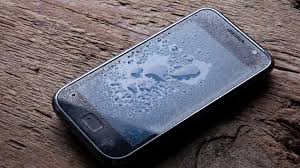
Removing Humidity From Your Smartphone: A Step-by-step Guide
Are you experiencing issues with your smartphone due to humidity? Don’t worry, we’ve got you covered! In this article, we’ll guide you through the process of removing humidity from your smartphone, including the reasons why it happens and some effective solutions.
Why Does Humidity Cause Problems in Smartphones?
Smartphones are designed to be water-resistant, but sometimes, they can still suffer from issues related to humidity. This is usually due to exposure to high levels of moisture or contact with water. When this happens, your smartphone may display a message indicating that the device has been purchased and needs to be replaced.
Why Should You Not Ignore The Humidity Warning?
Ignoring the humidity warning on your smartphone can lead to serious consequences. Water damage can cause irreparable harm to the internal components of your device, resulting in costly repairs or even complete replacement. In some cases, attempting to fix the issue yourself may void your warranty.
What Are The Symptoms of Humidity-related Issues?
The symptoms of humidity-related issues on your smartphone include:
- A message indicating that the device has been purchased and needs to be replaced
- Difficulty charging the phone
- Water damage or moisture ingress
Effective Solutions For Removing Humidity From Your Smartphone
To remove humidity from your smartphone, try the following solutions:
- Dry The Phone With a Soft Cloth: Gently pat the phone with a soft cloth to remove any excess moisture.
- Use a Desiccant Packet: Place a desiccant packet near the affected area to absorb the moisture.
- Reset Your Smartphone: If none of the above solutions work, try resetting your smartphone to its factory settings.
Tips For Preparing Your Phone For Humidity Removal
Before attempting to remove humidity from your phone:
- Turn Off Your Phone: Turn off your phone immediately if you notice any signs of water damage or moisture ingress.
- Remove The Battery And Sim Card: Take out the battery and SIM card to prevent further damage.
- Dry The External Components: Dry the external components, including the charging port and buttons, using a soft cloth.
Why Is It Important to Remove Humidity From Your Smartphone?
Removing humidity from your smartphone is crucial to avoid costly repairs or complete replacement. Water damage can cause irreparable harm to the internal components of your device, resulting in expensive replacements.
Conclusion
Removing humidity from your smartphone requires attention and care. By following our step-by-step guide and using the solutions outlined above, you should be able to resolve humidity-related issues on your device.
Frequently Asked Questions
- What Are Some Effective Ways to Remove Humidity From my Smartphone?
- Remove excess moisture with a soft cloth.
- Use a desiccant packet near the affected area.
- Reset your smartphone to its factory settings.
- Why is it Important to Dry The External Components of my Phone?
- This helps prevent further damage and allows for easier removal of humidity.
-
How Can I Determine if The Issue With my Phone is Due to Water Damage or Another Problem?
- Look for signs of water damage, such as corrosion or discoloration on internal components.
-
Can I use heat to dry out my phone?
-
No, it’s not recommended to use heat to dry out your phone, as this can cause further damage to the internal components.
-
How long does it take to remove humidity from a smartphone?
-
The time required to remove humidity from a smartphone depends on the severity of the issue and the effectiveness of the solution used.
-
Can I use a hair dryer or other heat source to dry my phone?
-
No, using a hair dryer or other heat source can cause further damage to your phone’s internal components.
-
What are some common mistakes people make when trying to remove humidity from their smartphones?
-
Not turning off the phone immediately, not removing the battery and SIM card, and using excessive force or heat.
-
How much does it cost to repair a smartphone due to humidity issues?
- The cost of repairing a smartphone due to humidity issues can vary greatly depending on the severity of the issue and the type of repair required.


