
Removing Provisional Modality From Computers And Devices
Are you tired of dealing with provisional modality on your computer or device? Do you want to know how to remove it easily and effectively? Look no further! In this article, we will guide you through the process of removing provisional modality from various devices, including Windows, Mac, tablet, Android, iPad, PS4, and TV.
What is Provisional Modality?
Provisional modality is a state that some devices enter when they are experiencing technical issues or errors. It’s like a safety mode that prevents the device from crashing or causing further damage. However, it can also prevent you from accessing your data or using certain features.
Removing Provisional Modality From Windows
If you’re using Windows and encounter provisional modality, don’t worry! You can easily remove it by following these steps:
- Click on the Start button and select “Settings.”
- Click on “Update & Security” and then click on “Restart now.”
- If prompted to save changes, do so.
- Once your device restarts, check if provisional modality is still present.
Removing Provisional Modality From Mac
If you’re using a Mac and encounter provisional modality, here’s what you can do:
- Click on the Apple menu and select “Restart.”
- Hold down the Shift key while restarting.
- Once your device restarts, check if provisional modality is still present.
Removing Provisional Modality From Tablet
If you’re using a tablet, such as Android or iPad, and encounter provisional modality, here’s what you can do:
- Press and hold the power button until the device turns off.
- Turn the device back on by pressing the power button again.
- If prompted to set up your device, follow the instructions.
Removing Provisional Modality From Android
If you’re using an Android device and encounter provisional modality, here’s what you can do:
- Press and hold the power button until the device turns off.
- Turn the device back on by pressing the power button again.
- If prompted to set up your device, follow the instructions.
Removing Provisional Modality From Ipad
If you’re using an iPad and encounter provisional modality, here’s what you can do:
- Connect your iPad to a computer via USB cable.
- Open iTunes on your computer.
- Select “Restore” in the iTunes menu.
- Follow the instructions to restore your iPad.
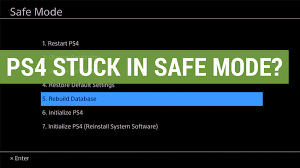
Removing Provisional Modality From Ps4
If you’re using a PS4 and encounter provisional modality, here’s what you can do:
- Connect your controller to the console via USB cable.
- Press and hold the PS button until the device turns off.
- Turn the device back on by pressing the power button again.
- If prompted to set up your console, follow the instructions.
Removing Provisional Modality From TV
If you’re using a TV with Android operating system and encounter provisional modality, here’s what you can do:
- Press and hold the power button for around 5 seconds until the device turns off.
- Turn the device back on by pressing the power button again.
- If prompted to set up your device, follow the instructions.
Conclusion
Removing provisional modality from devices is a relatively simple process that can be completed in just a few steps. By following the guides above, you should be able to remove provisional modality from Windows, Mac, tablet, Android, iPad, PS4, and TV. Remember to always restart your device after making changes to ensure everything runs smoothly.
Frequently Asked Questions
- What is Provisional Modality?
Provisional modality is a state that some devices enter when they are experiencing technical issues or errors. - How do I Remove Provisional Modality From Windows?
To remove provisional modality from Windows, click on the Start button and select “Settings,” then click on “Update & Security” and restart your device. - How do I Remove Provisional Modality From Mac?
To remove provisional modality from Mac, click on the Apple menu and select “Restart,” then hold down the Shift key while restarting. - How do I Remove Provisional Modality From Tablet?
To remove provisional modality from a tablet, press and hold the power button until the device turns off, then turn it back on by pressing the power button again. - How do I Remove Provisional Modality From Android?
To remove provisional modality from an Android device, press and hold the power button until the device turns off, then turn it back on by pressing the power button again. - How do I Remove Provisional Modality From Ipad?
To remove provisional modality from an iPad, connect your device to a computer via USB cable, open iTunes on your computer, select “Restore” in the iTunes menu, and follow the instructions to restore your iPad. - How do I Remove Provisional Modality From Ps4?
To remove provisional modality from a PS4, connect your controller to the console via USB cable, press and hold the PS button until the device turns off, then turn it back on by pressing the power button again. - How do I Remove Provisional Modality From Tv?
To remove provisional modality from a TV with Android operating system, press and hold the power button for around 5 seconds until the device turns off, then turn it back on by pressing the power button again.
Remember to always restart your device after making changes to ensure everything runs smoothly. If you’re still experiencing issues, feel free to ask!


