
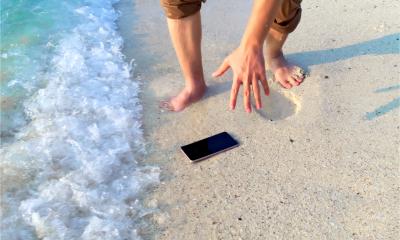
How to Remove Sand From Your Phone: A Step-by-step Guide
Are you tired of dealing with sand and dust on your phone? Removing sand from your phone can be a frustrating task, but it’s essential to prevent damage to the device. In this article, we’ll guide you through the process of removing sand from your phone using various methods.
Before You Begin: Assessing The Damage
Before attempting to remove sand from your phone, assess the extent of the damage. If your phone has fallen into a pile of sand or been exposed to strong winds, it’s likely that there will be some sand particles stuck to the device. Take a moment to inspect the phone and see where the sand is most concentrated.
Removing Sand: The Step-by-step Guide
- Turn Off Your Phone: Make sure your phone is turned off before attempting to remove sand from it. This will prevent any accidental scratches or damage to the screen.
- Remove The Case: Take off the case and any other accessories that may be attached to the phone. This will give you better access to the areas where sand has accumulated.
- Use a Soft Brush: Use a soft-bristled brush or a clean, dry cloth to gently sweep away loose sand particles from the phone’s surface.
- Dampen a Cloth: If there are still some stubborn sand particles stuck to the device, dampen a cloth with distilled water and wring it out so that it’s not soaking wet. Gently wipe down the phone with the damp cloth to remove any remaining sand.
- Use a Microfiber Cloth: A microfiber cloth is an excellent tool for removing sand from your phone. It’s gentle on the device and can pick up even the smallest particles of sand.
What Not to Do
- Avoid Using Water: While water may seem like a good solution for cleaning sand off your phone, it’s not recommended. Water can damage the phone’s internal components or cause corrosion.
- Don’t Use Aggressive Products: Avoid using harsh chemicals, abrasive cleaners, or strong detergents on your phone. These can damage the device’s surface or harm its internal components.
- Refrain From Scratching: Be careful not to scratch the screen or any other sensitive areas of the phone.
Specialized Cleaning Tools
If you’re still struggling to remove sand from your phone, consider using specialized cleaning tools designed specifically for smartphones. These can include:
- Cleaning Kits: These kits usually come with a combination of brushes, soft cloths, and cleaning solutions that are gentle on the device.
- Microfiber Cloths: As mentioned earlier, microfiber cloths are excellent for removing sand from your phone.
- Dust Removal Tools: Some phones may have specialized dust removal tools built-in or available separately.
Protecting Your Phone From Future Sand Accidents
To prevent future sand-related issues with your phone, consider taking the following precautions:
- Use a Protective Case: Invest in a good-quality case that can protect your phone from scratches and dust accumulation.
- Keep Your Phone Clean: Regularly clean your phone to remove any dirt or debris that may accumulate over time.
- Avoid Using Your Phone in Harsh Environments: Try to avoid using your phone in areas where sand or dust is likely to be present.
Conclusion
Removing sand from your phone can be a frustrating task, but it’s essential for maintaining the device’s health and functionality. By following the steps outlined in this article, you should be able to effectively remove sand from your phone. Remember to always handle your phone with care and take precautions to prevent future sand-related issues.
Frequently Asked Questions (FAQs)
- Q: How Can I Protect my Phone From Sand Damage?
A: Invest in a good-quality case that can protect your phone from scratches and dust accumulation. Regularly clean your phone to remove any dirt or debris that may accumulate over time. - Q: What Should I do if Water Enters my Phone?
A: If water has entered your phone, turn it off immediately and avoid using it until the issue is resolved. - Q: Are There Any Specialized Cleaning Tools Available For Smartphones?
A: Yes, there are various cleaning kits and dust removal tools designed specifically for smartphones that can help you remove sand from your device.
[TOC]
How to Remove Sand From Your Phone
- Step 1
- Step 2
- Step 3
- Step 4
- What Not to Do
- Specialized Cleaning Tools
- Protecting Your Phone from Future Sand Accidents
Step 1: Remove The Case
To begin, take off the case and any other accessories that may be attached to the phone. This will give you better access to the areas where sand has accumulated.
Step 2: Use a Soft Brush or Clean Cloth
Use a soft-bristled brush or a clean, dry cloth to gently sweep away loose sand particles from the phone’s surface.
Step 3: Dampen a Cloth (Optional)
If there are still some stubborn sand particles stuck to the device, dampen a cloth with distilled water and wring it out so that it’s not soaking wet. Gently wipe down the phone with the damp cloth to remove any remaining sand.
Step 4: Use a Microfiber Cloth
A microfiber cloth is an excellent tool for removing sand from your phone. It’s gentle on the device and can pick up even the smallest particles of sand.
What Not to Do
- Avoid Using Water: While water may seem like a good solution for cleaning sand off your phone, it’s not recommended. Water can damage the phone’s internal components or cause corrosion.
- Don’t Use Aggressive Products: Avoid using harsh chemicals, abrasive cleaners, or strong detergents on your phone. These can damage the device’s surface or harm its internal components.
- Refrain From Scratching: Be careful not to scratch the screen or any other sensitive areas of the phone.
Specialized Cleaning Tools
If you’re still struggling to remove sand from your phone, consider using specialized cleaning tools designed specifically for smartphones. These can include:
- Cleaning Kits: These kits usually come with a combination of brushes, soft cloths, and cleaning solutions that are gentle on the device.
- Microfiber Cloths: As mentioned earlier, microfiber cloths are excellent for removing sand from your phone.
- Dust Removal Tools: Some phones may have specialized dust removal tools built-in or available separately.
Protecting Your Phone From Future Sand Accidents
To prevent future sand-related issues with your phone, consider taking the following precautions:
- Use a Protective Case: Invest in a good-quality case that can protect your phone from scratches and dust accumulation.
- Keep Your Phone Clean: Regularly clean your phone to remove any dirt or debris that may accumulate over time.
- Avoid Using Your Phone in Harsh Environments: Try to avoid using your phone in areas where sand or dust is likely to be present.


