
How to Delete Spy Software on Your Mobile Device
Are you suspecting that your smartphone has been compromised by spy software? If so, you’re not alone. With the increasing use of smartphones, hackers have found new ways to target mobile devices with malicious apps and software.
In this article, we’ll guide you through a step-by-step process on how to detect and delete spy software from your mobile device. We’ll cover topics such as checking installed applications, verifying authorizations, testing battery consumption, and using antimalware software.
Understanding Spy Software
Spy software, also known as surveillance software or stalkerware, is designed to secretly monitor a user’s activities on their smartphone without their knowledge or consent. These apps can collect sensitive information such as location data, contact lists, browsing history, and even audio and video recordings.
Detecting Spy Software on Android Devices
If you suspect that your Android device has been compromised by spy software, follow these steps:
- Check The List of Installed Applications: Go to Settings > Apps (or Application Manager) and look for any suspicious apps.
- Verify Authorizations: Check which permissions have been granted to each app.
- Test Battery Consumption: Monitor your device’s battery life to see if it’s draining faster than usual.
- Use Antimalware Software: Install a reputable antimalware app, such as Google Play Protect, to scan your device for malware.
Detecting Spy Software on Ios Devices
If you suspect that your iPhone or iPad has been compromised by spy software, follow these steps:
- Check The List of Installed Applications: Go to Settings > General > iPhone Storage and look for any suspicious apps.
- Verify Authorizations: Check which permissions have been granted to each app in Settings > Privacy.
- Test Battery Consumption: Monitor your device’s battery life to see if it’s draining faster than usual.
- Use Antimalware Software: Install a reputable antimalware app, such as the built-in iPhone Security feature.
Removing Spy Software
If you’ve detected spy software on your device, follow these steps to remove it:
- Uninstall Suspicious Apps: Remove any suspicious apps from your device.
- Reset Your Device: Reset your device to its factory settings to remove all apps and data.
- Update Your Operating System: Ensure that your operating system is up-to-date with the latest security patches.
Preventing Spy Software
To prevent spy software from infecting your mobile device:
- Avoid Installing Suspicious Apps: Only install apps from trusted sources, such as the Google Play Store or Apple App Store.
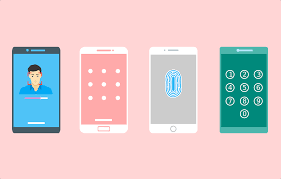
- Use a Secure Lock Screen: Use a PIN, fingerprint, or facial recognition to secure your device.
- Keep Your Operating System Updated: Regularly update your operating system with the latest security patches.
Conclusion
Detecting and deleting spy software from your mobile device can be a challenging task, but by following these steps, you can protect yourself from malicious apps and software. Remember to always be vigilant and take proactive measures to prevent spy software from infecting your device.
Frequently Asked Questions (FAQs)
- What Are The Symptoms of Spy Software on my Mobile Device?
- Symptoms may include unusual battery consumption, suspicious app notifications, or unexplained changes in your device’s behavior.
- How Can I Protect Myself From Spy Software?
- Install reputable security apps, use a secure lock screen, and regularly update your operating system with the latest security patches.
- Can Spy Software be Removed From my Mobile Device?
- Yes, by uninstalling suspicious apps, resetting your device to its factory settings, and updating your operating system.
- What Are The Consequences of Not Removing Spy Software From my Mobile Device?
- Not removing spy software can lead to the loss of sensitive information, unauthorized access to your device, or even physical harm.
- Can Spy Software be Detected on my Mobile Device?
- Yes, by using reputable security apps and regularly monitoring your device’s performance and behavior.
- How Can I Prevent Spy Software From Infecting my Mobile Device in The First Place?
- Avoid installing suspicious apps, use a secure lock screen, and keep your operating system updated with the latest security patches.
Additional Resources
For more information on how to protect yourself from spy software, please refer to our article on:
- Protecting Your Mobile Device From Spy Software
- How to Remove Spyware From Your Android Device
- Removing Spyware From Your Ios Device
Recommended Reading
For a deeper understanding of spy software and its implications, please read:
- The Impact of Spy Software on Personal Data
- The Rise of Stalkerware: A Growing Concern For Mobile Users
- How to Protect Yourself From Online Harassment


