
Removing Vodafone Secretariat: A Step-by-step Guide
Are you tired of receiving unwanted calls on your mobile phone? Do you want to disable the secretariat feature on your Vodafone line, but don’t know how? Look no further! In this article, we’ll guide you through the process of removing Vodafone secretariat on both mobile and landline.
What is Vodafone Secretariat?
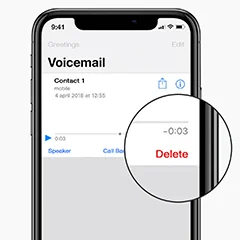
Vodafone secretariat is a service that allows callers to leave voice messages when you’re not available. It’s a convenient feature, but can be annoying if you receive unwanted calls. Removing it can help reduce the number of unwanted calls on your phone.
Removing Vodafone Secretariat on Mobile
To remove Vodafone secretariat on mobile, follow these steps:
- Dialing Special Codes: You can use special codes to disable the secretariat feature on your mobile phone. To do this, dial one of the following codes:
- 002#: This code will completely disable the secretariat feature.
- 62#: This code will only disable the secretariat feature when the phone is turned off or unreachable.
- 67#: This code will only disable the secretariat feature when the number is busy.
- 61#: This code will only disable the secretariat feature when you don’t answer the call.
- Entering Your Mobile Number: If you want to disable the secretariat feature for specific circumstances, enter your mobile number in place of the voice *NUM.
- Confirming The Deactivation: After entering the code and confirming it, the service will be disabled.
Removing Vodafone Secretariat on Landline
To remove Vodafone secretariat on landline, follow these steps:
- Accessing The Vodafone Website: Log in to your Vodafone account online.
- Navigating to The Settings Menu: Once logged in, navigate to the settings menu and select “Secretariat” or “Call Forwarding”.
- Disabling The Service: Select the option to disable the secretariat feature.
Removing Vodafone Secretariat on Android
To remove Vodafone secretariat on Android, follow these steps:
- Accessing The Settings App: Open the Settings app on your Android device.
- Navigating to Call Settings: Navigate to the “Call” section and select “Additional settings”.
- Disabling Call Forwarding: Select the option to disable call forwarding.
Removing Vodafone Secretariat on Iphone
To remove Vodafone secretariat on iPhone, follow these steps:
- Accessing The Settings App: Open the Settings app on your iPhone.
- Navigating to Phone Settings: Navigate to the “Phone” section and select “Call Forwarding”.
- Disabling Call Forwarding: Select the option to disable call forwarding.
Contacting Vodafone Customer Support
If you’re experiencing difficulties in removing the secretariat feature or have any questions, contact Vodafone customer support for assistance.
Conclusion
Removing Vodafone secretariat is a straightforward process that can be completed on both mobile and landline. By following the steps outlined above, you can disable this feature and reduce unwanted calls on your phone. Remember to always check with Vodafone customer support if you’re unsure about any aspect of the process.
Frequently Asked Questions
- What is Vodafone Secretariat?
Vodafone secretariat is a service that allows callers to leave voice messages when you’re not available. - How do I Remove Vodafone Secretariat on Mobile?
To remove Vodafone secretariat on mobile, dial one of the special codes (002#, 62#, 67#, or 61#) and confirm the deactivation. - How do I Remove Vodafone Secretariat on Landline?
To remove Vodafone secretariat on landline, access the Vodafone website, navigate to the settings menu, and disable the service. - Can I Contact Vodafone Customer Support For Assistance?
Yes, you can contact Vodafone customer support for assistance with removing the secretariat feature. - What Are The Benefits of Removing Vodafone Secretariat?
Removing Vodafone secretariat can help reduce unwanted calls on your phone and prevent voicemail messages from being left. - Can I Re-enable The Secretariat Feature if I Need To?
Yes, you can re-enable the secretariat feature by contacting Vodafone customer support or following the same steps outlined above. - What Are Some Alternative Ways to Manage Unwanted Calls on my Phone?
You can use call-blocking apps, contact your carrier for assistance, or adjust your call settings to minimize unwanted calls. - How do I Prevent Voicemail Messages From Being Left?
To prevent voicemail messages from being left, disable the secretariat feature and ensure that you’re receiving calls directly on your phone.


