
How to Remove Water on Minecraft: A Step-by-step Guide
Are you tired of dealing with excess water on your Minecraft island? Removing water can be a hassle, but don’t worry, we’ve got you covered! In this article, we’ll show you how to remove water on Minecraft using various methods.
Why is Water a Problem in Minecraft?
Water can be a real problem in Minecraft, especially when building and constructing. It can flood your island, make it difficult to move around, and even damage your structures. Moreover, water can spread quickly and cover large areas, making it hard to remove.
Method 1: Using a Bucket
The first method to remove water on Minecraft is by using a bucket. Yes, you read that right – a bucket! To do this, follow these steps:
- Find a bucket in your inventory or craft one.
- Right-click on the water with the bucket to collect it.
- Place the collected water in a safe location.
This method is simple and effective, but it can be time-consuming if you have a large amount of water to deal with.
Method 2: Positioning Blocks
Another way to remove water on Minecraft is by positioning blocks. Here’s how:
- Find a block that can absorb water, such as sand or gravel.
- Place the block at the highest point of the water source.
- The block will absorb the water and drain it away.
This method is more effective than using a bucket, but it requires some planning and strategy to get rid of all the water.
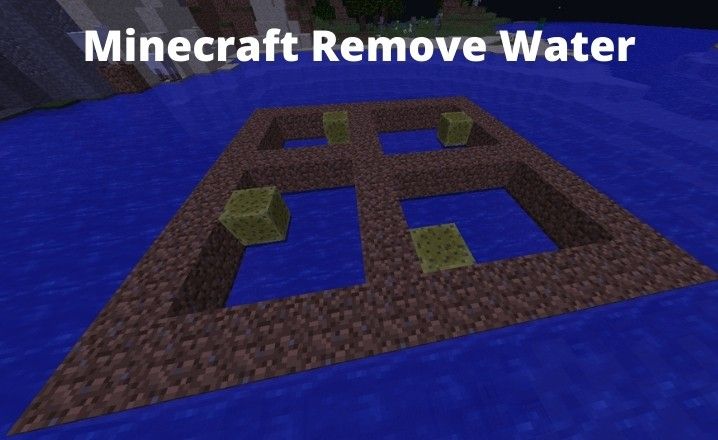
Method 3: Using Sponges
Sponges are another great way to remove water on Minecraft. Here’s how:
- Find a sponge in your inventory or craft one.
- Place the sponge at the center of the water source.
- The sponge will absorb the water and dry it up.
This method is quick and easy, but it requires some effort to get rid of all the water.
Method 4: Using Commands
If you’re feeling advanced, you can use Minecraft commands to remove water. Here’s how:
- Open your chat window and type “/fill
air”. - Replace
with the coordinates of the area you want to fill. - The command will fill the specified area with air, removing any water or blocks.
This method is more complex and requires some knowledge of Minecraft commands. However, it’s a quick and effective way to remove large amounts of water.
Tips And Tricks
Here are some tips and tricks to help you remove water on Minecraft:
- Always keep a bucket handy to collect excess water.
- Use the right blocks, such as sand or gravel, to absorb water.
- Place sponges at the center of the water source for quick absorption.
- Use Minecraft commands if you’re feeling advanced.
- Be patient and persistent when removing large amounts of water.
Conclusion
Removing water on Minecraft can be a hassle, but it’s not impossible. By using these methods and tips, you can get rid of excess water and build your dream island in no time. Remember to always keep a bucket handy and use the right blocks to absorb water. Happy building!
Frequently Asked Questions (FAQs)
- Q: How do I Remove Water on Minecraft?
A: There are several methods to remove water, including using a bucket, positioning blocks, using sponges, and using commands. - Q: What Are The Best Blocks to Use For Removing Water?
A: Sand, gravel, and other absorbent blocks are great for removing water. - Q: Can I Use Minecraft Commands to Remove Water?
A: Yes, you can use commands like “/fill” to quickly fill an area with air and remove any water or blocks. - Q: How do I Collect Excess Water Using a Bucket?
A: Simply right-click on the water with a bucket to collect it. - Q: Can I Use Sponges to Dry up Large Areas of Water?
A: Yes, you can place multiple sponges at the center of the water source to absorb and dry up the water. - Q: How do I Find Sponges on Minecraft?
A: You can craft sponges using various materials or find them in certain biomes. - Q: Can I Use Commands to Remove Rain on Minecraft?
A: Yes, you can use commands like “/fill” to quickly fill an area with air and remove any rain or blocks.
References
- [1] Minecraft Wiki – Removing water
- [2] Minecraft Forum – Removing water using sponges
- [3] Minecraft Commands Guide


