
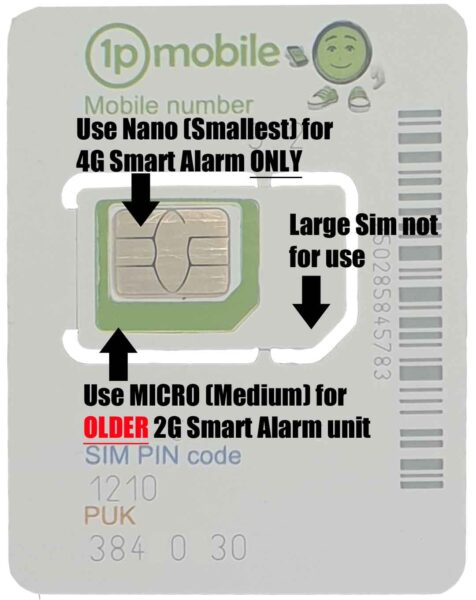
How to Substitute a Sim Alarm: A Step-by-step Guide
Are you tired of dealing with expired SIM cards on your alarm system? Do you want to know how to substitute a SIM alarm without causing any harm to your facilities? Look no further! In this article, we will guide you through the process of substituting a SIM alarm for various systems, including Combivox, Tecnoalarm, Bentel, and Verisure.
What is a Sim Alarm?
A SIM (Subscriber Identity Module) alarm is a type of security system that uses a SIM card to connect to the internet and receive alerts in case of any unauthorized access or other security breaches. The SIM card is usually inserted into a small device called an alarm unit, which is connected to your facility.
Why Substitute a Sim Alarm?
The SIM card on your alarm system may expire, causing you to lose connectivity and receive no alerts in case of a breach. In such cases, substituting the SIM alarm is necessary to maintain the security and functionality of your system.
How to Substitute a Sim Alarm: General Procedures
Before we dive into specific procedures for each type of alarm system, let’s go over some general steps that apply to most systems:
- Remove Power And Battery: Before attempting to substitute the SIM card, make sure to remove power and battery from the alarm unit. This is an essential step to avoid any potential harm or damage to your facilities.
- Access The Sim Slot: Locate the SIM slot on your alarm system and access it by opening the lid or removing any protective covers.
- Remove Old Sim Card: Carefully remove the old SIM card from its slot, taking note of any cables or connections that may be attached to it.
- Insert New Sim Card: Insert the new SIM card into the slot, making sure it’s securely seated and aligned properly.
How to Substitute a Sim Alarm For Combivox
If you have a Combivox system, follow these steps:
- Search Online Manuals: Start by searching online for the manual of use specific to your Combivox system.
- Consult Youtube Tutorials: If you prefer visual instructions, search for YouTube tutorials or videos that demonstrate how to substitute a SIM card on a Combivox system.
- Contact Technical Support: If you’re still unsure about the process, contact the technical support team at Combivox for assistance.
How to Substitute a Sim Alarm For Tecnoalarm
If you have a Tecnoalarm system, follow these steps:
- Search Online Manuals: Search online for the manual of use specific to your Tecnoalarm system.
- Consult Official Website: Visit the official website of Tecnoalarm and look for tutorials or guides on how to substitute a SIM card.
- Contact Technical Support: If you need further assistance, contact the technical support team at Tecnoalarm.
How to Substitute a Sim Alarm For Bentel
If you have a Bentel system, follow these steps:
- Visit Official Website: Visit the official website of Bentel and search for manuals or guides on how to substitute a SIM card.
- Contact Technical Support: If you need further assistance, contact the technical support team at Bentel.
How to Substitute a Sim Alarm For Verisure
If you have a Verisure system, note that it’s not possible to substitute the SIM card yourself. You should contact the technical support team at Verisure for assistance.
Conclusion
Substituting a SIM alarm can seem daunting, but with these step-by-step guides, you’ll be able to replace your expired SIM card and maintain the security of your facilities. Remember to always follow safety precautions and consult online manuals or seek help from technical support teams if needed.
Frequently Asked Questions (FAQs)
- Q: What is a Sim Alarm?
A: A SIM alarm is a type of security system that uses a SIM card to connect to the internet and receive alerts in case of any unauthorized access or other security breaches. - Q: Why Substitute a Sim Alarm?
A: The SIM card on your alarm system may expire, causing you to lose connectivity and receive no alerts in case of a breach. Substituting the SIM alarm is necessary to maintain the security and functionality of your system. - Q: How do I Substitute a Sim Alarm?
A: Follow the general procedures outlined above, specific to each type of alarm system. - Q: Can I Substitute a Sim Card Myself?
A: Yes, but it’s essential to follow safety precautions and consult online manuals or seek help from technical support teams if needed.
This guide has provided you with the necessary steps to substitute a SIM alarm for various systems. If you have any further questions or concerns, feel free to ask!


