
How to Point a Person on Facebook: A Step-by-step Guide
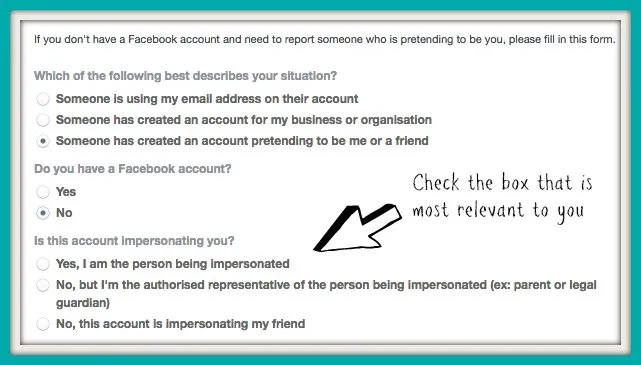
Are you looking to report a user’s behavior or content on Facebook? Do you want to know how to point a person on Facebook but don’t know where to start? Look no further! In this article, we’ll guide you through the process of reporting a user on Facebook using both the app and computer.
What Does It Mean to Point a Person on Facebook?
Pointing a person on Facebook is a procedure that allows users to forward a report to the social network’s staff. This can be done for various reasons, such as reporting inappropriate content, harassment, or even suicidal behavior. The purpose of pointing a person on Facebook is to alert the platform’s moderators to take necessary measures to resolve the issue.
Why Would You Want to Point Someone on Facebook?
You might want to point someone on Facebook if you’ve encountered:
- Inappropriate Content: Reporting explicit, discriminatory, or hate-filled posts.
- Harassment: Flagging users who engage in bullying, intimidation, or cyberstalking.
- Misleading Information: Sharing false or misleading data that could cause harm.
- Suicidal Behavior: Reporting concerns about a user’s well-being or suicidal thoughts.
How to Point Someone on Facebook Using The App
To report someone on Facebook using the app:
- Open the Facebook app and access the profile of the person you want to report.
- Tap on the three dots next to their name, then select “Find assistance” or “Report.”
- Choose the reason for your report from the available options (e.G., Nudity, Spam, Violence, etc.).
- Add any additional information or context to support your claim.
- Confirm that you’ve forwarded the report by tapping on the “Forward” button.
How to Point Someone on Facebook Using a Computer
Reporting someone on Facebook using a computer is similar:
- Go to the person’s profile and click on the three dots next to their name, then select “Report.”
- Choose the reason for your report from the available options (e.G., Nudity, Spam, Violence, etc.).
- Add any additional information or context to support your claim.
- Confirm that you’ve forwarded the report by clicking on the “Forward” button.
How to Report Someone Who Has Blocked You
If someone has blocked you on Facebook and you want to report them, follow these steps:
- Ask a trusted friend or family member to make the report on their behalf.
- Follow the same procedure as above using either the app or computer.
Reporting to The Postal Police
To report a user to the Italian Postal Police:
- Visit the official website of the Postal Police and access the section for online reporting.
- Fill out the form with your details, including your email address.
- Specify the reason for your report (e.G., Harassment, threats, etc.).
- Provide any additional information or context to support your claim.
Reporting a Deceased Person on Facebook
To report a deceased person’s account on Facebook:
- Visit the official Facebook website and access the profile of the deceased person.
- Click on the three dots next to their name and select “Report.”
- Choose the reason for your report (e.G., Memorialization, etc.).
- Provide any additional information or context to support your claim.
Conclusion
Reporting a user on Facebook can be an important step in maintaining a safe and respectful online community. By following these steps, you can ensure that your concerns are heard by the social network’s moderators. Remember to always report only factual information and avoid spreading misinformation.
Frequently Asked Questions (FAQs)
- Q: What is Pointing Someone on Facebook?
A: Pointing someone on Facebook means reporting a user’s behavior or content to the platform’s moderators. - Q: Why Would I Want to Point Someone on Facebook?
A: You might want to report someone for various reasons, such as reporting harassment, suicidal behavior, or inappropriate content. - Q: How do I Report Someone on Facebook Using The App?
A: To report someone using the app, access their profile and tap on the three dots next to their name, then select “Find assistance” or “Report.” - Q: Can I Report Someone Who Has Blocked Me?
A: Unfortunately, no. If someone has blocked you, you cannot directly report them. - Q: How do I Report a User to The Postal Police?
A: Visit the official website of the Postal Police and access the section for online reporting. - Q: Can I Report a Deceased Person’s Account on Facebook?
A: Yes, but only if you have a document that certifies their death.
I hope this guide has been helpful in answering your questions about pointing someone on Facebook!


