
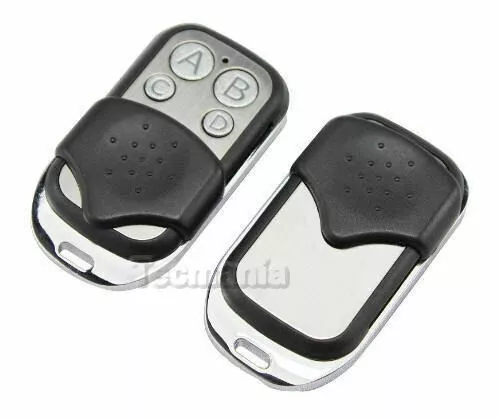
How to Reset a Universal Garage Door Remote Control: A Step-by-step Guide
Are you finally moved into your new house, but struggling to control the automatic garage door using your old universal remote? Don’t worry! You’re not alone. In this article, we’ll guide you through the process of resetting a universal garage door remote control and programming it to work with your new garage door.
Why Reset Your Garage Door Remote Control?
Before we dive into the steps, let’s understand why you might need to reset your garage door remote control. If you’ve recently moved into a new house or replaced an existing remote, you’ll likely want to configure the new remote to work with your garage door. This process is called “resetting” or “reprogramming” the remote.
Step 1: Check Your Garage Door Remote Control
Before you start the reset process, make sure you have your garage door remote control and a stable power source for your garage door motor. Most garage doors come with an automatic opener that uses radio frequencies to communicate between the remote and the motor.
How to Reset a Universal Garage Door Remote Control (Step-by-Step)
- Identify Your Remote Type: Before you begin, identify what type of universal garage door remote control you have. The most common ones are from FAAC, CAME, or other manufacturers.
- Reset The Remote: Once you’ve identified your remote type, follow these steps to reset it:
A. Locate the learning mode button on your remote. This button is usually labeled as “learn” or has a symbol of a lightbulb.
B. Press and hold the learn button until the LED light on the remote starts flashing quickly (usually 3-5 seconds).
C. Release the learn button, then press it again within 3 seconds to confirm the reset process.
D. The remote will now be in learning mode, ready for new commands.
Programming Your Garage Door Remote Control
Now that your remote is reset, you need to program it to work with your garage door motor. Here’s how:
- Align The Remote: Hold the original garage door remote (the one you used before moving) next to the universal garage door remote control.
- Press And Hold: Press and hold the learn button on the universal remote while keeping the original remote close by.
- Wait For Confirmation: Wait for 1-2 seconds until the LED light on your universal remote stops flashing or changes color (usually blue).
- Repeat The Process: Repeat steps 1-3 for each button you want to program on the universal remote.
Common Issues With Resetting Garage Door Remote Controls
If you’re experiencing any issues during this process, here are some common problems and their solutions:
- The Remote Won’t Connect: Try resetting the garage door motor by pressing and holding its learn button. If this doesn’t work, consult your owner’s manual or contact a professional.
- There’s Interference From Other Devices: Try moving your universal remote to a different location or changing the frequency on your garage door opener.
Tips For Duplicating Garage Door Remote Controls
If you’re looking to create multiple remotes with the same programming, here are some additional tips:
- Make sure your original remote is fully charged and ready for duplication.
- Use an empty remote provided by the manufacturer if available (e.G., FAAC or CAME).
- If you’re having issues duplicating, try using a remote with a rolling code.
Conclusion
Resetting a universal garage door remote control might seem daunting at first, but following these steps should make it easy and efficient. By understanding why we reset our remotes and the process involved, you’ll be able to confidently use your new remote to control your garage door opener. If you’re still unsure or facing issues with your remote, don’t hesitate to consult a professional for assistance.
Additional Resources
For more information on garage door remote controls and programming, check out these resources:
- FAAC Xt2 868 SLH LR Radiocomando Trasmittente 868MHz White
- Faac 787007 XT2 433 SLH LR Automation Erase Telecomando Trasmittente 433MHz
- Came – Telecomando Blue 806ts-0121
By exploring these resources, you’ll gain a better understanding of garage door remote controls and how to reset them.


