
How to Reset a Faac Telecommand: A Step-by-step Guide
Are you struggling to reset your FAAC telecommand? Look no further! In this article, we’ll walk you through the process of resetting your FAAC telecommand, including how to reprogram it and transform it from Master to Slave. We’ll also cover some common issues that may arise and provide tips for troubleshooting.
Understanding Your Faac Telecommand
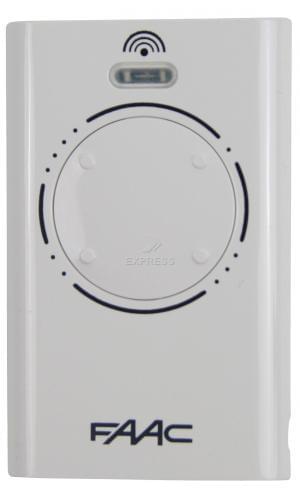
Before we dive into the reset process, let’s take a moment to understand what your FAAC telecommand is and what it does. The FAAC telecommand is a device used to control the automatic opening and closing of gates, doors, or other barriers. It’s an essential tool for anyone who wants to automate their entrance or exit.
Why Reset Your Faac Telecommand?
There are several reasons why you might need to reset your FAAC telecommand:
- Lost Programming: If you’ve forgotten the programming sequence or code, resetting the telecommand is a good way to start from scratch.
- Device Malfunction: In some cases, the device may malfunction and require a hard reset to get it working again.
- Changing Frequencies: FAAC devices can operate on two different frequencies (433 MHz and 868 MHz). If you need to change the frequency of your telecommand, resetting it is the way to go.
Step-by-step Instructions For Resetting Your Faac Telecommand
Now that we’ve covered the reasons why you might need to reset your FAAC telecommand, let’s move on to the step-by-step instructions:
- Identify The Buttons: Take a look at your telecommand and identify the two buttons labeled “Reset” or “Prog”. These are the buttons you’ll use to perform the reset.
- Hold Down The Buttons: Press and hold both buttons simultaneously for about 5 seconds. You should see the LED light flash quickly, indicating that the device is resetting.
- Release The Buttons: Release one button while still holding the other button. Wait for a few seconds to see if the device responds.
- Repeat The Process: If the device doesn’t respond after releasing the first button, press and hold both buttons again for another 5 seconds.
Reprogramming Your Faac Telecommand
Once you’ve reset your telecommand, you can reprogram it using the following steps:
- Pair The Devices: Place the telecommand and the receiver device (e.G., A gateway or a remote control) close to each other.
- Enter Programming Mode: Press and hold the “Prog” button on the telecommand for about 5 seconds until the LED light flashes.
- Program The Sequence: Enter the new programming sequence using the buttons on your telecommand.
Transforming Your Faac Telecommand From Master to Slave
If you need to transform your FAAC telecommand from Master to Slave, follow these steps:
- Press And Hold Both Buttons: Press and hold both buttons labeled “Reset” or “Prog” for about 5 seconds.
- Release One Button While Holding The Other: Release one button while still holding the other button.
- Enter The New Sequence: Enter the new programming sequence using the buttons on your telecommand.
Troubleshooting Common Issues
If you encounter any issues during the reset or reprogramming process, try the following troubleshooting tips:
- Check The Batteries: Make sure the batteries are properly installed and not running low.
- Verify The Frequency: Ensure that the device is operating at the correct frequency (433 MHz or 868 MHz).
- Restart The Device: Sometimes, simply restarting the device can resolve the issue.
Conclusion
Resetting your FAAC telecommand may seem like a daunting task, but it’s actually quite straightforward. By following these step-by-step instructions and troubleshooting tips, you should be able to reset your device with ease. If you’re still experiencing issues or have questions, feel free to reach out to our support team for further assistance.


