
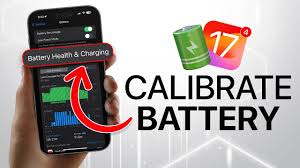
How to Reset Iphone Battery: 8 Easy Tips to Improve Charging
Hey there! I hope you’re all doing well and your iPhone is always ready to greet you with a perfect charge. However, if you notice that your battery charge has dropped or decreased drastically, don’t worry! It’s possible to reset your iPhone battery to make it work better and increase its lifespan. In this article, I’ll show you how.
What If My Iphone Won’t Turn On?
Before we begin, let me clarify that resetting your iPhone battery doesn’t mean simply restarting it. If your iPhone won’t turn on, it might be a more serious issue, and you should contact Apple Support for help.
How to Reset Iphone Battery
To reset your iPhone battery, follow these steps:
- Turn Off Your Iphone: Make sure your iPhone is turned off completely.
- Connect Your Iphone to The Charger or a Computer’s Usb Port: Connect your iPhone to its charger or a computer’s USB port to recharge the battery.
- Let it Charge For Two Hours: Let your iPhone charge for at least two hours, or until the charge reaches 100%.
- Restart Your Iphone in Hard Reset Mode: To restart your iPhone in Hard Reset mode, press and hold the power button for three seconds, then release it.
For Iphones With Face Id:
- Press and hold both Volume + and – buttons simultaneously.
- Hold the left side button until your iPhone restarts.
For Iphones With Home Button (iPhone 7 And Earlier):
- Press and hold both Power and Lock buttons simultaneously.
- Hold the left side button until your iPhone restarts.
For Iphone X:
- Swipe down from the right side of the Home screen.
- Tap on Settings, then Battery, and toggle ON.
Why Does This Work?
Resetting your iPhone battery helps restore it to its factory settings and regain its original capacity. This can help improve battery life and increase autonomy.
How Can I Improve My Iphone’s Battery Life?
To keep your battery in good shape, make sure:
- Keep your iOS up-to-date.
- Avoid exposing your iPhone to extreme temperatures.
- Don’t leave your iPhone exposed to sunlight for too long.
How Do I Replace My Iphone Battery?
If you notice that your battery is particularly weak, it may be time to replace it. If your iPhone is no longer under warranty, you can replace it at an Apple Store or authorized retailer.
8 Easy Tips to Improve Your Iphone’s Battery Life:
- Keep your iPhone up-to-date.
- Limit iPhone usage.
- Disable location services and background notifications.
- Choose a weaker cellular coverage.
Conclusion
Resetting your iPhone battery is a simple and quick process that can help improve your battery life. Additionally, there are many other things you can do to keep your battery healthy. I hope these tips have been helpful!


