
The Power of Google Reviews: How to Respond to Online Feedback
As a business owner, you understand the importance of online reviews in shaping your reputation and attracting potential customers. Google Reviews is one of the most popular platforms where people leave feedback about their experiences with businesses like yours. In this article, we’ll explore the benefits and challenges of responding to Google Reviews, and provide guidance on how to do it effectively.
Why Respond to Google Reviews?
Responding to Google Reviews can have a significant impact on your business. Here are some reasons why:
- Build Trust: By engaging with customers who leave feedback, you show that you value their opinions and care about their experiences.
- Improve Reputation: A well-crafted response can turn a negative review into a positive one, demonstrating that you’re committed to resolving issues and improving your services.
- Increase Visibility: When you respond to reviews, your business becomes more visible on Google Maps and Search Results, potentially attracting new customers.
The Challenges of Responding to Negative Reviews
While responding to positive reviews is easy, dealing with negative ones can be more challenging. Here are some tips to help you navigate this situation:
- Stay Calm: It’s essential to remain composed when faced with a negative review. Avoid getting defensive or emotional, as this can escalate the situation.
- Analyze The Review: Take time to understand the customer’s concerns and identify any patterns or issues that may have contributed to their dissatisfaction.
- Respond Promptly: Reply to the review in a timely manner, addressing the customer’s specific concerns and offering a solution or apology.
How to Respond to Google Reviews on PC
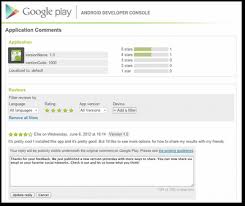
To respond to reviews on your Google My Business profile, follow these steps:
- Access your Google account by going to the Google website and clicking on the “Sign in” button.
- Navigate to your Google My Business profile and click on the “Review” tab.
- Select the review you want to respond to and click on the “Respond” button.
- Type your response in the provided field, keeping it concise and informative.
How to Respond to Google Reviews on Smartphone And Tablet
To respond to reviews on your smartphone or tablet, follow these steps:
- Open the Google Maps app and navigate to your business listing.
- Tap on the “Review” tab and select the review you want to respond to.
- Tap on the “Respond” button and type your response in the provided field.
Best Practices For Responding to Reviews
Here are some additional tips to help you respond effectively:
- Be Sincere: Your response should reflect your genuine interest in resolving the issue or improving your services.
- Keep it Concise: Limit your response to 4,000 characters or less to avoid overwhelming the reader.
- Proofread: Ensure that your response is well-written and free of grammatical errors.
Conclusion
Responding to Google Reviews is an essential aspect of maintaining a strong online presence. By following these tips and best practices, you can effectively engage with customers, build trust, and improve your reputation. Remember to stay calm when dealing with negative reviews, analyze the feedback, and respond promptly and sincerely.
Faqs
Q: How do I Access my Google My Business Profile?
A: To access your Google My Business profile, go to the Google website and click on the “Sign in” button. Then, navigate to your profile by searching for your business name or selecting it from the list of recommended businesses.
Q: What Should I Include in my Response to a Negative Review?
A: When responding to a negative review, aim to be sincere and concise. Acknowledge the customer’s concerns, apologize if necessary, and offer a solution or explanation. Keep your response limited to 4,000 characters or less.
Q: Can I Respond to Reviews on Google Maps?
A: Yes, you can respond to reviews directly on Google Maps. To do this, navigate to your business listing, tap on the “Review” tab, and select the review you want to respond to.
Q: How Often Should I Check For New Reviews?
A: It’s essential to regularly monitor your reviews and respond promptly. Set up notifications or schedule regular checks to ensure that you don’t miss any feedback.
Q: Can I Request Google to Remove a Negative Review?
A: In some cases, you may be able to request Google to remove a review if it violates their policies. However, this is not always possible, and Google reserves the right to decide which reviews are suitable for publication.
Q: How Can I Use Responses to Improve my Services?
A: By engaging with customers who leave feedback, you can gain valuable insights into areas where your business needs improvement. Analyze the comments and concerns, identify patterns or trends, and make changes accordingly.
Q: Can I Respond to Reviews on Other Platforms Besides Google?
A: Yes, it’s essential to engage with customers across multiple review platforms, including Yelp, TripAdvisor, and Facebook Reviews. Each platform has its unique policies and guidelines for responding to reviews.


