
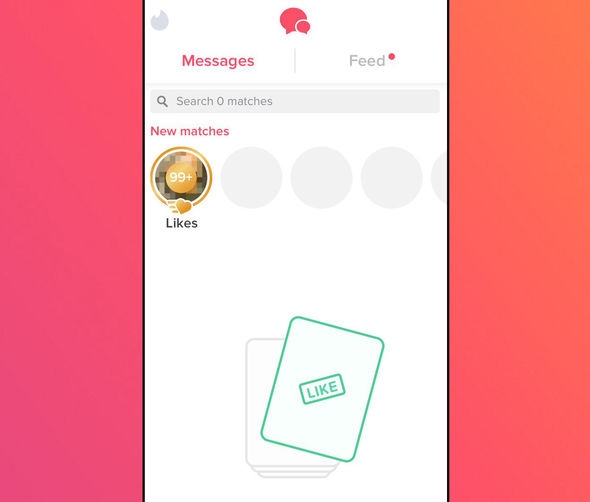
How to Recover Deleted Profiles on Tinder
Are you tired of seeing those pesky “scartati” profiles on Tinder? Do you want to recover a profile that you accidentally deleted, but don’t know how? You’re in luck! In this article, we’ll guide you through the simple process of recovering a deleted profile on Tinder.
Why Can’t I See My Scartati Profiles on Tinder?
Before we dive into the recovery process, it’s essential to understand why you can’t see your scartati profiles on Tinder. Unlike other social media platforms like Facebook Dating, Tinder doesn’t have a specific section for deleted profiles. This means that you won’t be able to visualise or recover your scartati profiles directly from the app.
Is There Any Hope?
Don’t worry! While it’s not possible to recover deleted profiles on Tinder, there is still a way to get back to them. By utilising the “Cancel” option, you can recover your last profile and even have a second chance to express your appreciation for the person who scartati-ed you.
What Is The Cancel Option?
The Cancel option is available in the app’s menu, and it allows you to cancel your last action or restore your deleted profile. By tapping on this option, you’ll be able to retrieve your previous profile and view all its details once again.
How to Recover a Deleted Profile on Tinder (App)
To recover a deleted profile on Tinder using the app:
- Open the Tinder app on your smartphone.
- Tap on the “Cancel” button in the top-right corner of the screen.
- Confirm that you want to cancel your last action.
- The app will automatically recover your previous profile, and you’ll be able to view its details.
How to Recover a Deleted Profile on Tinder (Computer)
If you’re using Tinder on your computer:
- Log in to your account using the browser.
- Click on the “Cancel” button in the top-right corner of the screen.
- Confirm that you want to cancel your last action.
- Your previous profile will be recovered, and you’ll be able to view its details once again.
Can I Cancel My Subscription?
Yes, it’s possible to cancel your subscription on Tinder at any time. To do this:
- Go to the app’s settings menu.
- Tap on “Subscription.”
- Select the option to cancel or pause your subscription.
- Confirm that you want to cancel your subscription.
What Happens When I Cancel My Subscription?
When you cancel your subscription, you’ll no longer have access to certain features like unlimited likes and blocked profiles. However, you can still use Tinder with limited functionality until your subscription ends.
Can I Recover a Profile That Was Scartati on Tinder Plus?
If you’re using the paid version of Tinder (Tinder Plus), you can recover a deleted profile by tapping on the “Cancel” button in the top-right corner of the screen. This will automatically restore your previous profile, and you’ll be able to view its details once again.
Is There an Alternative to Recovering Deleted Profiles on Tinder?
While recovering deleted profiles is not possible directly through Tinder, there are alternative methods that can help you achieve your goals. For example, you can use the “ChatGPT” app (available only on iOS) to communicate with users who have swiped left or right.
Can I Use Chatgpt on Older Devices?
Yes, it’s possible to use ChatGPT on older devices. To do this:
- Open Safari on your device.
- Navigate to the official ChatGPT website.
- Tap on the “Add to Home Screen” button.
- A shortcut will be added to your home screen, allowing you to access ChatGPT directly.
Conclusion
Recovering deleted profiles on Tinder is a relatively simple process that can be done using the app or computer version of the platform. By utilising the Cancel option, you’ll be able to retrieve your previous profile and even have a second chance to express your appreciation for the person who scartati-ed you.
Frequently Asked Questions
Q: Can I recover deleted profiles on Tinder?
A: No, it’s not possible to directly recover deleted profiles on Tinder.
Q: What is the Cancel option on Tinder?
A: The Cancel option allows you to cancel your last action or restore a deleted profile.
Q: How do I use the Cancel option on Tinder?
A: To use the Cancel option, tap on it in the top-right corner of the screen and confirm that you want to cancel your last action.
Q: Can I recover a deleted profile on Tinder Plus?
A: Yes, you can recover a deleted profile on Tinder Plus by tapping on the Cancel button in the top-right corner of the screen.
Q: Is there an alternative method for recovering deleted profiles on Tinder?
A: Yes, you can use the ChatGPT app (available only on iOS) to communicate with users who have swiped left or right.


