
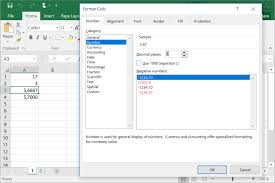
How to Round Numbers in Excel: A Step-by-step Guide
Are you struggling to round numbers in Excel? Look no further! In this article, we will guide you through the process of rounding numbers in Excel, whether you’re using the desktop version or the online version.
What is Rounding in Excel?
Rounding in Excel refers to the process of changing a number to its nearest whole number or decimal value. For example, if you have the number 27.07, You can round it up to 28 or down to 27 using the ROUND function in Excel.
How to Round Numbers in Excel For PC And Mac
To round numbers in Excel for PC and Mac, follow these steps:
- Open your Excel spreadsheet and select the cell where you want to display the rounded number.
- Type the formula
=ROUND(number; digits)or=ROUND(num; num_digits), replacing “number” with the value you want to round and “digits” with the desired number of decimal places. - Press Enter to apply the formula.
For example, if you want to round 27.07 To an entire number, use the formula =ROUND(27.07; 0).
How to Round Numbers in Excel Online
If you don’t have access to the desktop version of Excel, you can still round numbers using the online version of Excel. Follow these steps:
- Sign in to your Microsoft account and create a new spreadsheet or open an existing one.
- Select the cell where you want to display the rounded number.
- Type the formula
=ROUND(number; digits)or=ROUND(num; num_digits), replacing “number” with the value you want to round and “digits” with the desired number of decimal places. - Press Enter to apply the formula.
How to Round Numbers in Excel For Smartphone And Tablet
If you’re using a smartphone or tablet, you can download the Excel app from the App Store (for iOS devices) or Google Play Store (for Android devices). Follow these steps:
- Open the Excel app and sign in to your Microsoft account.
- Select the cell where you want to display the rounded number.
- Type the formula
=ROUND(number; digits)or=ROUND(num; num_digits), replacing “number” with the value you want to round and “digits” with the desired number of decimal places. - Press Enter to apply the formula.
How to Round a Schedule on Excel
If you want to round a schedule on Excel, you can use the same formulas as above, but multiply the number by 24 and then divide it by 24. For example, if you have a time in hours (e.G., 12:00), Multiply it by 24 and then divide it by 24 to get the rounded value.
Common Formulas For Rounding Numbers in Excel
Here are some common formulas for rounding numbers in Excel:
=ROUND(number; digits)rounds a number to the specified number of decimal places.=ROUND.For.ECC(number; num_digits)rounds a number up to the nearest whole number or decimal value.=ROUND.For.DIF(number; num_digits)rounds a number down to the nearest whole number or decimal value.=ROUND.Multiple(number; num_digits)rounds a number to the nearest multiple of the specified value.
Tips And Tricks
Here are some tips and tricks for rounding numbers in Excel:
- Use the ROUND function to round numbers to the nearest whole number or decimal value.
- Use the ROUND.For.ECC function to round numbers up to the nearest whole number or decimal value.
- Use the ROUND.For.DIF function to round numbers down to the nearest whole number or decimal value.
- Use the ROUND.Multiple function to round numbers to the nearest multiple of a specified value.
Conclusion
Rounding numbers in Excel is a straightforward process that can be accomplished using various formulas and functions. Whether you’re using the desktop version, online version, or mobile app, we hope this guide has been helpful in teaching you how to round numbers in Excel.
Frequently Asked Questions (FAQs)
- What is Rounding in Excel?
Rounding in Excel refers to the process of changing a number to its nearest whole number or decimal value. - How do I Round Numbers in Excel For PC And Mac?
To round numbers in Excel for PC and Mac, use the formula=ROUND(number; digits)or=ROUND(num; num_digits), replacing “number” with the value you want to round and “digits” with the desired number of decimal places. - How do I Round Numbers in Excel Online?
To round numbers in Excel online, sign in to your Microsoft account and create a new spreadsheet or open an existing one, then use the formula=ROUND(number; digits)or=ROUND(num; num_digits). - How do I Round Numbers in Excel For Smartphone And Tablet?
To round numbers in Excel for smartphone and tablet, download the Excel app from the App Store (for iOS devices) or Google Play Store (for Android devices), then use the formula=ROUND(number; digits)or=ROUND(num; num_digits). - How do I Round a Schedule on Excel?
To round a schedule on Excel, multiply the number by 24 and then divide it by 24. - What Are Some Common Formulas For Rounding Numbers in Excel?
Some common formulas for rounding numbers in Excel include=ROUND(number; digits),=ROUND.For.ECC(number; num_digits),=ROUND.For.DIF(number; num_digits), and=ROUND.Multiple(number; num_digits). - What Are Some Tips And Tricks For Rounding Numbers in Excel?
Some tips and tricks for rounding numbers in Excel include using the ROUND function to round numbers to the nearest whole number or decimal value, using the ROUND.For.ECC function to round numbers up to the nearest whole number or decimal value, and using the ROUND.Multiple function to round numbers to the nearest multiple of a specified value.


