
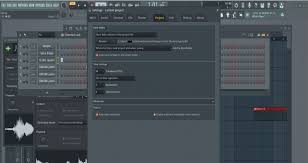
Unlocking The Power of Sampling: A Comprehensive Guide to Campingare With FL Studio
Are you tired of using the same old sounds in your music productions? Do you want to add a unique touch to your tracks without breaking the bank? Look no further than sampling, or “campionare” as it’s known in Italian. In this article, we’ll take you on a journey through the world of sampling with FL Studio, one of the most popular digital audio workstations (DAWs) out there.
What is Sampling?
Sampling, also known as interpolation, is the process of taking a sound or music clip from another source and incorporating it into your own production. This can be done using software like FL Studio, which allows you to import samples from other tracks, albums, or even entire songs.
Why Use Samples?
There are many reasons why sampling is an essential tool for musicians and producers. Here are just a few:
- Inspiration: Sampling can provide inspiration for new ideas and sounds that you might not have thought of otherwise.
- Cost-effective: Using samples can be more cost-effective than hiring session musicians or investing in expensive equipment.
- Creative Freedom: Sampling allows you to experiment with different sounds and textures without being limited by your own playing abilities.
Finding The Right Samples
With so many options available, finding the right samples for your production can be overwhelming. Here are a few tips to help you get started:
- Scour Youtube And Streaming Platforms: Websites like YouTube and SoundCloud have millions of songs and clips that you can use as inspiration.
- Visit Online Marketplaces: Sites like AudioJungle and Loopmasters offer a wide range of samples and loops for purchase.
- Experiment With Different Genres: Don’t be afraid to explore sounds from other genres, such as jazz or hip-hop.
Importing Samples Into FL Studio
Once you’ve found the perfect sample, it’s time to import it into FL Studio. Here’s how:
- Open FL Studio: Launch your DAW and create a new project.
- Find Your Sample: Locate the sample file on your computer or mobile device.
- Import The Sample: Drag and drop the sample file into the FL Studio interface.
Modifying Samples in FL Studio
Now that you’ve imported your sample, it’s time to modify it to fit your needs. Here are a few tips:
- Adjust The Tempo: Use FL Studio’s built-in effects to adjust the tempo of your sample.
- Add Reverb And Delay: Experiment with different effects to create depth and space in your sample.
- Cut And Paste: Use FL Studio’s editing tools to trim and rearrange your sample.
Recording Samples on FL Studio Mobile
If you’re working on-the-go, FL Studio Mobile is a great option for recording and modifying samples. Here’s how:
- Launch FL Studio Mobile: Open the app on your smartphone or tablet.
- Find Your Sample: Locate the sample file on your device.
- Import The Sample: Drag and drop the sample file into the FL Studio Mobile interface.
Adding Effects to Samples in FL Studio Mobile
Once you’ve recorded or imported a sample, it’s time to add some effects. Here’s how:
- Open The Effect Menu: Tap the three dots icon on the top-right corner of the screen.
- Choose Your Effect: Select the effect you want to apply to your sample.
Conclusion
Sampling is an essential tool for musicians and producers, allowing us to tap into a vast library of sounds and inspiration. With FL Studio, finding and modifying samples has never been easier. Whether you’re working on PC or mobile, this guide has shown you how to unlock the power of sampling and take your music productions to the next level.
Frequently Asked Questions
- Q: What is Sampling in Music Production?
A: Sampling is the process of taking a sound or music clip from another source and incorporating it into your own production. - Q: Why Use Samples in Music Production?
A: Samples can provide inspiration, are cost-effective, and offer creative freedom. - Q: How do I Find Good Samples For my Production?
A: Visit online marketplaces, scour YouTube and streaming platforms, and experiment with different genres. - Q: Can I Record Samples on FL Studio Mobile?
A: Yes! Use the app to record and modify samples on-the-go. - Q: How do I Add Effects to Samples in FL Studio Mobile?
A: Tap the three dots icon on the top-right corner of the screen, choose your effect, and apply it to your sample. - Q: Is Sampling Legal?
A: Sampling is generally allowed for personal use, but be sure to clear any copyright issues if you’re using samples from copyrighted material. - Q: Can I Use Samples in Commercial Productions?
A: Yes! However, make sure to clear any necessary permissions or pay royalties where required. - Q: How do I Modify Samples in FL Studio?
A: Use the app’s built-in effects, editing tools, and reverb and delay effects to create depth and space in your sample.


