
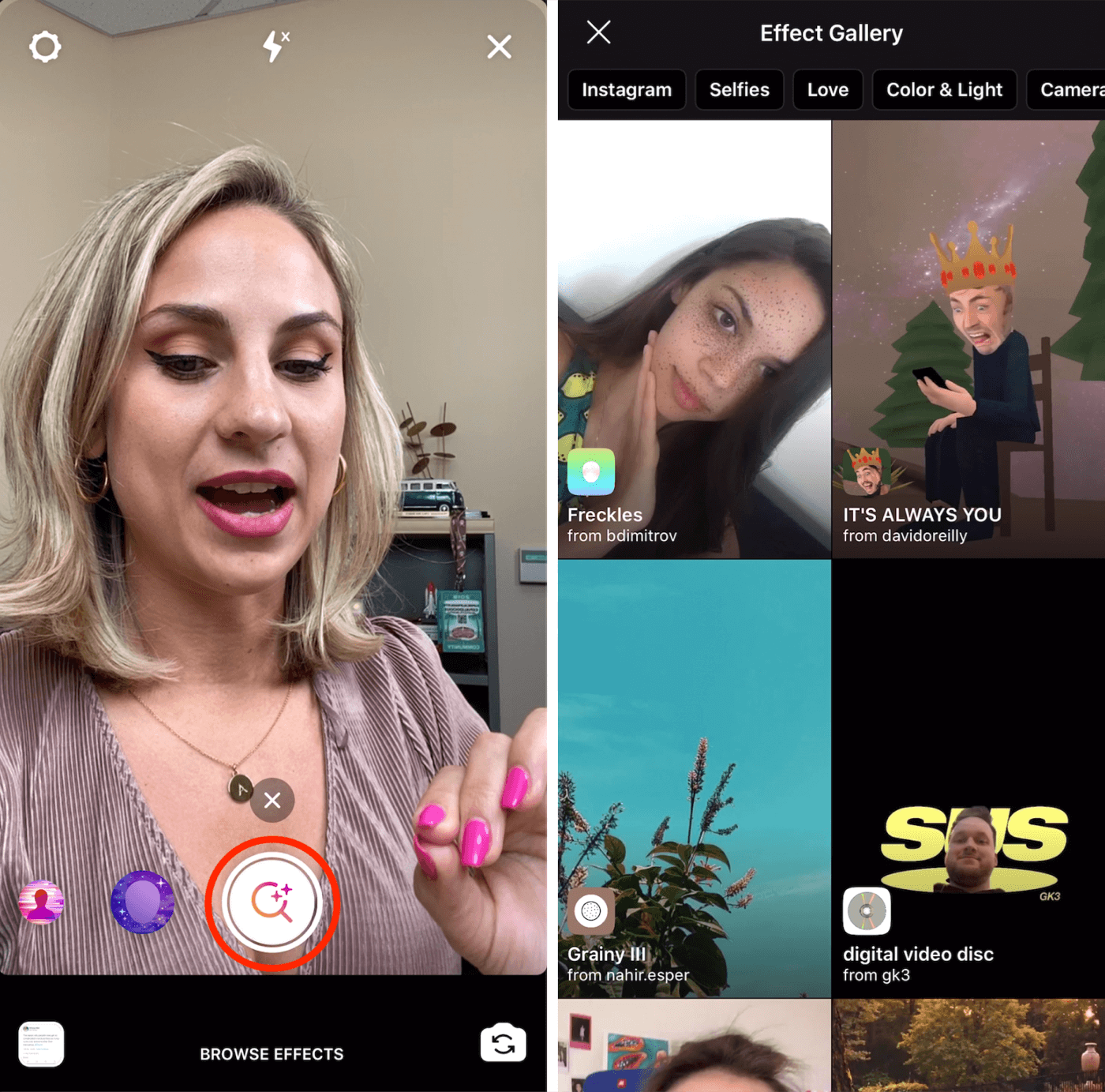
How to Save Effects on Instagram
Are you tired of searching for your favorite filters every time you want to take a picture or create a Reel? Do you wish you could save them for future use? Look no further! In this article, we will show you how to save effects on Instagram, making it easier than ever to access your favorite filters.
What Are The Effects on Instagram?
Before we dive into saving effects, let’s first understand what they are. Effects on Instagram refer to special filters that can be applied to photos and videos to give them a unique look. These filters can range from facial filters that modify the appearance of the face to filters that adjust the brightness or contrast of the image.
How to Save Effects on Instagram
Saving effects on Instagram is a simple process that can be done on both Android and iOS devices. Here’s how:
On Android:
- Open the Instagram app and navigate to the camera screen.
- Tap the “+” icon at the top right corner of the screen to create a new post.
- Select “Story” or “Reel” as your preferred format.
- Tap on the effects icon (represented by a smiley face) located below the shutter button.
- Browse through the available effects and select the one you want to save.
- Tap on the star icon next to the effect name to save it for future use.
On Ios:
- Open the Instagram app and navigate to the camera screen.
- Tap the “+” icon at the top right corner of the screen to create a new post.
- Select “Story” or “Reel” as your preferred format.
- Tap on the effects icon (represented by a smiley face) located below the shutter button.
- Browse through the available effects and select the one you want to save.
- Tap on the star icon next to the effect name to save it for future use.
How to See Saved Effects on Instagram
Now that you’ve saved your favorite effects, you might wonder how to see them again. Don’t worry! We’ve got you covered.
On Android:
- Open the Instagram app and navigate to the camera screen.
- Tap the “+” icon at the top right corner of the screen to create a new post.
- Select “Story” or “Reel” as your preferred format.
- Tap on the effects icon (represented by a smiley face) located below the shutter button.
- Browse through the available effects and select the one you want to apply.
On Ios:
- Open the Instagram app and navigate to the camera screen.
- Tap the “+” icon at the top right corner of the screen to create a new post.
- Select “Story” or “Reel” as your preferred format.
- Tap on the effects icon (represented by a smiley face) located below the shutter button.
- Browse through the available effects and select the one you want to apply.
How to Create Effects on Instagram
While saving effects is convenient, sometimes you might want to create your own custom filters. This is where Spark AR Studio comes in – a free software provided by Meta that allows you to create your own AR effects.
To get started, follow these steps:
- Download and install the Spark AR Studio software from the official website.
- Launch the app and select “Create Filter” as your preferred format.
- Choose from various templates or start from scratch using a blank canvas.
- Add text, shapes, images, and other elements to create your custom filter.
- Once you’ve finished creating your effect, save it and submit it for review.
Conclusion
Saving effects on Instagram is a simple process that can be done on both Android and iOS devices. By following the steps outlined in this article, you can save your favorite filters for future use and access them easily whenever you need to take a picture or create a Reel. If you’re feeling adventurous, you can even try creating your own custom effects using Spark AR Studio.
Frequently Asked Questions
- Q: What Are The Effects on Instagram?
A: Effects on Instagram refer to special filters that can be applied to photos and videos to give them a unique look. - Q: How do I Save Effects on Instagram?
A: To save effects on Instagram, navigate to the camera screen, select “Story” or “Reel,” tap on the effects icon, browse through the available effects, and select the one you want to save. - Q: Can I Create my Own Custom Filters on Instagram?
A: Yes! You can use Spark AR Studio to create your own custom filters. Simply download and install the software, launch it, and follow the steps to create and submit your filter for review. - Q: How do I See Saved Effects on Instagram?
A: To see saved effects on Instagram, navigate to the camera screen, select “Story” or “Reel,” tap on the effects icon, browse through the available effects, and select the one you want to apply. - Q: What Devices Can I Use to Save Effects on Instagram?
A: You can save effects on Instagram using both Android and iOS devices. - Q: Can I Access my Saved Effects From Any Device?
A: Yes! Your saved effects will be synced across all your devices, so you can access them whenever you need to take a picture or create a Reel.
Bonus Tip: Make sure to always save your favorite filters for future use by tapping on the star icon next to the effect name. This way, you’ll never have to search for them again!


