
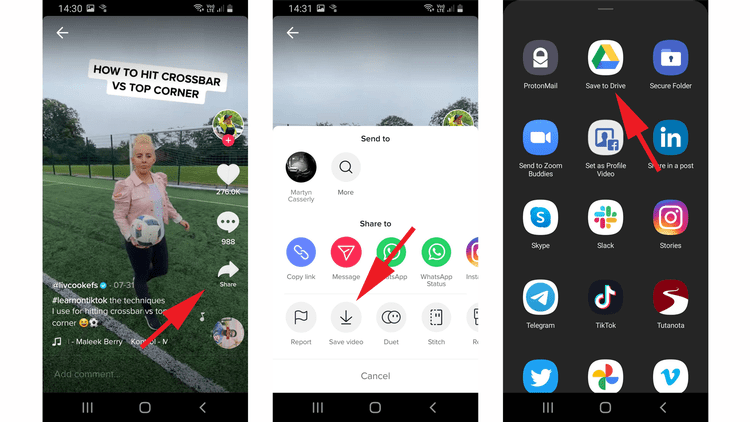
Saving Tiktok Videos Without Watermark: A Step-by-step Guide
Are you tired of seeing the pesky watermark on your saved TikTok videos? Look no further! In this article, we’ll show you how to save TikTok videos without watermarks using various methods.
Why Remove Watermarks From Tiktok Videos?
Before we dive into the nitty-gritty, let’s quickly discuss why removing watermarks is essential. As users, we want our saved content to be free from unwanted branding and logos. Unfortunately, TikTok’s terms of service prohibit the removal of their watermark without proper authorization.
Method 1: Using a Third-party App (Android)
To save TikTok videos without watermarks on Android devices, you’ll need to download an external app called Tiktok Video Downloader No Watermark. Here’s how:
- Install the app from the Google Play Store or an alternative store.
- Open the TikTok app and navigate to the video you want to save.
- Tap on the profile icon in the bottom-right corner and select the video you want to download.
- Choose “Copy link” from the menu.
- Open the Tiktok Video Downloader No Watermark app and tap on the “Paste Link” button.
- Select the video you want to save and choose the quality (MP3 or MP4).
- Tap on the “Download” button to initiate the download process.
Method 2: Using a Third-party App (iPhone)
For iPhone users, you can use a similar approach using the TT Save Bot app:
- Install the TT Save Bot app from the App Store.
- Open the TikTok app and navigate to the video you want to save.
- Tap on the profile icon in the bottom-right corner and select the video you want to download.
- Choose “Copy link” from the menu.
- Open the TT Save Bot app and paste the video link.
- Select the quality (MP3 or MP4) and tap on the “Save” button.
Method 3: Using a Browser Extension
For PC users, you can use a browser extension like Snaptik.App:
- Open the TikTok website in your preferred browser.
- Navigate to the video you want to save and copy its link.
- Paste the link into the Snaptik.App website and select the quality (MP4).
- Tap on the “Download” button to initiate the download process.
Tips And Precautions
- Removing watermarks from TikTok videos may violate their terms of service, so proceed with caution!
- Make sure you have permission to save and share copyrighted content.
- Some third-party apps may require subscriptions or in-app purchases, so be aware of any potential costs.
- Always check the app’s ratings and reviews before downloading.
Conclusion
Saving TikTok videos without watermarks is a relatively straightforward process using various methods. By following these steps, you can enjoy your favorite TikTok content on your device without unwanted branding. Remember to respect copyright laws and terms of service when sharing or saving content.
Frequently Asked Questions (FAQs)
- Q: Can I Save Tiktok Videos Without Watermarks on Pc?
A: Yes, you can use a browser extension like Snaptik.App. - Q: Are Third-party Apps Safe to Use?
A: Generally, yes! But always check the app’s ratings and reviews before downloading. - Q: Will Removing Watermarks From Tiktok Videos Affect my Account?
A: Possibly. Removing watermarks may violate TikTok’s terms of service, so proceed with caution! - Q: Can I Save Tiktok Videos Without Watermarks on Android?
A: Yes! Use the Tiktok Video Downloader No Watermark app. - Q: Are There Any Free Alternatives to Snaptik.App?
A: Yes! Explore other browser extensions or apps that offer similar functionality. - Q: Can I Save Tiktok Videos Without Watermarks on Iphone?
A: Yes! Use the TT Save Bot app or a similar third-party app. - Q: Will Removing Watermarks From Tiktok Videos Affect Video Quality?
A: No, it should not! The downloaded video will retain its original quality.
Hope this guide helped you save your favorite TikTok videos without watermarks!


