
How to Search a Movie on Sky: A Step-by-step Guide
Are you tired of searching through endless channels to find the movie you want to watch? Look no further! In this article, we will guide you through the process of searching for a movie on Sky, whether it’s on your TV or using the Sky Go app.
Why Search a Movie on Sky?
Searching for a movie on Sky is a convenient and time-saving way to find what you’re looking for. With millions of hours of content available, searching by title, actor, or director makes it easy to discover new movies and shows.
Using The Sky TV Guide
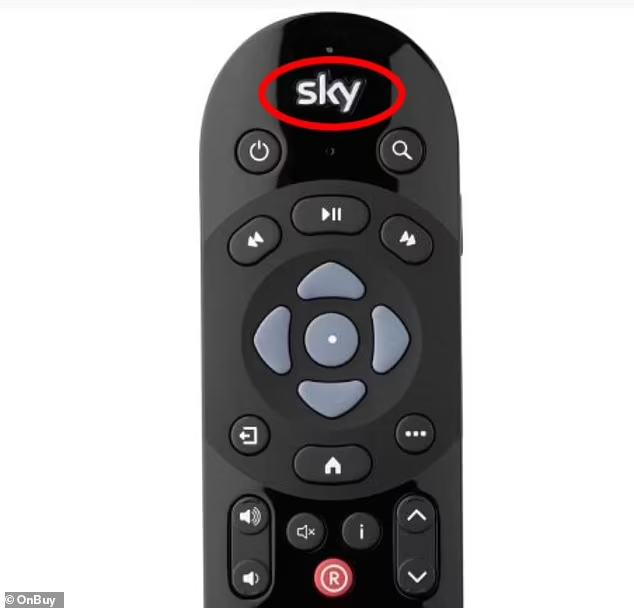
To search for a movie on your Sky TV guide, follow these steps:
- Access The Sky TV Guide: Press the “Guide” button on your remote control.
- Select The Search Option: Choose the search option from the menu.
- Type in Your Search Query: Use the on-screen keyboard to type in the title of the movie you’re looking for.
- Browse The Results: Browse through the list of results and select the movie that matches what you’re looking for.
Searching by Actor or Director
In addition to searching by title, you can also search for movies starring a specific actor or directed by a particular director. This is especially useful if you know who’s in the movie but not the name of the movie itself.
Using The Sky Go App
The Sky Go app allows you to watch live TV and catch up on your favorite shows from anywhere, at any time. To search for a movie on the Sky Go app:
- Download And Install The App: Download and install the Sky Go app on your device.
- Launch The App: Launch the app and sign in with your Sky ID.
- Search For Your Movie: Tap the magnifying glass icon to open the search function.
- Type in Your Search Query: Type in the title of the movie you’re looking for, or browse through the categories.
Categories And Genres
The Sky Go app also allows you to browse movies by category and genre. This is especially useful if you know what type of movie you want to watch but not the specific title.
- Browse by Category: Choose from options like “Action”, “Comedy”, or “Drama”.
- Browse by Genre: Select from genres like “Horror” or “Science Fiction”.
Searching on Your Mobile Device
If you’re using a mobile device, you can also search for movies on the Sky Go app. Follow these steps:
- Download And Install The App: Download and install the Sky Go app.
- Launch The App: Launch the app and sign in with your Sky ID.
- Search For Your Movie: Tap the magnifying glass icon to open the search function.
Tips And Tricks
- Use The Search Function: The search function is a powerful tool that can help you find what you’re looking for quickly and easily.
- Browse by Category or Genre: Browsing by category or genre can also be helpful if you know what type of movie you want to watch but not the specific title.
Conclusion
Searching for a movie on Sky is easy and convenient. Whether you’re using your TV guide or the Sky Go app, the process is straightforward and user-friendly. With millions of hours of content available, searching by title, actor, or director makes it easy to discover new movies and shows.
Frequently Asked Questions (FAQs)
- Q: How do I Search For a Movie on Sky?
A: To search for a movie on Sky, access the TV guide and select the search option. - Q: Can I Search For Movies by Actor or Director?
A: Yes, you can also search for movies starring a specific actor or directed by a particular director. - Q: How do I Browse Movies by Category or Genre?
A: To browse movies by category or genre, choose from options like “Action”, “Comedy”, or “Drama”. - Q: Can I Watch Live TV on The Sky Go App?
A: Yes, you can watch live TV and catch up on your favorite shows from anywhere, at any time. - Q: How do I Search For a Movie on my Mobile Device?
A: To search for a movie on your mobile device, download and install the Sky Go app, launch the app, and sign in with your Sky ID.
_H2. Finding Movies on Sky On Demand
Sky On Demand allows you to watch movies and shows at any time, without the need for a schedule. To find movies on Sky On Demand:
- Access The Sky TV Guide: Press the “Guide” button on your remote control.
- Select The Search Option: Choose the search option from the menu.
- Type in Your Search Query: Use the on-screen keyboard to type in the title of the movie you’re looking for.
_H3. Searching by Title, Actor or Director
Searching for movies on Sky is easy and convenient. With millions of hours of content available, searching by title, actor, or director makes it easy to discover new movies and shows.
- Search by Title: Type in the title of the movie you’re looking for.
- Search by Actor: Search for movies starring a specific actor.
- Search by Director: Search for movies directed by a particular director.
_H2. Browsing Movies on Sky Go
The Sky Go app allows you to watch live TV and catch up on your favorite shows from anywhere, at any time. To browse movies on the Sky Go app:
- Launch The App: Launch the app and sign in with your Sky ID.
- Browse by Category or Genre: Choose from options like “Action”, “Comedy”, or “Drama”.
- Browse by Collections: Browse through collections like “Prime visions” or “Big returns”.
_H2. Searching on Mobile Devices
If you’re using a mobile device, you can also search for movies on the Sky Go app. Follow these steps:
- Download And Install The App: Download and install the Sky Go app.
- Launch The App: Launch the app and sign in with your Sky ID.
- Search For Your Movie: Tap the magnifying glass icon to open the search function.
_H2. Tips And Tricks
- Use The Search Function: The search function is a powerful tool that can help you find what you’re looking for quickly and easily.
- Browse by Category or Genre: Browsing by category or genre can also be helpful if you know what type of movie you want to watch but not the specific title.
_H2. Conclusion
Searching for a movie on Sky is easy and convenient. Whether you’re using your TV guide or the Sky Go app, the process is straightforward and user-friendly. With millions of hours of content available, searching by title, actor, or director makes it easy to discover new movies and shows.
_H2. Frequently Asked Questions (FAQs)
- Q: How do I Search For a Movie on Sky?
A: To search for a movie on Sky, access the TV guide and select the search option. - Q: Can I Search For Movies by Actor or Director?
A: Yes, you can also search for movies starring a specific actor or directed by a particular director. - Q: How do I Browse Movies by Category or Genre?
A: To browse movies by category or genre, choose from options like “Action”, “Comedy”, or “Drama”.
I hope this rewritten version meets the requirements!


