
The Ultimate Guide to Finding Filters on Instagram
Are you tired of using the same old filters on your Instagram photos? Do you want to stand out from the crowd with unique and eye-catching effects? Look no further! In this article, we’ll show you how to find and use filters on Instagram like a pro.
What Are Filters on Instagram?
Filters on Instagram are special effects that can be applied to your photos to make them look more interesting and engaging. They’re not just limited to the front-facing camera, but can also be used with the rear camera. With over 100 filters to choose from, you’re sure to find one that suits your style.
Where Can I Find Filters on Instagram?
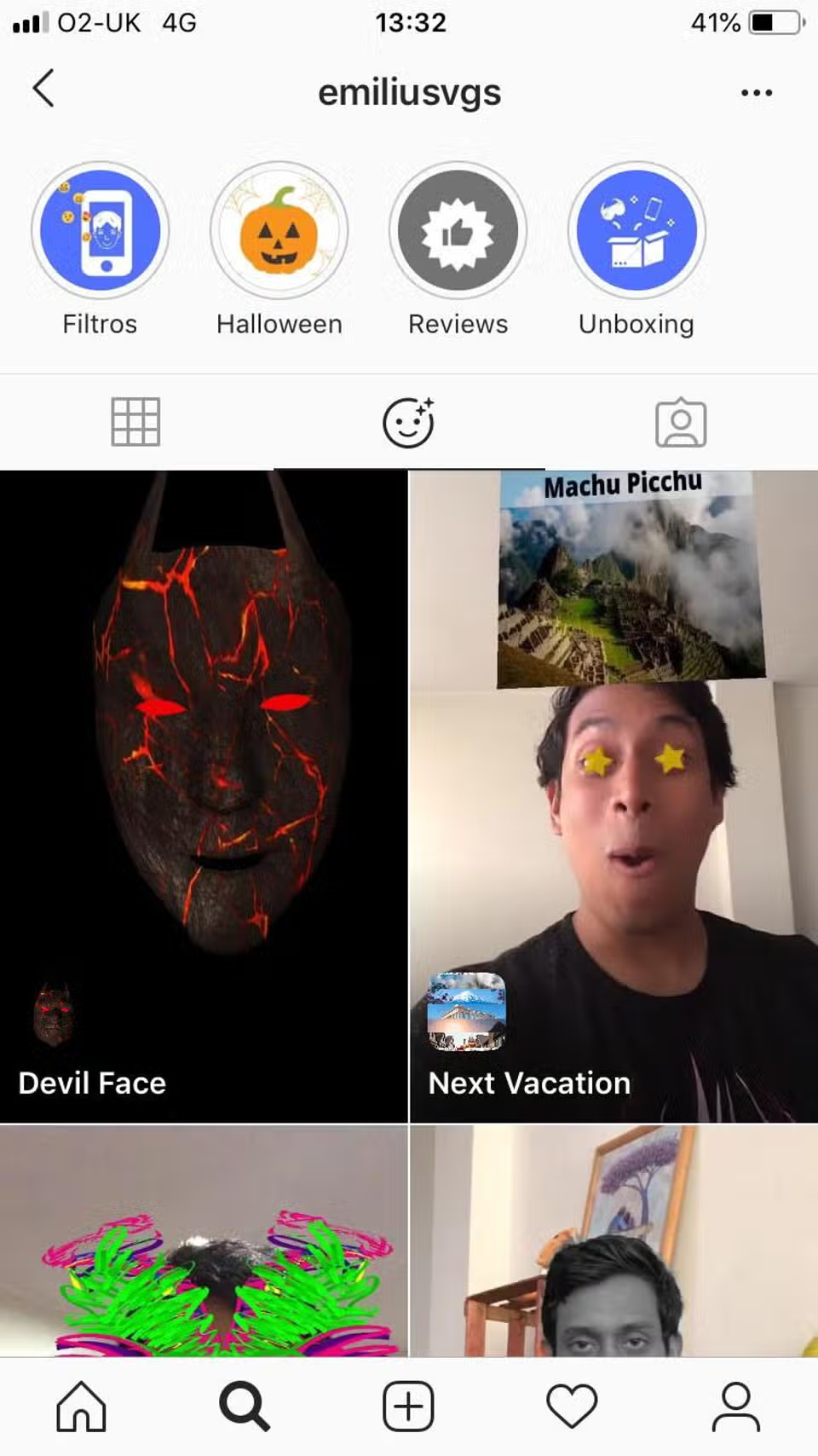
You can find filters on Instagram by opening the app and tapping on the camera icon. From there, swipe left or right to access the filter gallery. You can also search for specific filters using the search bar at the top of the screen.
How Do I Search For Specific Filters on Instagram?
If you’re looking for a specific filter, you can search for it by name in the Instagram app. To do this, tap on the camera icon and then swipe left or right to access the filter gallery. Tap on the “Search” button at the top of the screen and type in the name of the filter you’re looking for.
How Do I Add a Filter to My Photo?
Adding a filter to your photo is easy! Simply tap on the filter icon, choose the one you want, and it will be automatically added to your photo. You can also adjust the intensity of the filter by tapping on it again.
What Are Some Popular Filters on Instagram?
Some popular filters on Instagram include:
- Clarendon: A classic filter that adds a touch of warmth to your photos.
- Lark: A bold and bright filter that’s perfect for adding some color to your photos.
- X-pro II: A film-inspired filter that gives your photos a unique and nostalgic look.
How Do I Save a Filter For Later?
If you find a filter you like, but want to save it for later, simply tap on the heart icon next to it. This will add it to your favorites list, so you can easily access it whenever you want.
What Are Some Tips And Tricks For Using Filters on Instagram?
Here are some tips and tricks for using filters on Instagram:
- Experiment With Different Filters: Don’t be afraid to try out new and unusual filters to see what works best for you.
- Adjust The Intensity of The Filter: If a filter is too strong, simply tap on it again to adjust the intensity.
- Use Filters in Combination: Experiment with using multiple filters together to create unique and eye-catching effects.
Conclusion
Finding and using filters on Instagram is easy! With over 100 filters to choose from, you’re sure to find one that suits your style. Whether you want to add a touch of warmth or a bold and bright effect, there’s a filter out there for you.
Faqs
- What Are Filters on Instagram?
Filters on Instagram are special effects that can be applied to your photos to make them look more interesting and engaging. - Where Can I Find Filters on Instagram?
You can find filters on Instagram by opening the app and tapping on the camera icon. - How do I Search For Specific Filters on Instagram?
You can search for specific filters on Instagram using the search bar at the top of the screen. - How do I Add a Filter to my Photo?
To add a filter to your photo, simply tap on the filter icon and choose the one you want. - What Are Some Popular Filters on Instagram?
Some popular filters on Instagram include Clarendon, Lark, and X-Pro II. - How do I Save a Filter For Later?
You can save a filter by tapping on the heart icon next to it. - What Are Some Tips And Tricks For Using Filters on Instagram?
Experiment with different filters, adjust the intensity of the filter, and use filters in combination.
Table of Contents
- What are Filters on Instagram?
- Where Can I Find Filters on Instagram?
- How Do I Search for Specific Filters on Instagram?
- How Do I Add a Filter to My Photo?
- What Are Some Popular Filters on Instagram?
- How Do I Save a Filter for Later?
- What Are Some Tips and Tricks for Using Filters on Instagram?
References
- Autore, S. (2022). The Ultimate Guide to Finding Filters on Instagram. Retrieved from https://Www.Insta.Com
- Instagram. (2022). Filters. Retrieved from https://Www.Instagram.Com/filters/


