
How to Search on Telegram: A Comprehensive Guide
Are you tired of searching for channels, clusters, users, or bots on Telegram without finding what you’re looking for? Look no further! This article will guide you through the process of searching on Telegram, covering everything from channels and clusters to users and bots.
Why Use Telegram’s Search Feature?
Telegram’s search feature is an incredibly powerful tool that allows you to find exactly what you’re looking for. Whether it’s a specific channel, cluster, user, or bot, the search function makes it easy to discover new content and connect with others on the platform.
Searching Channels on Telegram
Searching channels on Telegram is a straightforward process. Here’s how to do it:
- Open Telegram: First, open the Telegram app on your smartphone, tablet, or computer.
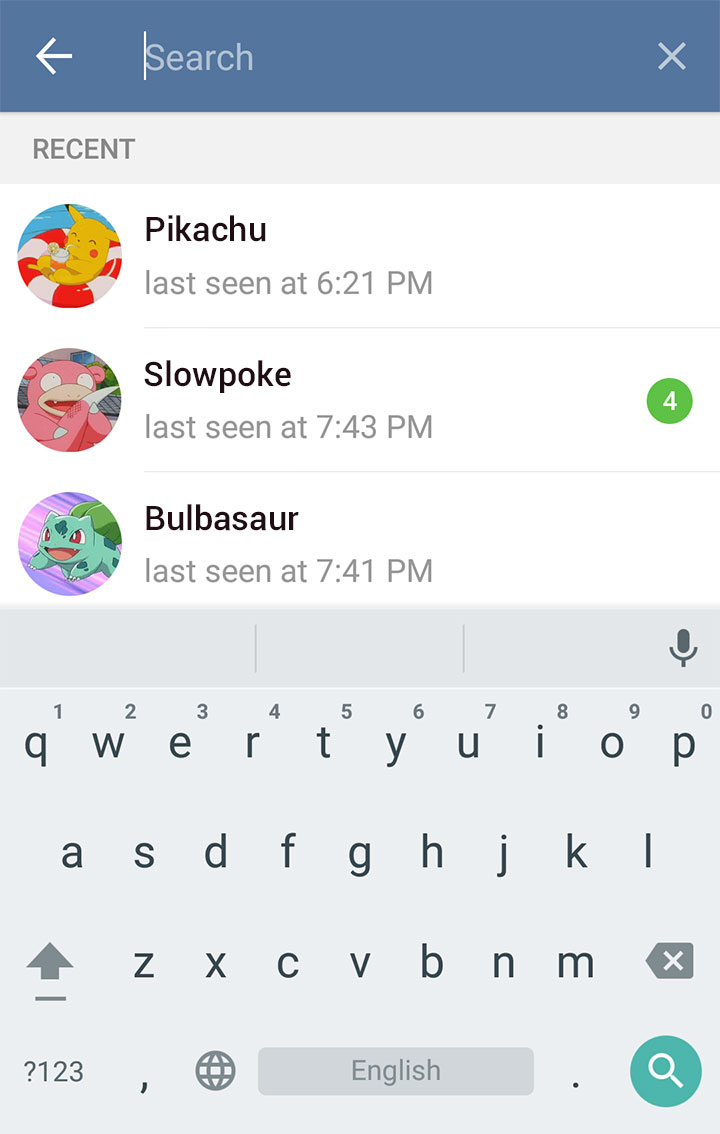
- Tap on The Search Bar: On smartphones and tablets, tap on the search bar icon (represented by a magnifying glass). On computers, click on the search bar.
- Type in The Channel Name: Type in the name of the channel you’re looking for, or a part of its name.
- Select The Channel: From the list of results, select the channel you want to join.
Searching Clusters on Telegram
Searching clusters on Telegram is similar to searching channels:
- Open Telegram: Open the Telegram app on your device.
- Tap on The Search Bar: Tap on the search bar icon or click on it if using a computer.
- Type in The Cluster Name: Type in the name of the cluster you’re looking for, or a part of its name.
- Select The Cluster: From the list of results, select the cluster you want to join.
Searching Users on Telegram
If you know someone’s username but not their phone number, searching for them on Telegram is easy:
- Open Telegram: Open the Telegram app on your device.
- Tap on The Search Bar: Tap on the search bar icon or click on it if using a computer.
- Type in The Username: Type in the user’s username.
- Select The User: From the list of results, select the user you want to contact.
Searching Bots on Telegram
To search for bots on Telegram:
- Open Telegram: Open the Telegram app on your device.
- Tap on The Search Bar: Tap on the search bar icon or click on it if using a computer.
- Type in The Bot Name: Type in the name of the bot you’re looking for, or a part of its name.
- Select The Bot: From the list of results, select the bot you want to interact with.
Searching Stickers on Telegram
To search for stickers on Telegram:
- Open Telegram: Open the Telegram app on your device.
- Start a Conversation: Start a conversation in the chat window.
- Tap on The Sticker Icon: On smartphones and tablets, tap on the sticker icon (represented by a smiley). On computers, click on the sticker icon.
- Search For Stickers: Type in the name of the sticker you’re looking for or use the search bar to filter stickers.
Conclusion
Searching on Telegram is an essential skill that opens up new possibilities for discovering content and connecting with others on the platform. Whether it’s searching channels, clusters, users, bots, or stickers, this guide has walked you through each step of the process. With these tips and tricks, you’ll become a pro at finding exactly what you need on Telegram!
Frequently Asked Questions (FAQs)
- Q: How do I Search For Channels on Telegram?
A: To search for channels on Telegram, tap on the search bar icon or click on it if using a computer and type in the name of the channel you’re looking for. - Q: Can I Search For Clusters on Telegram?
A: Yes! Searching clusters is similar to searching channels; simply tap on the search bar icon or click on it if using a computer and type in the name of the cluster you’re looking for. - Q: How do I Find Users With Their Username on Telegram?
A: To search for users by username, open Telegram and tap on the search bar icon or click on it if using a computer. Type in the user’s username to find them. - Q: Can I Search For Bots on Telegram?
A: Yes! Search for bots just like you would channels or clusters; type in the name of the bot you’re looking for, and select it from the results. - Q: How do I Find Stickers on Telegram?
A: To search for stickers, start a conversation in the chat window and tap on the sticker icon (represented by a smiley) to access the sticker menu. - Q: Is Searching on Telegram Free?
A: Yes! Searching on Telegram is completely free and accessible from anywhere in the world. - Q: Can I Search For Content That’s Not Public on Telegram?
A: Unfortunately, no. Telegram’s search feature can only find public channels, clusters, users, bots, or stickers.
Bonus Tips
- To make searching easier, use keywords related to the content you’re looking for.
- Use Telegram’s built-in filters to refine your search results.
- Don’t be afraid to explore different categories and conversations to discover new content.
With this guide, you’ve taken the first step towards becoming a master of searching on Telegram.


