
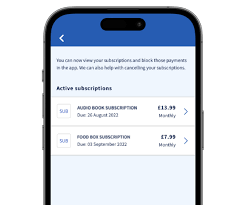
Discovering Active Subscriptions on Your Credit Card: A Step-by-step Guide
Are you tired of dealing with unwanted subscriptions on your credit card? Do you want to know how to see active subscriptions on various payment cards, including Revolut, HYPE, Postepay, and others? Look no further! In this comprehensive guide, we’ll walk you through the steps to discover and manage active subscriptions on your credit card.
Understanding Active Subscriptions
Active subscriptions refer to recurring payments or services that are linked to your credit card. These can include streaming services like Netflix or Spotify, software subscriptions such as Microsoft 365 or Adobe Creative Cloud, and even online shopping platforms. While these services can be convenient, they can also lead to unexpected charges if not monitored properly.
Revolut: A Leader in Digital Banking
If you use Revolut for online payments or subscription services, you’re in luck! The app provides a seamless way to manage your active subscriptions. Here’s how:
- Open the Revolut app on your Android or iPhone device.
- Log in with your credentials.
- On the leading screen, tap on “Visualise” to view your last transactions.
- Scroll down to the list of motions (transactions) and look for any active subscriptions.
Alternatively, you can download the list of motions for a specific month by tapping on the “Download list” option. This will generate a PDF file with all the relevant information.
Hype: A Popular Payment Card
If you use HYPE for online payments or subscription services, follow these steps:
- Open the HYPE app on your Android or iPhone device.
- Log in with your credentials.
- On the leading screen, tap on the “Motions” tab.
- You’ll see a list of all the transactions carried out using your card. To visualize all the transactions, tap on the “Display #all” option.
If you want to disable specific transactions or subscriptions, tap on the three dots (⋯) next to each transaction and select the relevant option.
Postepay: A Prepaid Card
If you have a Postepay card, you can follow these steps to discover active subscriptions:
- Open the Postepay app on your Android device.
- Log in with your credentials.
- On the leading screen, tap on the “Motions” tab next to your card.
- You’ll see a list of all the transactions carried out using your card. To search for specific active subscriptions, tap on the search bar and enter the service name.
Alternatively, you can check which subscriptions are active by tapping on the “Settings” icon on your card’s miniature. Select the “Debit Direct SEPA” option to view a list of all active debit transactions.
Other Payment Cards: A General Guide
If you don’t have any of the cards mentioned above, don’t worry! The general principle is the same:
- Open the app associated with your payment card.
- Log in with your credentials.
- Look for the “Motions” or “Transactions” tab to view a list of all transactions carried out using your card.
- Use the search bar to find specific active subscriptions.
Paypal: A Popular Payment Platform
If you use PayPal, follow these steps:
- Go to the PayPal website and log in with your credentials.
- Navigate to the “Payments” section.
- Click on “Automatic Payments” to view a list of all automatic payments set up on your account.
- You can also check the last transactions by looking at the initial page of the website.
Managing Active Subscriptions on Your Mobile
If you’re worried about subscriptions actuating on your mobile, follow these steps:
- Open the Play Store (on Android) or App Store (on iPhone).
- Look for any apps with active subscriptions.
- Tap on each app to view the subscription details and cancel if necessary.
Conclusion
Managing active subscriptions on your credit card is crucial to avoid unexpected charges. By following this guide, you’ll be able to discover and manage your active subscriptions across various payment cards, including Revolut, HYPE, Postepay, PayPal, and others. Remember to always check the details of each subscription service and cancel if necessary.
Frequently Asked Questions (FAQs)
- What is an Active Subscription?
An active subscription refers to a recurring payment or service linked to your credit card that continues to charge you without your explicit consent.
- How Can I Discover Active Subscriptions on my Revolut Account?
To discover active subscriptions on your Revolut account, open the app and log in with your credentials. Tap on “Visualise” to view your last transactions, then scroll down to the list of motions to find any active subscriptions.
- Can I Cancel an Active Subscription Directly From The Hype App?
Yes, you can cancel an active subscription directly from the HYPE app by tapping on the three dots (⋯) next to each transaction and selecting the relevant option.
- How do I Check For Active Subscriptions on my Postepay Card?
To check for active subscriptions on your Postepay card, open the app and log in with your credentials. Tap on the “Motions” tab next to your card to view a list of all transactions carried out using your card.
- What Happens if I Forget to Cancel an Active Subscription?
If you forget to cancel an active subscription, it will continue to charge you without your explicit consent. It’s essential to regularly check for active subscriptions and cancel if necessary to avoid unexpected charges.
- Can I Use The Paypal Website or App to Manage Active Subscriptions?
Yes, you can use the PayPal website or app to manage active subscriptions by navigating to the “Payments” section and clicking on “Automatic Payments.”
- How do I Check For Active Subscriptions on my Mobile Device?
To check for active subscriptions on your mobile device, open the Play Store (on Android) or App Store (on iPhone). Look for any apps with active subscriptions, then tap on each app to view the subscription details and cancel if necessary.
Sources:
- Revolut app
- HYPE app
- Postepay app
- PayPal website
- Play Store and App Store


