
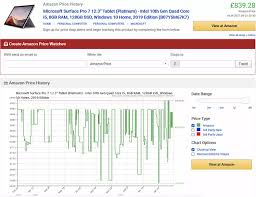
How to See Amazon Course Prices on PC
Are you tired of missing out on the best deals on Amazon? Do you want to stay up-to-date with the latest price fluctuations on your favorite products? Look no further! In this article, we’ll show you how to see Amazon course prices on your PC, and explore some other useful features that will make your shopping experience even more convenient.
What Are Amazon Course Prices?
Amazon course prices refer to the current price of a product, including any discounts or promotions that may be available. By seeing the course prices on your PC, you can easily compare prices across different sellers, find the best deals, and avoid overspending.
How to See Amazon Course Prices on PC
To see Amazon course prices on your PC, follow these simple steps:
- Access Your Account: First, make sure you’re logged in to your Amazon account.
- Add Products to Cart: Add the products you’re interested in to your cart by clicking on the “Add to Cart” button.
- Save For Later: Instead of checking out, click on the “Save for Later” button. This will save the product(s) to a section called “Your Articles”.
- View Course Prices: Periodically check back on this section to see the current price and any price fluctuations.
Other Useful Features
In addition to seeing Amazon course prices, there are several other useful features that can enhance your shopping experience:
- Price Alerts: Set up price alerts for specific products, so you’ll be notified when the price drops.
- List Management: Create lists of products you’re interested in and add or remove items as needed.
- Coupon Codes: Use coupon codes to get discounts on products.
Using Amazon on Mobile Devices
If you prefer shopping on your mobile device, you can also see Amazon course prices on your smartphone or tablet. Follow these steps:
- Install The Amazon App: Download and install the Amazon app on your device.
- Add Products to Cart: Add the products you’re interested in to your cart.
- Save For Later: Instead of checking out, click on the “Save for Later” button.
- View Course Prices: Periodically check back on this section to see the current price and any price fluctuations.
Other Solutions to Spare on Amazon
While seeing course prices is a great way to save money on Amazon, there are other solutions that can help you score even better deals:
- Price Tracker Channels: Join channels like mine on Telegram, where we share exciting deals and price drops.
- Personalized Coupons: Take advantage of personalized coupons that can give you discounts on specific products.
Amazon Outlet
In addition to seeing course prices, Amazon offers a section called “Amazon Outlet” where you can find discounted items across various categories. These items are often discontinued or no longer in stock, and come with particularly low prices.
Amazon Second Hand
Another great way to save money is by buying second-hand products on Amazon. These items are previously used but have been thoroughly checked and come with a discount based on their condition.
Conclusion
In conclusion, seeing course prices on Amazon can help you stay informed about price fluctuations and make better purchasing decisions. By following the steps outlined in this article and exploring other useful features like price alerts, list management, and coupon codes, you can enhance your shopping experience and save even more money.
Frequently Asked Questions (FAQs)
-
How do I See Amazon Course Prices on my Pc?
- To see Amazon course prices on your PC, access your account, add products to cart, save for later, and periodically check back on the “Your Articles” section.
-
What Are Amazon Course Prices?
-
Amazon course prices refer to the current price of a product, including any discounts or promotions that may be available.
-
How do I Set up Price Alerts on Amazon?
-
To set up price alerts on Amazon, go to the “Your Account” section, click on “Price Alerts”, and follow the instructions.
-
Can I Use Coupon Codes on Amazon?
-
Yes, you can use coupon codes on Amazon by applying them during checkout.
Bonus Tips
- To save even more money, consider shopping during sales periods or using cashback apps.
- Always read reviews and check product details before making a purchase.


