
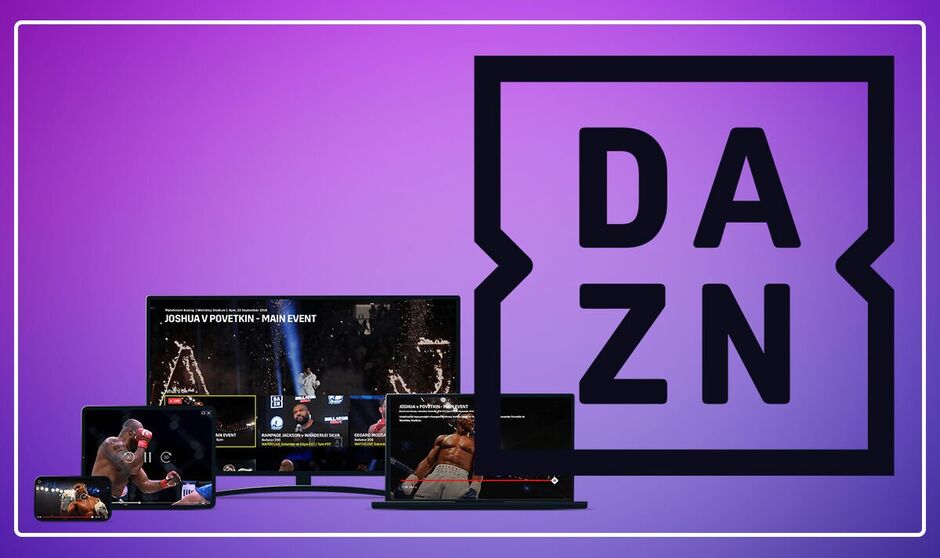
Discover The World of Dazn: A Comprehensive Guide
Are you a sports enthusiast looking for a platform that offers an extensive range of sporting events, live and on-demand? Look no further than DAZN! As one of the leading streaming services in the world, DAZN provides users with access to thousands of hours of live and on-demand content, including top-tier football, tennis, basketball, cycling, and more.
What is Dazn?
DAZN is a sports-focused streaming service that offers an unbeatable lineup of sporting events, providing fans with unparalleled access to the world of sports. With a vast library of live and on-demand content, users can enjoy their favorite teams and athletes from anywhere in the world.
How to Access Dazn: A Step-by-step Guide
Accessing DAZN is easy! With multiple devices supported, including Smart TVs, computers, smartphones, tablets, Android Cars, and more, you can enjoy your favorite sports content on the go. Here’s a step-by-step guide to get you started:
- Subscribe to Dazn: Sign up for a subscription on the official DAZN website or through their mobile app.
- Choose Your Device: Select from a wide range of devices, including Smart TVs, computers, smartphones, tablets, and Android Cars.
- Download The App: Download the DAZN app on your chosen device.
- Log In: Log in to your account using your email address and password.
- Start Watching: Browse through the extensive library of live and on-demand content, and start watching your favorite sports!
Dazn Plans: A Comparison
DAZN offers multiple plans to cater to different user preferences. Here’s a comparison of their plans:
- Dazn Start: The most affordable plan, priced at €14.99/Month or €99/year.
- Dazn Standard: The mid-tier plan, priced at €44.99/Month or €359/year.
- Dazn Plus: The premium plan, priced at €69.99/Month or €599/year.
- Dazn Goal Pass: A multisport-focused plan, priced at €19.99/Month or €129/year.
Dazn on Smart Tvs: A Guide
Want to access DAZN on your Smart TV? It’s easier than you think! Here’s a step-by-step guide:
- Ensure your Smart TV is connected to the internet.
- Access the app store on your Smart TV.
- Search for and download the DAZN app.
- Log in to your account using your email address and password.
Dazn on Computers: A Guide
Accessing DAZN on your computer is straightforward! Here’s a step-by-step guide:
- Go to the official DAZN website.
- Click on the “Access” button.
- Log in to your account using your email address and password.
Dazn on Smartphones And Tablets: A Guide
Want to access DAZN on your smartphone or tablet? It’s a breeze! Here’s a step-by-step guide:
- Download the DAZN app from the App Store (for iOS devices) or Google Play Store (for Android devices).
- Log in to your account using your email address and password.
Dazn on Sky: A Guide
Want to access DAZN on your Sky device? It’s easy peasy! Here’s a step-by-step guide:
- Ensure you have a Sky Q or Sky Glass device.
- Go to the app menu on your Sky device.
- Select the DAZN app.
- Log in to your account using your email address and password.
Conclusion
DAZN is an excellent choice for sports enthusiasts, offering an extensive range of live and on-demand content. With multiple devices supported, users can enjoy their favorite sports from anywhere in the world. By following this comprehensive guide, you’ll be able to access DAZN on a wide range of devices, ensuring that you never miss a moment of your favorite sports!
Frequently Asked Questions
Here are some frequently asked questions about DAZN:
Q: What is DAZN?
A: DAZN is a sports-focused streaming service that offers an extensive range of live and on-demand content.
Q: How do I access DAZN?
A: Accessing DAZN is easy! You can download the app from various devices, including Smart TVs, computers, smartphones, tablets, Android Cars, and more.
Q: What are the different plans offered by DAZN?
A: DAZN offers multiple plans, including DAZN Start, DAZN Standard, DAZN Plus, and DAZN Goal Pass.
Q: Can I access DAZN on my Smart TV?
A: Yes! You can download the DAZN app from your Smart TV’s app store.
Q: How do I access DAZN on my computer?
A: Simply go to the official DAZN website, click on the “Access” button, and log in to your account using your email address and password.
Q: Can I access DAZN on my smartphone or tablet?
A: Yes! Download the DAZN app from the App Store (for iOS devices) or Google Play Store (for Android devices), and log in to your account using your email address and password.
Q: How do I access DAZN on Sky?
A: Ensure you have a Sky Q or Sky Glass device, go to the app menu, select the DAZN app, and log in to your account using your email address and password.


